[Share Experiences] 查看蓝牙鼠标键盘的电量-并希望官方能支持蓝牙界面显示电量信息 Resolved
Tofloor
poster avatar
whoam1
deepin
2022-04-18 05:22
Author

使用命令 upower --dump,查找目标蓝牙设备的信息、model为设备名称、percentage为电量百分比

Device: /org/freedesktop/UPower/devices/keyboard_dev_F4_EE_25_E1_0E_01
native-path:          /org/bluez/hci0/dev_F4_EE_25_E1_0E_01
model:                AKKO 5087-1
serial:               F4:EE:25:E1:0E:01
power supply:         no
updated:              1970年01月01日 星期四 08时00分00秒 (1650201104 seconds ago)
has history:          yes
has statistics:       no
keyboard
present:             yes
rechargeable:        no
state:               unknown
warning-level:       none
percentage:          73%
icon-name:          'battery-missing-symbolic'
Reply Favorite View the author
All Replies
whoam1
deepin
2022-04-18 05:23
#1

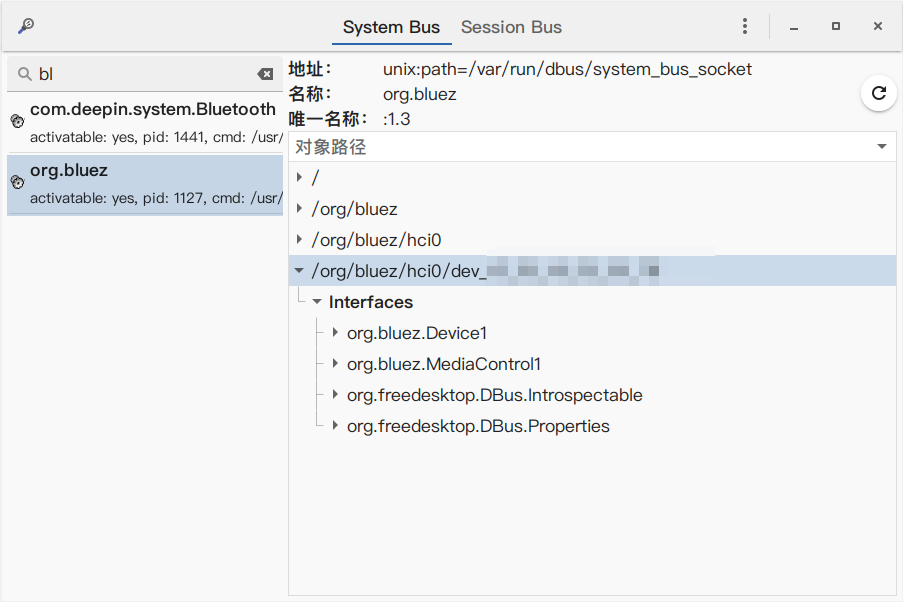
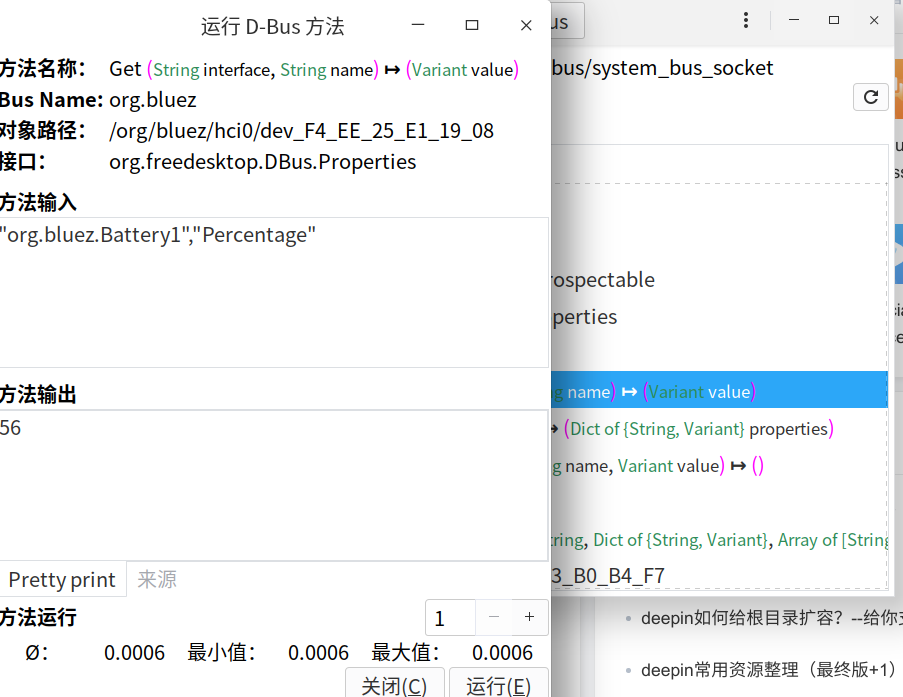
一键查询命令 dbus-send --print-reply=literal --system --dest=org.bluez /org/bluez/hci0/dev_F4_EE_25_E1_0E_01 org.freedesktop.DBus.Properties.Get string:"org.bluez.Battery1" string:"Percentage"

Reply View the author
whoam1
deepin
2022-04-18 05:23
#2
whoam1

一键查询命令 dbus-send --print-reply=literal --system --dest=org.bluez /org/bluez/hci0/dev_F4_EE_25_E1_0E_01 org.freedesktop.DBus.Properties.Get string:"org.bluez.Battery1" string:"Percentage"

替换自己的蓝牙设备mac地址

Reply View the author
deepin-superuser
deepin
2022-05-28 22:38
#3
whoam1

替换自己的蓝牙设备mac地址

image.png

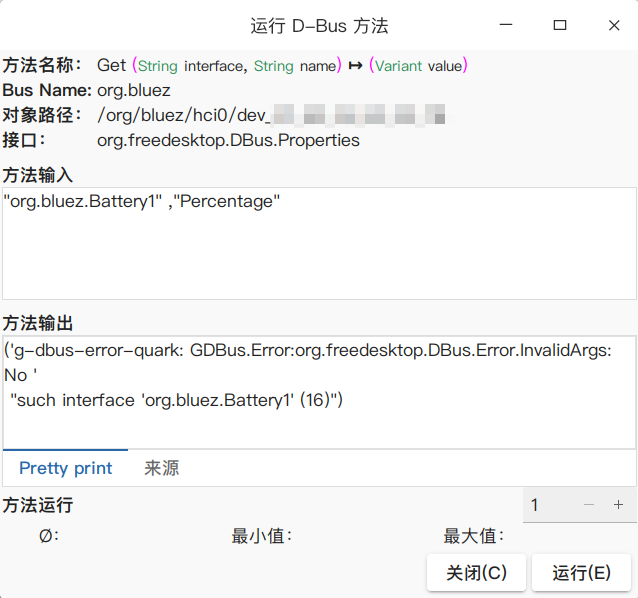
貌似不支持这个接口,也有可能是不支持蓝牙耳机获取电量

Reply View the author
whoam1
deepin
2022-05-29 03:02
#4
deepin-superuser

image.png

貌似不支持这个接口,也有可能是不支持蓝牙耳机获取电量

截图_选择区域_20220528190144.png

Reply View the author
deepin-superuser
deepin
2022-05-29 03:17
#5
whoam1

截图_选择区域_20220528190144.png

看来果然是我耳机的事。。。

image.png

Reply View the author
whoam1
deepin
2022-05-29 03:29
#6
deepin-superuser

看来果然是我耳机的事。。。

image.png

upower --dump 这个命令能查到的就可以

Reply View the author