

 中文
中文 
阿顺呀 deepin
2022-04-17 05:52 deepin 前排围观
Reply Like 0 View the author
 deepin
 前排围观

 deepin
 还是希望可以一键安装...
改天研究下

 deepin
 还是希望可以一键安装...
改天研究下
应该官方的live cd本地的版本还有修改,简易的替换文件是不行的
 deepin
 live cd主要是提供基础的工具应用,安装的应用下次启动就没有了的

 deepin
 deepin

 deepin
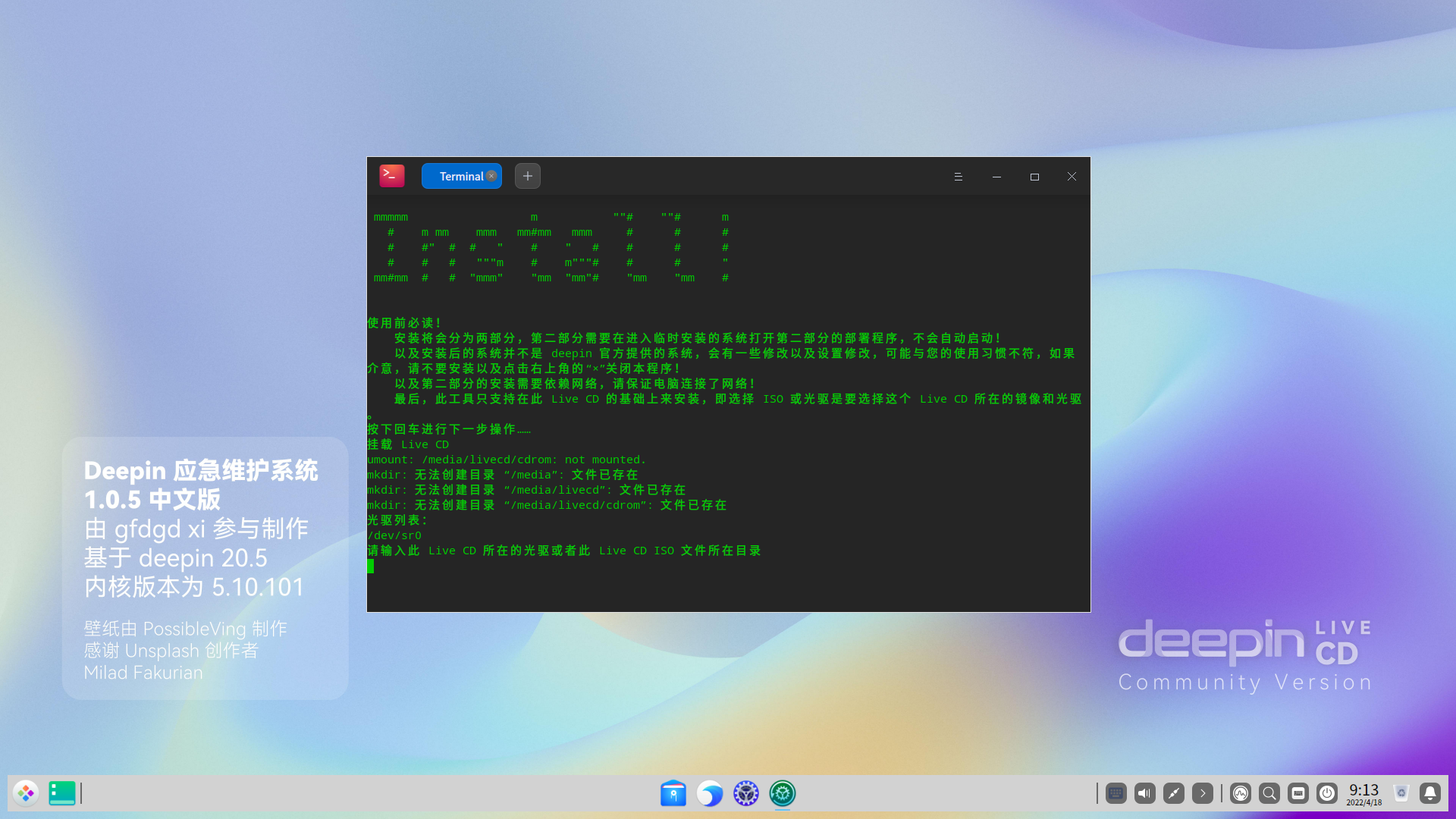
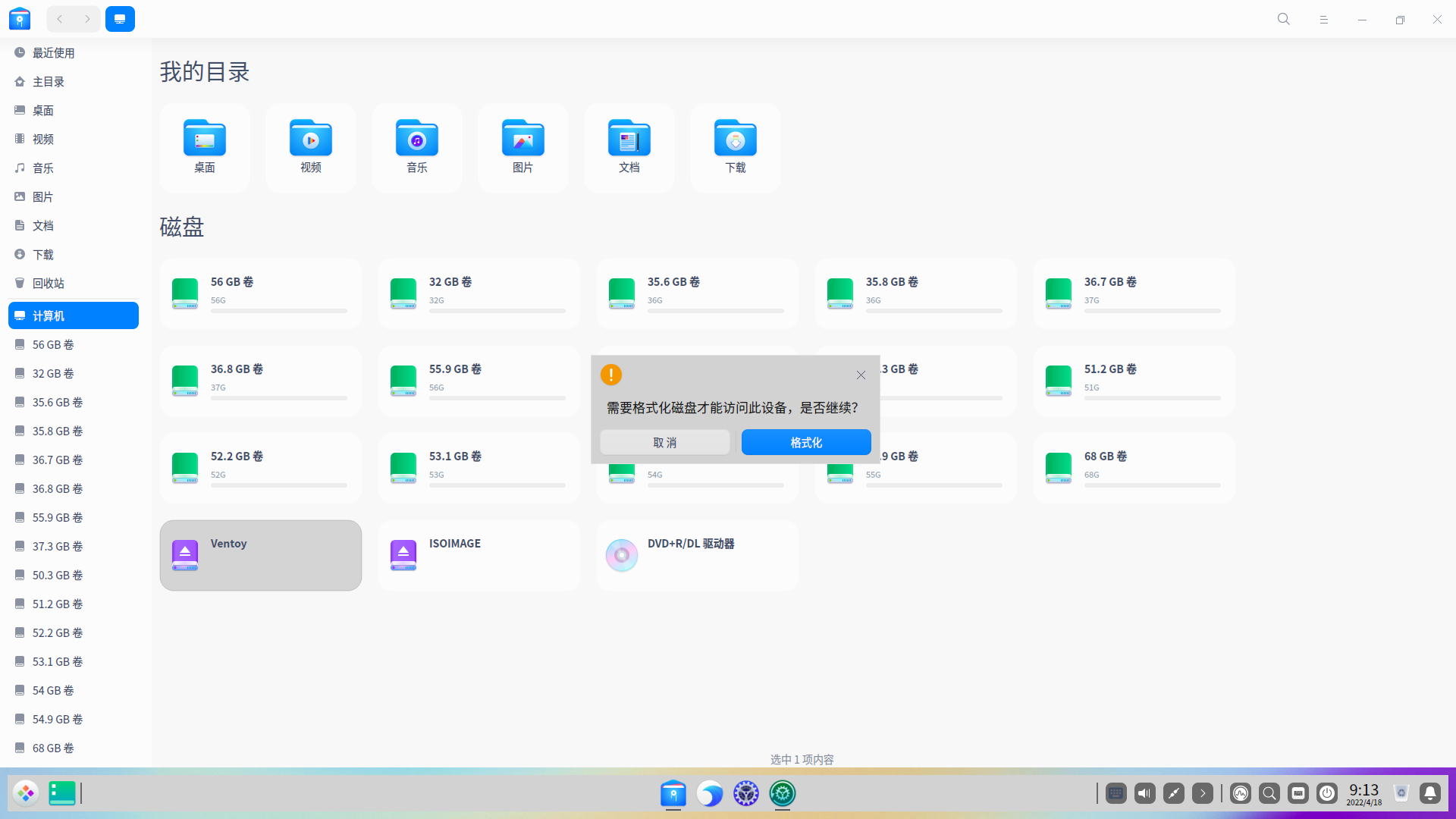
 从制作的Ventoy启动U盘进入live系统,在选择了硬盘上的这ISO文件后还是不能完成系统安装
deepin deepin ```
mmmmm m ""# ""# m # m mm mmm mm#mm mmm # # # # #" # # " # " # # # # # # # """m # m"""# # # " mm#mm # # "mmm" "mm "mm"# "mm "mm # 使用前必读! 安装将会分为两部分,第二部分需要在进入临时安装的系统打开第二部分的部署程序,不会自动启动! 以及安装后的系统并不是 deepin 官方提供的系统,会有一些修改以及设置修改,可能与您的使用习惯不符,如果介意,请不要安装以及点击右上角的“×”关闭本程序! 以及第二部分的安装需要依赖网络,请保证电脑连接了网络! 最后,此工具只支持在此 Live CD 的基础上来安装,即选择 ISO 或光驱是要选择这个 Live CD 所在的镜像和光驱。 按下回车进行下一步操作…… 挂载 Live CD mkdir: 无法创建目录 “/media”: 文件已存在 mkdir: 无法创建目录 “/media/livecd”: 文件已存在 mkdir: 无法创建目录 “/media/livecd/cdrom”: 文件已存在 光驱列表: /dev/sr0 请输入此 Live CD 所在的光驱或者此 Live CD ISO 文件所在目录 /media/livecd/8b9799e9-ef88-47d0-b538-212713582a30/home/wzr/Downloads/deepin-live-cd-commiunty-1.0.5.iso mount: /media/livecd/cdrom: WARNING: device write-protected, mounted read-only. 按下回车键打开磁盘分区工具 GParted 进行分区操作(如果不需要则打开后立即关闭即可) 按下回车进行下一步操作…… Unit \xe2\x97\x8f.service does not exist, proceeding anyway. (gpartedbin:11331): GLib-GObject-CRITICAL **: 09:26:43.463: g_value_set_boxed: assertion 'G_VALUE_HOLDS_BOXED (value)' failed (gpartedbin:11331): dbind-WARNING **: 09:26:43.497: Error retrieving accessibility bus address: org.freedesktop.DBus.Error.ServiceUnknown: The name org.a11y.Bus was not provided by any .service files GParted 1.0.0 configuration --enable-libparted-dmraid --enable-online-resize libparted 3.2 (gpartedbin:11331): Gtk-WARNING **: 09:26:46.271: Error loading theme icon 'dialog-password' for stock: 图标“dialog-password”未在主题 bloom 中出现 (gpartedbin:11331): Gtk-WARNING **: 09:26:46.271: Error loading theme icon 'dialog-password' for stock: 图标“dialog-password”未在主题 bloom 中出现 (gpartedbin:11331): Gtk-WARNING **: 09:26:46.271: Error loading theme icon 'dialog-password' for stock: 图标“dialog-password”未在主题 bloom 中出现 (gpartedbin:11331): Gtk-WARNING **: 09:26:46.272: Error loading theme icon 'dialog-password' for stock: 图标“dialog-password”未在主题 bloom 中出现 (gpartedbin:11331): Gtk-WARNING **: 09:26:46.272: Error loading theme icon 'dialog-password' for stock: 图标“dialog-password”未在主题 bloom 中出现 (gpartedbin:11331): Gtk-WARNING **: 09:26:46.272: Error loading theme icon 'dialog-password' for stock: 图标“dialog-password”未在主题 bloom 中出现 (gpartedbin:11331): Gtk-WARNING **: 09:26:46.272: Error loading theme icon 'dialog-password' for stock: 图标“dialog-password”未在主题 bloom 中出现 (gpartedbin:11331): Gtk-WARNING **: 09:26:46.272: Error loading theme icon 'dialog-password' for stock: 图标“dialog-password”未在主题 bloom 中出现 (gpartedbin:11331): Gtk-WARNING **: 09:26:46.272: Error loading theme icon 'dialog-password' for stock: 图标“dialog-password”未在主题 bloom 中出现 到时候询问需要 squashfs 的文件请输入:/media/livecd/cdrom/live/filesystem.squashfs 提示:lub 的 Grub 修复可能会有问题,后面会有专门的程序修复引导 注意:千万不要乱改挂载文件,否则下一步的部署将会失败! 按下回车进行下一步操作…… Press the (e) Key selection in English language! 请按下(c)键选择中文! english/chinese[简体中文]? c 将恢复你的备份。继续? (y/n) y 指定 squashfs 备份文件 (绝对路径)。可以从 Nautilus 文件管理器拖放。 从备份的 squashfs 启动的,直接回车即可,将使用本次启动的 squashfs 文件。 /rofs 没看到。 正在释放一些所需程序 '/opt/livecd-installer-pc/setsudo.py' -> '/tmp/target/usr/bin/setsudo.py' cp: 无法创建普通文件'/tmp/target/usr/bin/setsudo.py': 没有那个文件或目录 '/opt/livecd-installer-pc/livecd-installer.sh' -> '/tmp/target/usr/bin/livecd-installer' cp: 无法创建普通文件'/tmp/target/usr/bin/livecd-installer': 没有那个文件或目录 '/opt/livecd-installer-pc/livecd-installer.desktop' -> '/tmp/target/usr/share/applications/livecd-installer.desktop' cp: 无法创建普通文件'/tmp/target/usr/share/applications/livecd-installer.desktop': 没有那个文件或目录 chmod: 无法访问'/tmp/target/usr/bin/setsudo.py': 没有那个文件或目录 chmod: 无法访问'/tmp/target/usr/bin/livecd-installer': 没有那个文件或目录 按下回车键打开 Pardus Boot Repair 以便修复系统引导 按下回车进行下一步操作……
```
deepin ```
mmmmm m ""# ""# m # m mm mmm mm#mm mmm # # # # #" # # " # " # # # # # # # """m # m"""# # # " mm#mm # # "mmm" "mm "mm"# "mm "mm # 使用前必读! 安装将会分为两部分,第二部分需要在进入临时安装的系统打开第二部分的部署程序,不会自动启动! 以及安装后的系统并不是 deepin 官方提供的系统,会有一些修改以及设置修改,可能与您的使用习惯不符,如果介意,请不要安装以及点击右上角的“×”关闭本程序! 以及第二部分的安装需要依赖网络,请保证电脑连接了网络! 最后,此工具只支持在此 Live CD 的基础上来安装,即选择 ISO 或光驱是要选择这个 Live CD 所在的镜像和光驱。 按下回车进行下一步操作…… 挂载 Live CD mkdir: 无法创建目录 “/media”: 文件已存在 mkdir: 无法创建目录 “/media/livecd”: 文件已存在 mkdir: 无法创建目录 “/media/livecd/cdrom”: 文件已存在 光驱列表: /dev/sr0 请输入此 Live CD 所在的光驱或者此 Live CD ISO 文件所在目录 /media/livecd/8b9799e9-ef88-47d0-b538-212713582a30/home/wzr/Downloads/deepin-live-cd-commiunty-1.0.5.iso mount: /media/livecd/cdrom: WARNING: device write-protected, mounted read-only. 按下回车键打开磁盘分区工具 GParted 进行分区操作(如果不需要则打开后立即关闭即可) 按下回车进行下一步操作…… Unit \xe2\x97\x8f.service does not exist, proceeding anyway. (gpartedbin:11331): GLib-GObject-CRITICAL **: 09:26:43.463: g_value_set_boxed: assertion 'G_VALUE_HOLDS_BOXED (value)' failed (gpartedbin:11331): dbind-WARNING **: 09:26:43.497: Error retrieving accessibility bus address: org.freedesktop.DBus.Error.ServiceUnknown: The name org.a11y.Bus was not provided by any .service files GParted 1.0.0 configuration --enable-libparted-dmraid --enable-online-resize libparted 3.2 (gpartedbin:11331): Gtk-WARNING **: 09:26:46.271: Error loading theme icon 'dialog-password' for stock: 图标“dialog-password”未在主题 bloom 中出现 (gpartedbin:11331): Gtk-WARNING **: 09:26:46.271: Error loading theme icon 'dialog-password' for stock: 图标“dialog-password”未在主题 bloom 中出现 (gpartedbin:11331): Gtk-WARNING **: 09:26:46.271: Error loading theme icon 'dialog-password' for stock: 图标“dialog-password”未在主题 bloom 中出现 (gpartedbin:11331): Gtk-WARNING **: 09:26:46.272: Error loading theme icon 'dialog-password' for stock: 图标“dialog-password”未在主题 bloom 中出现 (gpartedbin:11331): Gtk-WARNING **: 09:26:46.272: Error loading theme icon 'dialog-password' for stock: 图标“dialog-password”未在主题 bloom 中出现 (gpartedbin:11331): Gtk-WARNING **: 09:26:46.272: Error loading theme icon 'dialog-password' for stock: 图标“dialog-password”未在主题 bloom 中出现 (gpartedbin:11331): Gtk-WARNING **: 09:26:46.272: Error loading theme icon 'dialog-password' for stock: 图标“dialog-password”未在主题 bloom 中出现 (gpartedbin:11331): Gtk-WARNING **: 09:26:46.272: Error loading theme icon 'dialog-password' for stock: 图标“dialog-password”未在主题 bloom 中出现 (gpartedbin:11331): Gtk-WARNING **: 09:26:46.272: Error loading theme icon 'dialog-password' for stock: 图标“dialog-password”未在主题 bloom 中出现 到时候询问需要 squashfs 的文件请输入:/media/livecd/cdrom/live/filesystem.squashfs 提示:lub 的 Grub 修复可能会有问题,后面会有专门的程序修复引导 注意:千万不要乱改挂载文件,否则下一步的部署将会失败! 按下回车进行下一步操作…… Press the (e) Key selection in English language! 请按下(c)键选择中文! english/chinese[简体中文]? c 将恢复你的备份。继续? (y/n) y 指定 squashfs 备份文件 (绝对路径)。可以从 Nautilus 文件管理器拖放。 从备份的 squashfs 启动的,直接回车即可,将使用本次启动的 squashfs 文件。 /rofs 没看到。 正在释放一些所需程序 '/opt/livecd-installer-pc/setsudo.py' -> '/tmp/target/usr/bin/setsudo.py' cp: 无法创建普通文件'/tmp/target/usr/bin/setsudo.py': 没有那个文件或目录 '/opt/livecd-installer-pc/livecd-installer.sh' -> '/tmp/target/usr/bin/livecd-installer' cp: 无法创建普通文件'/tmp/target/usr/bin/livecd-installer': 没有那个文件或目录 '/opt/livecd-installer-pc/livecd-installer.desktop' -> '/tmp/target/usr/share/applications/livecd-installer.desktop' cp: 无法创建普通文件'/tmp/target/usr/share/applications/livecd-installer.desktop': 没有那个文件或目录 chmod: 无法访问'/tmp/target/usr/bin/setsudo.py': 没有那个文件或目录 chmod: 无法访问'/tmp/target/usr/bin/livecd-installer': 没有那个文件或目录 按下回车键打开 Pardus Boot Repair 以便修复系统引导 按下回车进行下一步操作……
```

在这一步应该输入
/media/livecd/cdrom/live/filesystem.squashfs
才能继续操作
(看报错人都快看傻了 )
)
以及这个工具只支持 Legary 启动的 PC,至于您电脑是不是就不清楚了
deepin
在这一步应该输入
/media/livecd/cdrom/live/filesystem.squashfs
才能继续操作
(看报错人都快看傻了 )
以及这个工具只支持 Legary 启动的 PC,至于您电脑是不是就不清楚了
我的电脑引导是用MBR,应该是 Legary 启动的 PC
deepin 我的电脑引导是用MBR,应该是 Legary 启动的 PC
应该是
除非是UEFI+MBR,这种我没测试过

deepin 应该是
除非是UEFI+MBR,这种我没测试过
BIOS里确实是UEFI+MBR,不过我从没专门设置EFI分区,都是从MBR启动引导的
Popular Ranking
ChangePopular Events
More


 A bug with the language select
今天神州十三号返回地球
前言
deepin 发布的 Live CD 有点古老,功能有少许不全,在部分新电脑是无法启动,对 ventoy 兼容性不是很好,同时我也想自己定制一个属于自己的 Live CD,于是这个 Live CD 就出现了


旧版 Live CD:
介绍
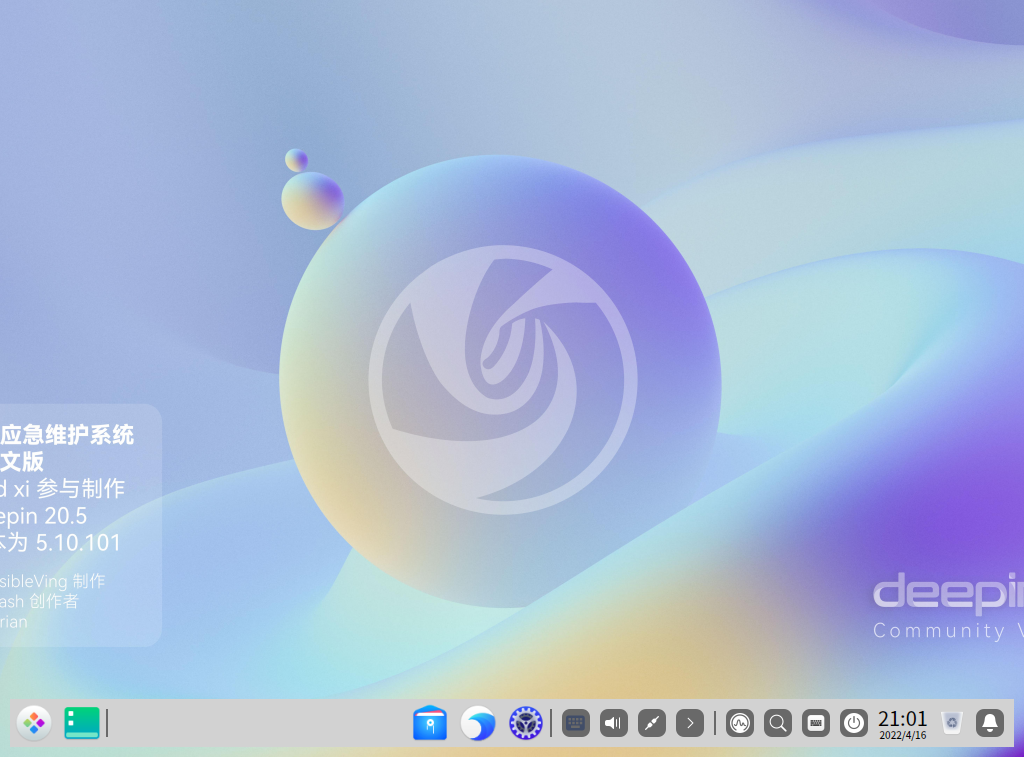
此 Live CD 基于 deepin 20.5 和原 Live CD 2.0 制作,安装部分维护工具(如果还有需要添加的就说),感谢 https://bbs.deepin.org/post/166409 的作者 @xchngg的参考文档,测试 Ventoy 在 Legary 和 UEFT 模式下均可运行此 Live CD,有常用驱动(网卡、显卡、声卡),理论上能运行 deepin 20.5 均可运行
同时也借鉴了以下文章的内容:
https://bbs.deepin.org/post/228930 @deepin-superuser
https://bbs.deepin.org/post/228568 @木一明
用户密码(包括root密码)为:123456
打包所带的程序
缺点
1.0.5 更新内容
下载链接
百度网盘:链接: https://pan.baidu.com/s/1n5J8M8iqfI-kMbmHfR-x9w 提取码: ejr7

阿里云盘(要改后缀名):https://www.aliyundrive.com/s/bfzZhFWCEdi

和彩云:链接: https://caiyun.139.com/m/i?0r5CLA9upgtMT 提取码:nEy6