

 中文
中文 
云的眼泪 deepin
2022-04-15 03:15 deepin 如果在打印管理器中能找到打印机,可试着安装通用驱动。
手动安装驱动,下一步,在厂商中选择General,型号中选择PCL6,或者PCL6 Laser
Reply Like 0 View the author
 deepin
 如果在打印管理器中能找到打印机,可试着安装通用驱动。
手动安装驱动,下一步,在厂商中选择General,型号中选择PCL6,或者PCL6 Laser
 deepin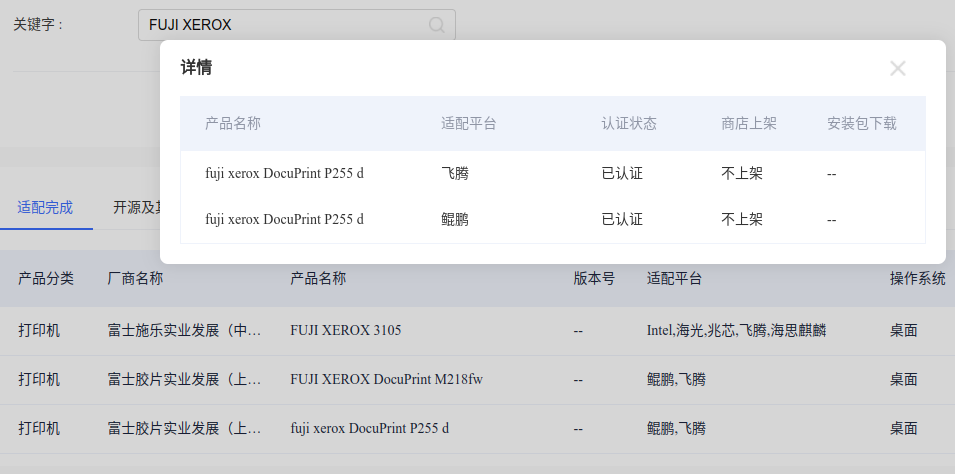
我为你找了一下 ,很可惜 ,上图看吧,x86没有适配 ,适配了另平台 但不上架
 deepin
我为你找了一下 ,很可惜 ,上图看吧,x86没有适配 ,适配了另平台 但不上架
很郁闷啊
deepin 如果在打印管理器中能找到打印机,可试着安装通用驱动。
手动安装驱动,下一步,在厂商中选择General,型号中选择PCL6,或者PCL6 Laser
我添加PCL Laser
打印机能打出来纸 但是没内容
deepin https://ecology.chinauos.com/ 这个uos有适配清单,可以查相应驱动
deepin 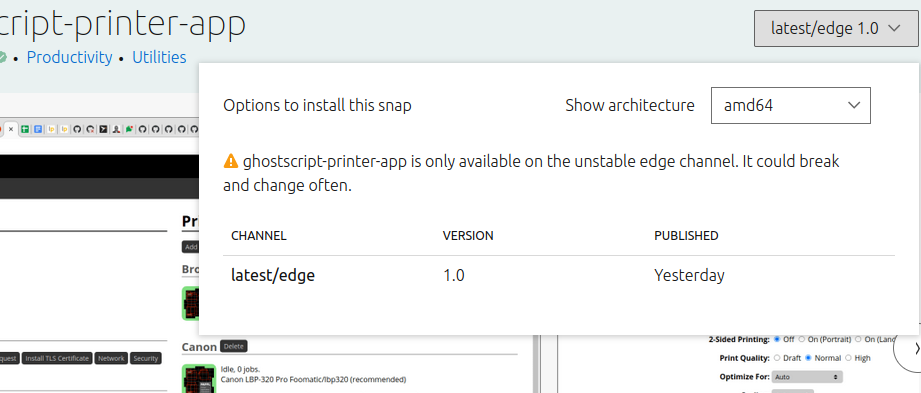
https://www.openprinting.org/driver/foo2hbpl2
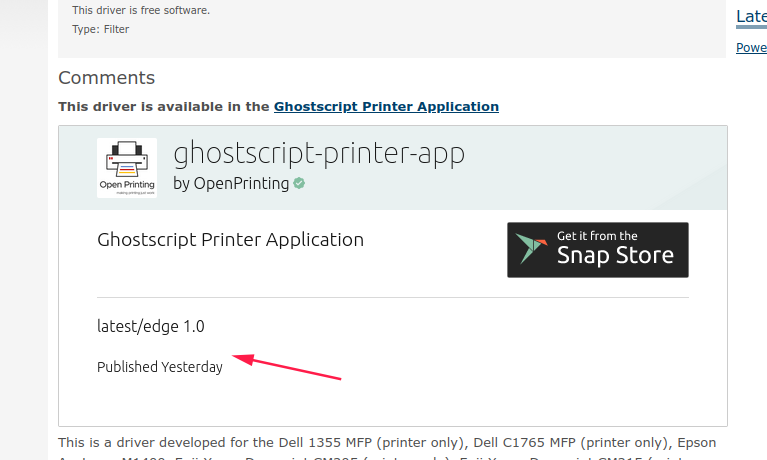
deepin https://www.openprinting.org/driver/foo2hbpl2 这个地址找到了p205型号 开源驱动 Ububtu上用的 你试试
deepin 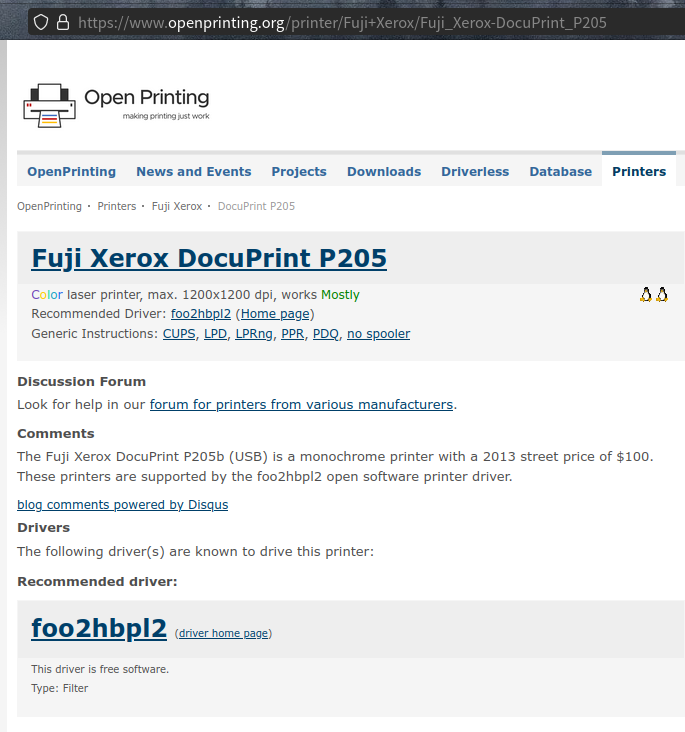
deepin 1还有一个方法 使用win下的驱动,你用找出打印机驱动对应的*inf 文件
2 sudo apt install ndiswrapper-source ndiswrapper-dkms
3 deepin下进入文件**.INF所在的文件夹
4安装驱动:ndiswrapper -i **.INF
5查看驱动是否安装:ndiswrapper -l //如:显示**.INF(驱动名称):driver
installed
deepin lz123@lz123-PC:~$ ndiswrapper -h
install/manage Windows drivers for ndiswrapper
usage: ndiswrapper OPTION
-i inffile install driver described by 'inffile'
-a devid driver use installed 'driver' for 'devid' (dangerous)
-r driver remove 'driver'
-l list installed drivers
-m write configuration for modprobe
-ma write module alias configuration for all devices
-mi write module install configuration for all devices
-v report version information
where 'devid' is either PCIID or USBID of the form XXXX:XXXX,
as reported by 'lspci -n' or 'lsusb' for the card
这是我安装后测试了下 还有参数你学习一下吧。一口气说的太多了^-^ ,大家一起努力,为摆脱win做点贡献
deepin lz123@lz123-PC:~$ ndiswrapper -h
install/manage Windows drivers for ndiswrapper
usage: ndiswrapper OPTION
-i inffile install driver described by 'inffile'
-a devid driver use installed 'driver' for 'devid' (dangerous)
-r driver remove 'driver'
-l list installed drivers
-m write configuration for modprobe
-ma write module alias configuration for all devices
-mi write module install configuration for all devices
-v report version information
where 'devid' is either PCIID or USBID of the form XXXX:XXXX,
as reported by 'lspci -n' or 'lsusb' for the card
这是我安装后测试了下 还有参数你学习一下吧。一口气说的太多了^-^ ,大家一起努力,为摆脱win做点贡献
提示没有找到此命令呢
deepin 最后一招 ,就是采用 云打印了,商店里有,你选择一下。这个基本思路也不复杂
deepin 我添加PCL Laser
打印机能打出来纸 但是没内容
换PCL5、或者PCL6试试,多试几种
我的夏普MX3158N用系统推荐的驱动打印不出来,最后安装通用驱动解决。
deepin 换PCL5、或者PCL6试试,多试几种
我的夏普MX3158N用系统推荐的驱动打印不出来,最后安装通用驱动解决。
谢谢 测出来了,虽然不能自动双面打印了 但是总比不能打好
Popular Ranking
ChangePopular Events
More


 A bug with the language select
如何添加本地打印机啊,实在找不到驱动
打印机是 FUJI XEROX P225DB