

 中文
中文 
神末shenmo deepin
2022-04-13 19:15 deepin Spark-App
Q&A Team
命令行输入
pkexec deepin-clone
Reply Like 0 View the author
 deepin
 命令行输入
pkexec deepin-clone

 deepin
 命令行输入
pkexec deepin-clone

报错如图

 deepin
 这个是不是只有全盘安装时才有的
deepin 这个是不是只有全盘安装时才有的
系统自带备份功能只有全盘安装才会有。
deepin 系统自带备份功能只有全盘安装才会有。
卸载了之后就不能重新安装了吗?😰
deepin 卸载了之后就不能重新安装了吗?😰
根据你的截图,已经提示你电脑的deepin-clone是最新版了,意思是你的电脑已经装了deepin-clone了啊。不信你用命令apt search deepin-clone查,肯定带【已安装】字样。
deepin 卸载了之后就不能重新安装了吗?😰
至于你已经安装了deepin-clone为什么不能备份,那就是另外一个问题了,估计是因为你的磁盘没有分备份分区吧。
deepin
报错如图
换成sudo

 deepin
 这个软件手动分区安装不出现在启动器,但确实已安装到了系统,我也查证过,确实如此。
deepin 换成sudo

用 sudo 还是显示同样的报错
deepin 这个软件手动分区安装不出现在启动器,但确实已安装到了系统,我也查证过,确实如此。

如图,命令行启动不了,你这里有其他启动方式能告知一下吗?
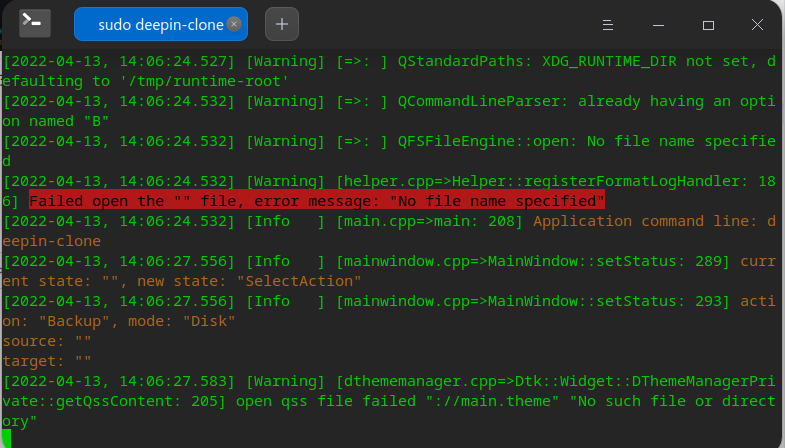
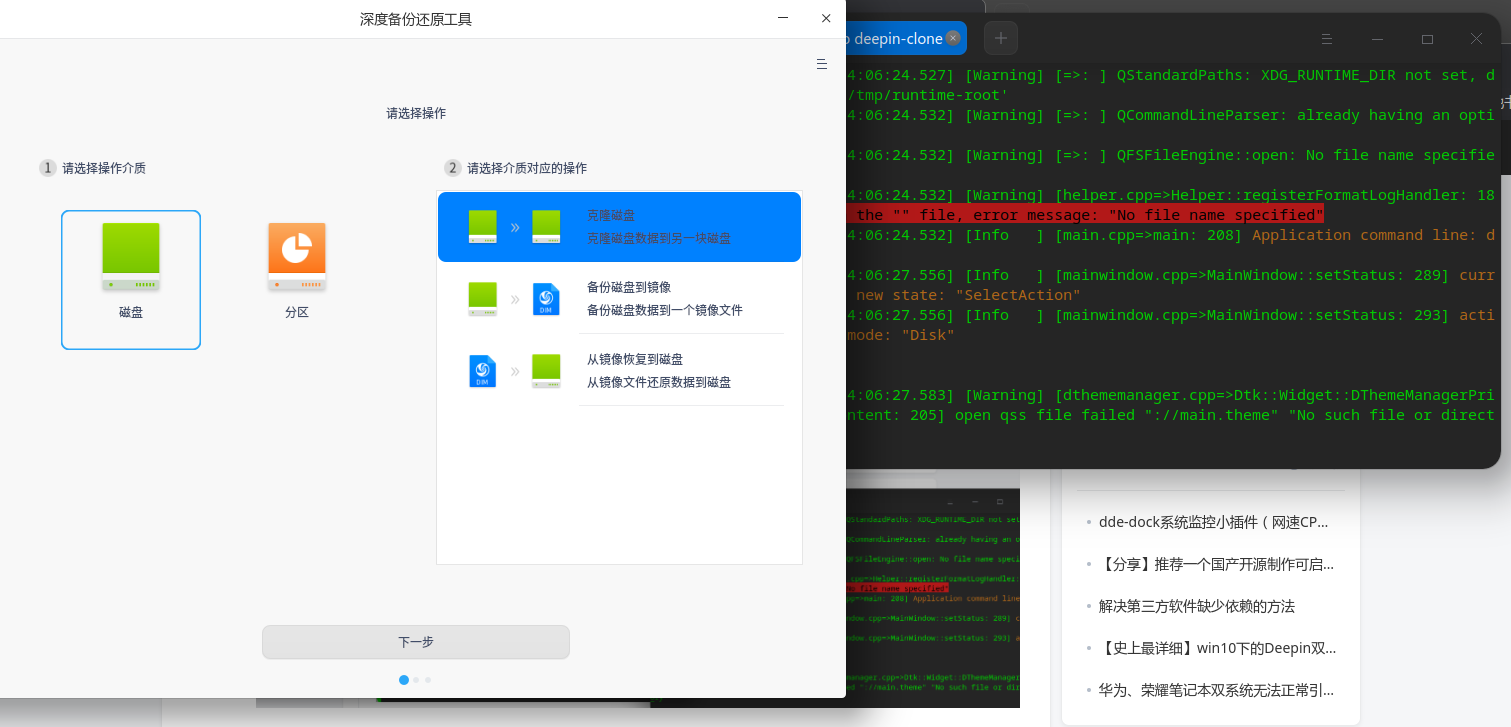
deepin 命令行输入sudo deepin-clone如下图
deepin
如图,命令行启动不了,你这里有其他启动方式能告知一下吗?
https://www.bilibili.com/video/BV1Cr4y1n7bW/
我这里能打开
deepin deepin-clone-pkexec
也可以
deepin 命令行输入sudo deepin-clone如下图
使用 sudo deepin-clone 可以正常启动该软件,感谢!
deepin https://www.bilibili.com/video/BV1Cr4y1n7bW/
我这里能打开
使用 sudo deepin-clone 可以正常启动该软件,感谢!
deepin 使用 sudo deepin-clone 可以正常启动该软件,感谢!
刚才发现个问题,其实在启动器目录里应该有,或许你可以建立个桌面快捷方式,方便使用,见我另一贴
https://bbs.deepin.org/zh/post/234949
deepin 刚才发现个问题,其实在启动器目录里应该有,或许你可以建立个桌面快捷方式,方便使用,见我另一贴
https://bbs.deepin.org/zh/post/234949
谢谢,我已经找到了在启动器中显示该工具的方法。
deepin 谢谢,我已经找到了在启动器中显示该工具的方法。
我还没有找到,怎么办呢?
deepin 我还没有找到,怎么办呢?
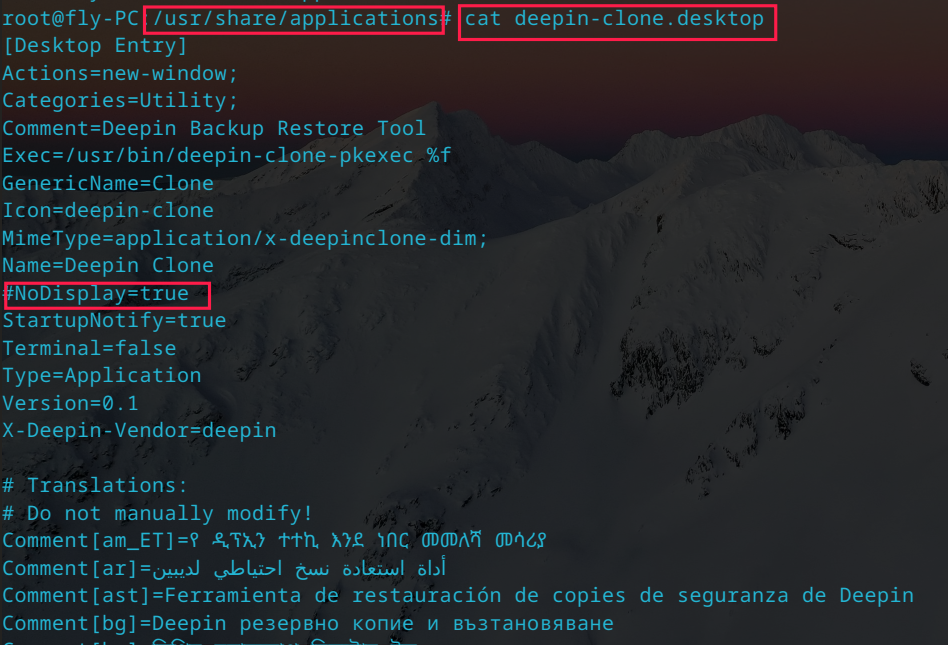
如图,在 /usr/share/applications 目录修改 deepin-clone.desktop 文件,注释掉该行即可
Popular Ranking
ChangePopular Events
More


 A bug with the language select
如图所示,深度备份还原工具在应用商店搜索不到,并且使用命令行也无法安装?想请问一下深度的各位大佬,深度备份还原工具是没有维护了吗?如果在维护,有相应的下载地址吗?