

 中文
中文 
Feng Yu deepin
2022-04-12 19:16 deepin 安装command-not-found这个包就行了
Reply Like 2 View the author


 deepin
 可能环境变量出问题了?
修改/etc/profile文件,在最后一行添加export PATH=$PATH:/sbin,source /etc/profile使刚刚的更改生效
我在基于ubuntu的银河麒麟系统输入ifconfig正常。

 deepin
 安装command-not-found这个包就行了
漂亮!!
deepin 安装command-not-found这个包就行了
command-not-found 安装了,目前看还是报错。 不知道有没有修复方案:>
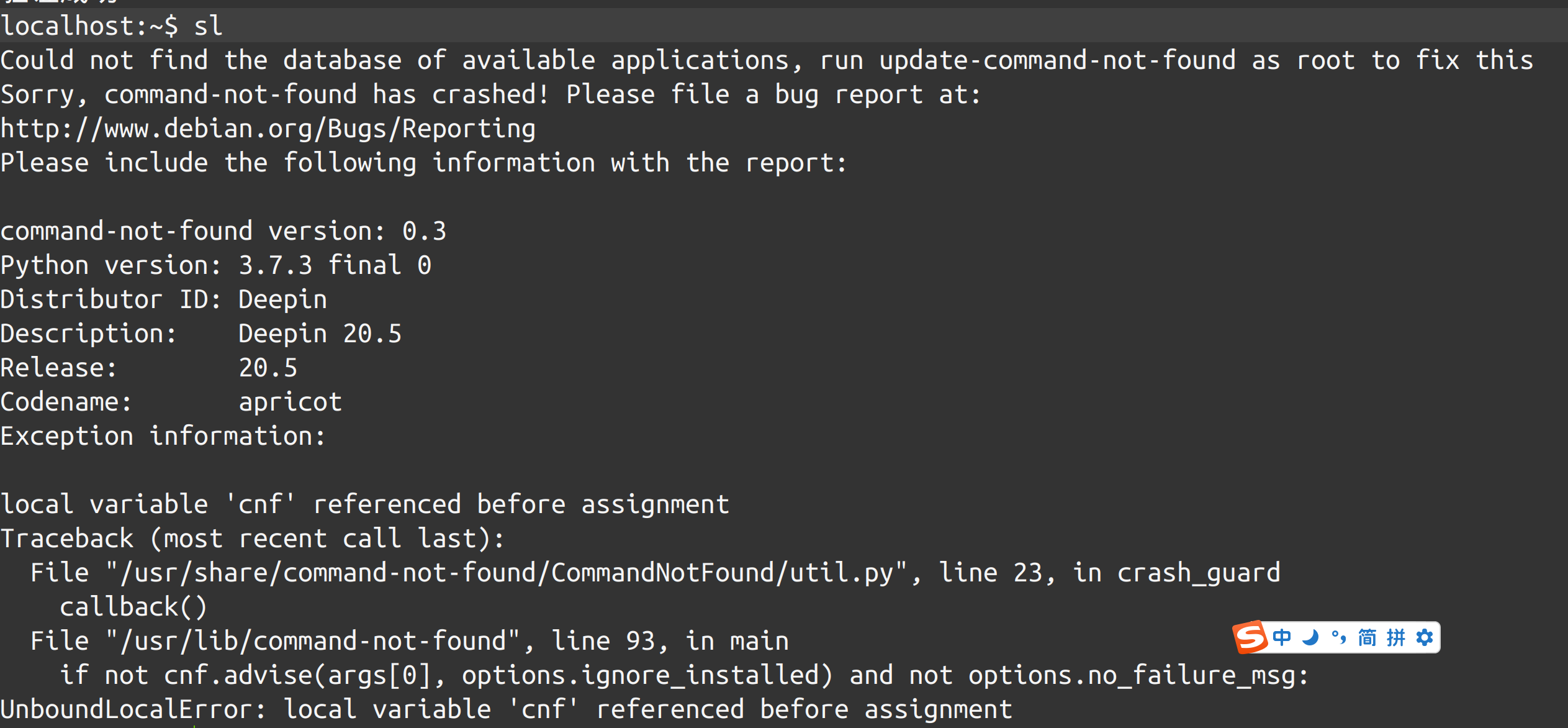
程序扫描 /var/lib/apt/lists/*Contents* 但是 lists 下没有 这些文件
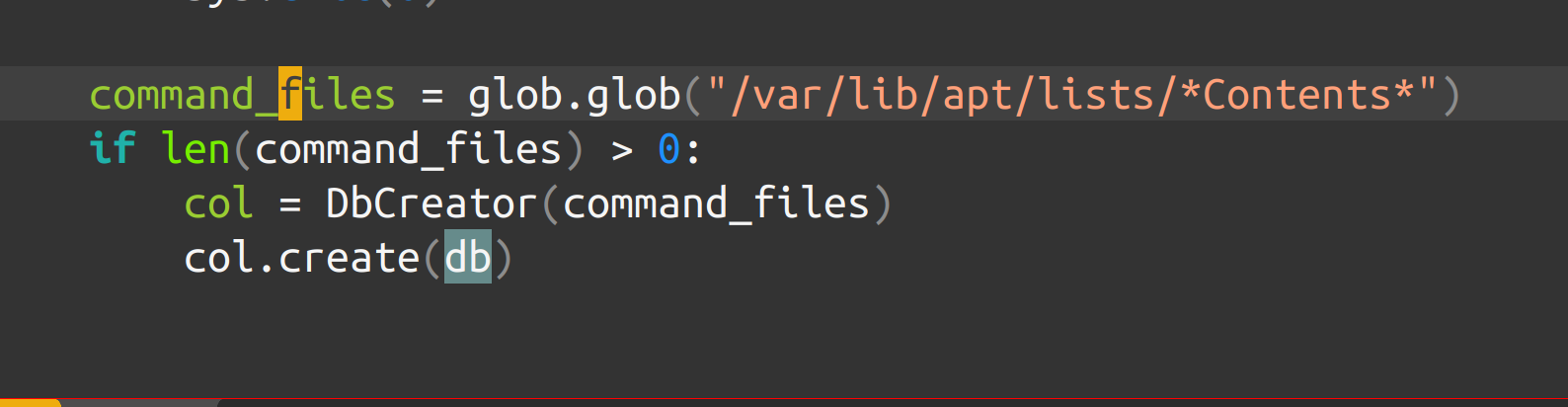

 deepin
 command-not-found 安装了,目前看还是报错。 不知道有没有修复方案:>
程序扫描 /var/lib/apt/lists/*Contents* 但是 lists 下没有 这些文件
? 难道不是 输入 sudo apt install net-tools ?
deepin ? 难道不是 输入 sudo apt install net-tools ?
我是要实现 当命令不存在时,提示对应的安装包。
截图只是个例子
deepin 我是要实现 当命令不存在时,提示对应的安装包。
截图只是个例子
额,通常来说,bash会返回一个提示,如果没有的话,直接在论坛提出来吧。
deepin OK 了
安装好 command-not-found 后, 要运行 sudo apt-get update
重新打开终端 就好

deepin 
 deepin
 安装command-not-found这个包就行了
好久不见了啊
Popular Ranking
ChangePopular Events
More


 A bug with the language select
如何实现ubutnu 的 当命令不存在时,提示对应的安装包。
例子:
==============
根据大家提供的信息,操作如下
sudo apt-get install command-not-found
sudo apt-get update