

 中文
中文 
灵兮之 deepin
2022-04-08 22:30 deepin 有个命令是打开不明来源安装的,得找找下
回头找到了发给你
Reply Like 0 View the author
 deepin
 有个命令是打开不明来源安装的,得找找下
回头找到了发给你
 deepin
 参考一下这个:https://ywnz.com/linuxsj/9702.html
如何自行安装APK软件?
命令行输入:
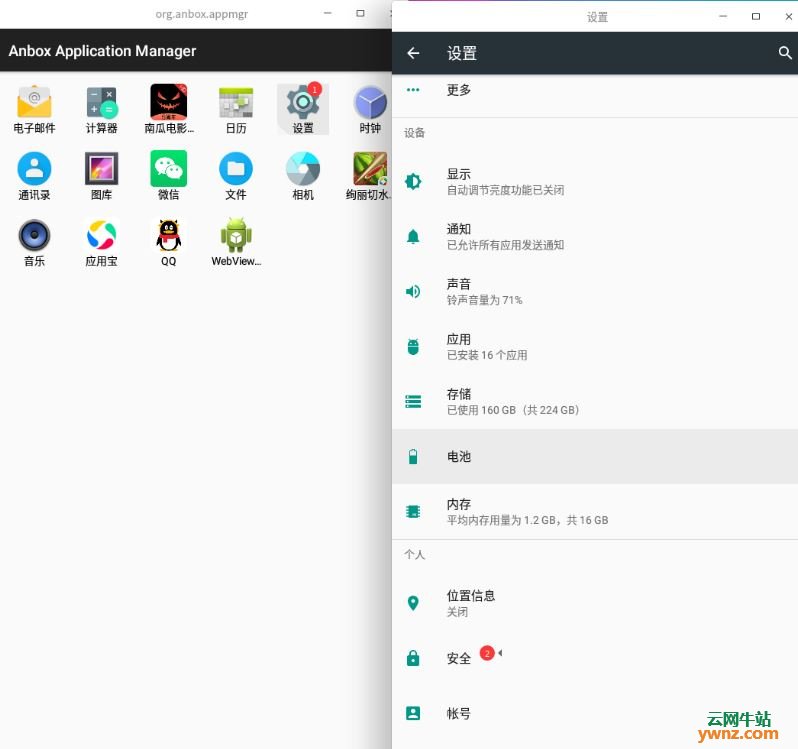
/usr/bin/uengine-launch.sh --package=org.anbox.appmgr --component=org.anbox.appmgr.AppViewActivity
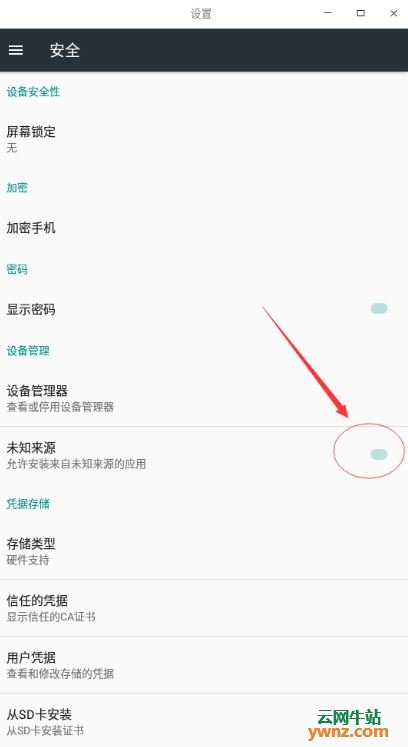
会弹出下方这个界面,类似于手机一样,找到:设置→ 安全→设定未知来源为启用状态:

 deepin
 参考一下这个:https://ywnz.com/linuxsj/9702.html
如何自行安装APK软件?
命令行输入:
/usr/bin/uengine-launch.sh --package=org.anbox.appmgr --component=org.anbox.appmgr.AppViewActivity
会弹出下方这个界面,类似于手机一样,找到:设置→ 安全→设定未知来源为启用状态:
帮顶。
 deepin
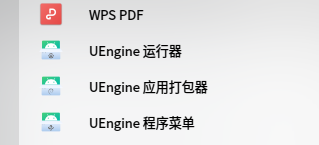
 在星火商店安装UEngine运行器,就可以进行设置,还可以用它将商用商店没有的APK打包成deb安装包。
Popular Ranking
ChangePopular Events
More


 A bug with the language select
安裝的安卓應用,提示禁止不明來源安裝。安裝的安卓應用,提示禁止不明來源安裝。