

 中文
中文 
fk2347 deepin
2022-04-08 03:45 deepin 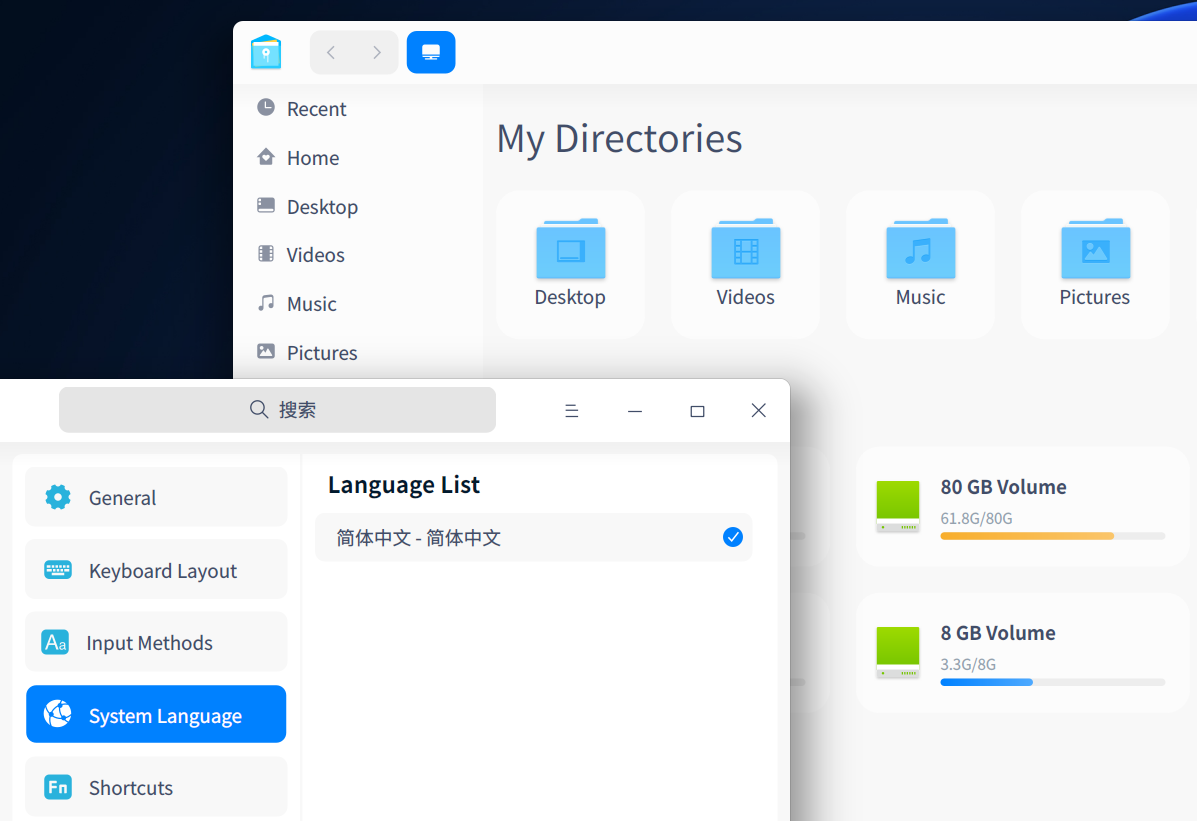
Reply Like 0 View the author
deepin
 deepin
 不知道删除了什么,也许可以尝试 apt-get install task-chinese-s-desktop
如果知道删除的是什么文件,可以通过 apt-file 查询属于哪个包,然后 reinstall 那个包就可以了.

 deepin
 看看/etc/locale.gen文件,zh_CN.UTF-8 UTF-8这一行前面的注释#有没有被取消掉,如果没有的话就删掉#然后保存,之后执行下sudo locale-gen
deepin 不知道删除了什么,也许可以尝试 apt-get install task-chinese-s-desktop
如果知道删除的是什么文件,可以通过 apt-file 查询属于哪个包,然后 reinstall 那个包就可以了.
不行哦,问题依然没有解决

 deepin
 重装吧,速度最快,这个问题已经在论坛发过帖子,建议大家不要轻易使用BleachBit
Popular Ranking
ChangePopular Events
More


 A bug with the language select
使用BleachBit清理系统时误删除系统语言包,现在系统无法恢复中文了,怎样才能恢复?