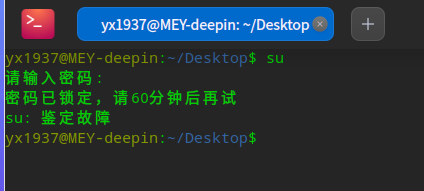
[Terminal] 输入正确的密码获取不了超级管理员权限 V20.5
Tofloor
poster avatar
yx1927
deepin
2022-04-07 22:00
Author

问题/建议描述

1、命令行输入su命令,输入yx1937正确的密码获取不了超级管理员权限
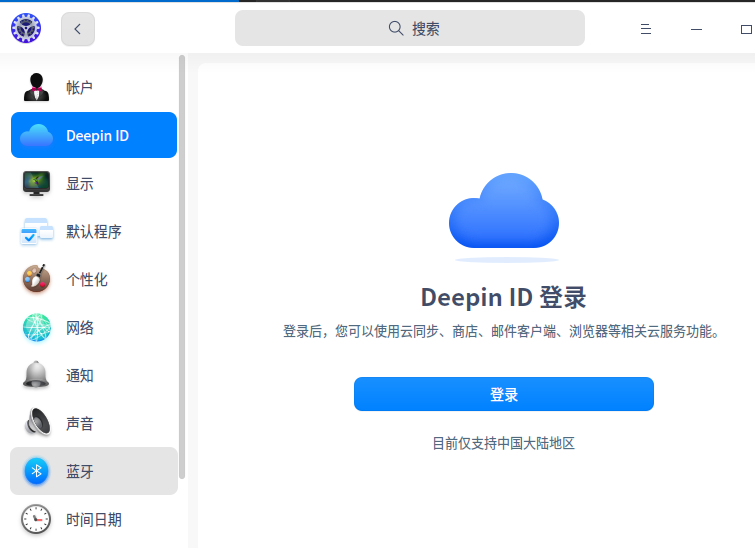
2、登录不了deepin的id帐号

问题如何重现

 一直存在点击登录没反应.png
获取不了超级管理员权限.png

问题重现频率

一直存在

Reply Favorite View the author
All Replies
babyfengfjx
Super Moderator
CQA
2022-04-07 22:03
#1

可能Linux相关内容有点不一样:

  • 系统默认是没有给root设置密码的,也就是你这个密码是一个而普通账号的密码,也就是你创建的账号的密码;
  • 如果需要切换到root可以先进行root密码设置: sudo passwd root 根据提示进行密码设置;
  • 然后再进行root切换,输入对应密码即可。

deepin id登录是具体有啥问题么?好像登录也不需要切换到root就可以呀。

Reply View the author
deepin-superuser
deepin
2022-04-07 22:12
#2

密码已锁定...

Reply View the author
andktan
deepin
2022-04-07 22:43
#3

deepin id登录不了可以看看网络是不是有 问题

Reply View the author
云的眼泪
deepin
2022-04-08 00:40
#4

在deepin里面,要用sudo su

Reply View the author
jjcui8595
deepin
2022-04-08 02:11
#5

sudo su

Reply View the author
yx1927
deepin
2022-05-07 18:28
#6
babyfengfjx

可能Linux相关内容有点不一样:

  • 系统默认是没有给root设置密码的,也就是你这个密码是一个而普通账号的密码,也就是你创建的账号的密码;
  • 如果需要切换到root可以先进行root密码设置: sudo passwd root 根据提示进行密码设置;
  • 然后再进行root切换,输入对应密码即可。

deepin id登录是具体有啥问题么?好像登录也不需要切换到root就可以呀。

已解决,谢谢大家。

Reply View the author