

 中文
中文 
deltacatxx deepin
2022-04-07 06:58 deepin 
Reply Like 0 View the author
 deepin

 deepin

deepin 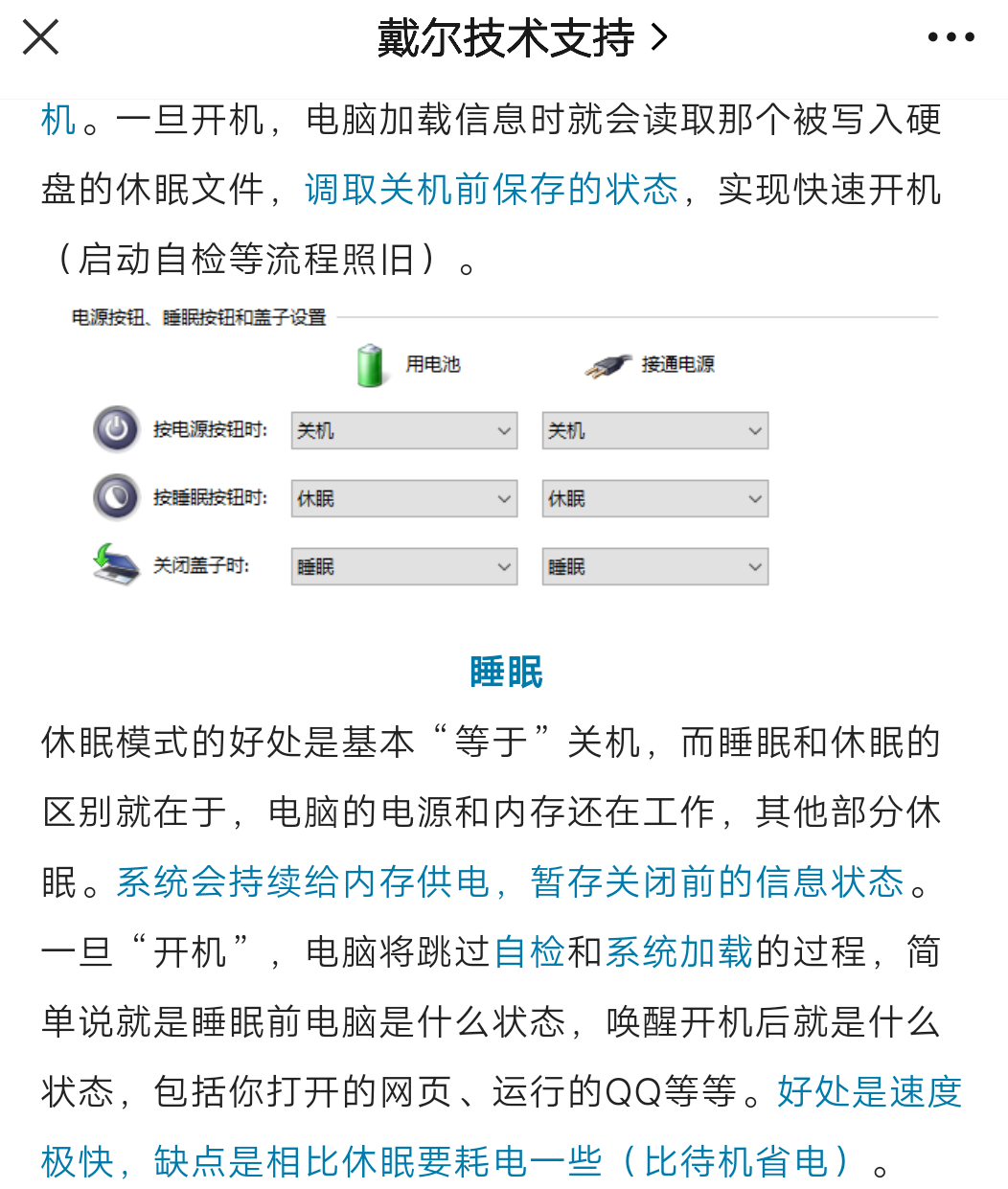
 deepin
 就用待机呗
Supper+L 等它自动待机

 deepin
systemctl:
hibernate -- Hibernate the system
hybrid-sleep -- Hibernate and suspend the system
suspend -- Suspend the system
suspend-then-hibernate -- Suspend the system for a period of time, and then hibernate it
archwiki:
现主要有三种挂起方式:suspend to RAM(挂起到内存,通称挂起/睡眠),suspend to disk(通称休眠),和hybrid suspend或者suspend to both(内存和硬盘都保存当前内存状态,通称混合休眠):
睡眠(挂起)将机器中大多数和RAM不相关的部件断电,电脑状态仅仅保存在RAM中。关闭多数外围设备,保留鼠标键盘等少数外围设备,以对用户操作进行快速响应。建议用户将笔记本设置为合盖时进入此模式。同样建议将系统设置为使用电池而用户离开时自动进入此模式。

休眠将机器内容保存至swap space并完全断电。再次开机时从硬盘读取swap进内存,恢复运行状态。和睡眠不同,休眠时不会耗电。

混合休眠将电脑状态保存进swap,但并不对电脑断电,而是引用睡眠机制,从而使未掉电的电脑能从内存中恢复。如果电脑掉电(断电且电池耗尽),系统也可以从硬盘的swap中恢复,尽管比从内存中恢复慢一些。
这里可能有一些翻译和英文理解的问题,不过在系统休眠睡眠之类的问题,是需要硬件支持的,相关的内容好像是acpi电源管理,在标准里是各种睡眠挂起之类的,在标准里是S0 S1 S2 S3 S4 S5 ,suspend to ram 就是S3,suspend to disk 就是S4。
这些功能需要在硬件bios uefi层面进行支持,早期因标准、驱动、硬件之类乱七八糟的问题,linux下的休眠睡眠之类的多有问题。有些硬件不支持s3,比如intel万兆网卡,很多服务器主板。
windows下有个命令测试
C:\Windows\system32>powercfg.exe /A
此系统上有以下睡眠状态:
待机 (S1)
此系统上没有以下睡眠状态:
待机 (S2)
系统固件不支持此待机状态。
待机 (S3)
    系统固件不支持此待机状态。

休眠
    系统固件不支持休眠。

待机(S0 低电量待机)
    系统固件不支持此待机状态。

混合睡眠
    待机(S3)不可用。
    休眠不可用。

快速启动
    休眠不可用。
linux 应该是查看dmesg
~ sudo dmesg | grep -i acpi | grep -i supports
[ 0.341734] ACPI: (supports S0 S3 S4 S5)
[ 0.346709] acpi PNP0A08:00: _OSC: OS supports [ExtendedConfig ASPM ClockPM Segments MSI HPX-Type3]
➜ ~
如果有S3好像就可以挂起到内存,不管叫休眠还是睡眠,s4 貌似就可以挂起到硬盘。
可以直接通过systemctl来调用,或者

这俩玩意看起来就是一个S3,一个S4

 deepin
 待机就等于windows里面说的睡眠
休眠就是休眠。
 deepin
 我长期不关机不息屏😏
 deepin
 你要是觉得deepin的休眠不是你想要的睡眠,那你就用待机啊,非得要跟windows采用一样的用词吗。
 deepin
 看讨论涨知识
deepin 你要是觉得deepin的休眠不是你想要的睡眠,那你就用待机啊,非得要跟windows采用一样的用词吗。
嘿嘿,正在改,正在改 
Popular Ranking
ChangePopular Events
More


 A bug with the language select
我在社区搜索了一番,提到“睡眠”这个关键词的最新的deepin版本号就只是20.4