

 中文
中文 
deepinuser17 deepin
2022-04-06 06:29 deepin 运行这个命令查看声卡:
lspci | grep Audio
Reply Like 0 View the author
 deepin
 运行这个命令查看声卡:
lspci | grep Audio
deepin 截图里的声卡驱动是sof-audio-pci, 这个有点奇怪。
一般Intel声卡的驱动是snd_hda_intel。
snd_hda_intel          53248  7
snd_intel_dspcfg       28672  1 snd_hda_intel
snd_intel_sdw_acpi     20480  1 snd_intel_dspcfg
snd_hda_codec         147456  4 snd_hda_codec_generic,snd_hda_codec_hdmi,snd_hda_intel,snd_hda_codec_cirrus
intel_cstate           20480  0
snd_hda_core           94208  5 snd_hda_codec_generic,snd_hda_codec_hdmi,snd_hda_intel,snd_hda_codec,snd_hda_codec_cirrus
snd_pcm               122880  5 snd_hda_codec_hdmi,snd_hda_intel,snd_hda_codec,snd_hda_core
snd                    94208  20 snd_hda_codec_generic,snd_hda_codec_hdmi,snd_hwdep,snd_hda_intel,snd_hda_codec,snd_timer,snd_pcm
 deepin
 运行这个命令查看声卡:
lspci | grep Audio
你好,感谢你的回复,我已按照提供的命令输入,结果如下:
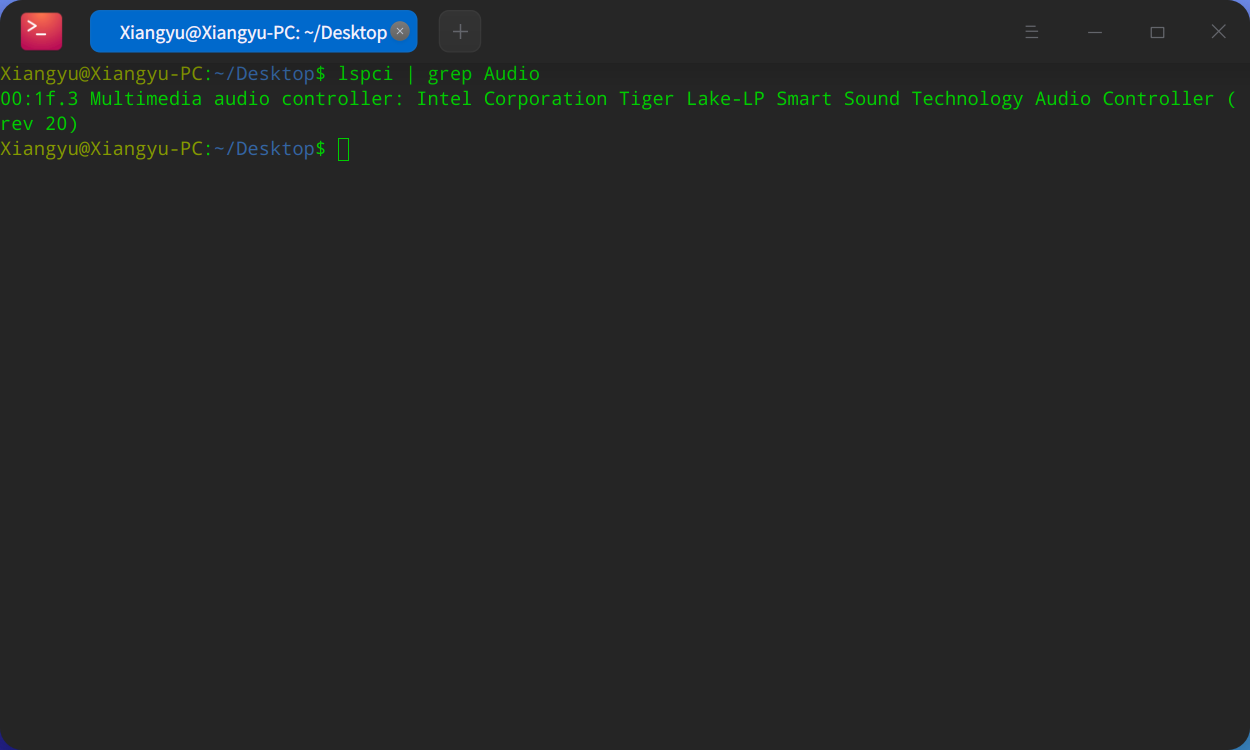
是的,就像你说的一样,貌似我的声卡驱动错误了,但是我没有修改过配置,安装好系统就是这样了,所以也不知道如何解决。
 deepin
 同样遇到,不过修复成功了。见贴:
https://bbs.deepin.org/phone/zh/post/233941
 deepin
 我的在升级前后都有一个问题,就是电脑停放一段时间后声音就丢失了,刚开机时是有声音的,为了看视频需要不断的重启电脑,这方面的稳定性有些问题。
deepin 同样遇到,不过修复成功了。见贴:
https://bbs.deepin.org/phone/zh/post/233941
使用了这个方法,依旧无法解决。
Popular Ranking
ChangePopular Events
More


 A bug with the language select
全新安装deepin V20.5,系统无声音,笔记本型号为:JDBook(京东京造)
硬件管理器-概况
音频适配器
音频输出设备为空
盼望快速解决,谢谢。