

 中文
中文 
梁山伯住阳台 deepin
2022-04-02 00:24 deepin 开始更新过一次,但是卡死了 没办法重启了一次,然后就这样了
Reply Like 0 View the author
 deepin
 开始更新过一次,但是卡死了 没办法重启了一次,然后就这样了

 deepin
 sudo dpkg --configure -a
 deepin deepin
 sudo dpkg --configure -a
这样就行了吗?
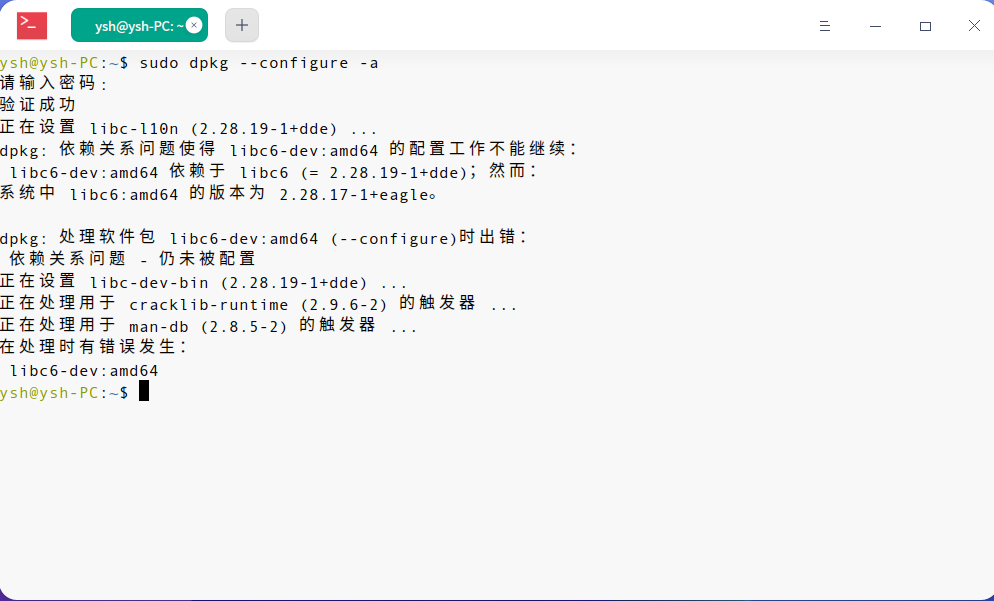
deepin sudo dpkg --configure -a
执行了 还是不得行
deepin 执行了 还是不得行
sudo apt-get update && sudo apt-get dist-upgrade
deepin sudo apt-get update && sudo apt-get dist-upgrade
好像还是不行
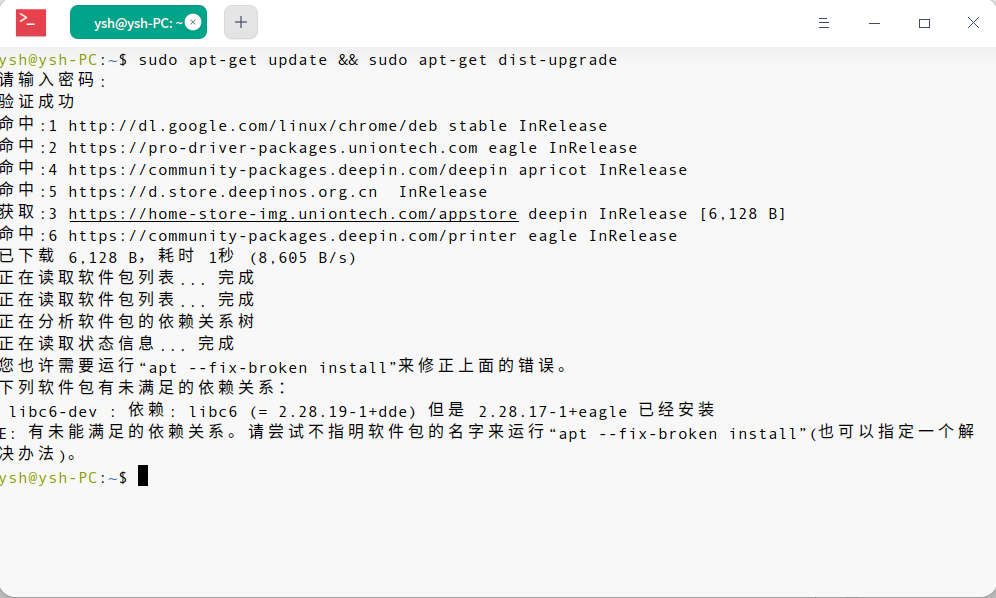

把非默认源注释掉,再次升级看下!
deepin sudo apt-get install libc6=2.28.19-1+dde

sudo vim /etc/apt/source_list中注释掉其他的仓库,保留deb https://community-packages.deepin.com/deepin/ apricot main contrib non-free这个源,升级看看

 deepin
 好像还是不行
终端执行完要看输出信息,该怎么做有提示的。
deepin 终端执行完要看输出信息,该怎么做有提示的。
我不会那么高难度的操作啊,傻瓜式才会
deepin sudo vim /etc/apt/source_list中注释掉其他的仓库,保留deb https://community-packages.deepin.com/deepin/ apricot main contrib non-free这个源,升级看看
怎么操作,直接把这段复制到终端就行了吗?我不会注释
deepin sudo apt-get install libc6=2.28.19-1+dde
还是不行
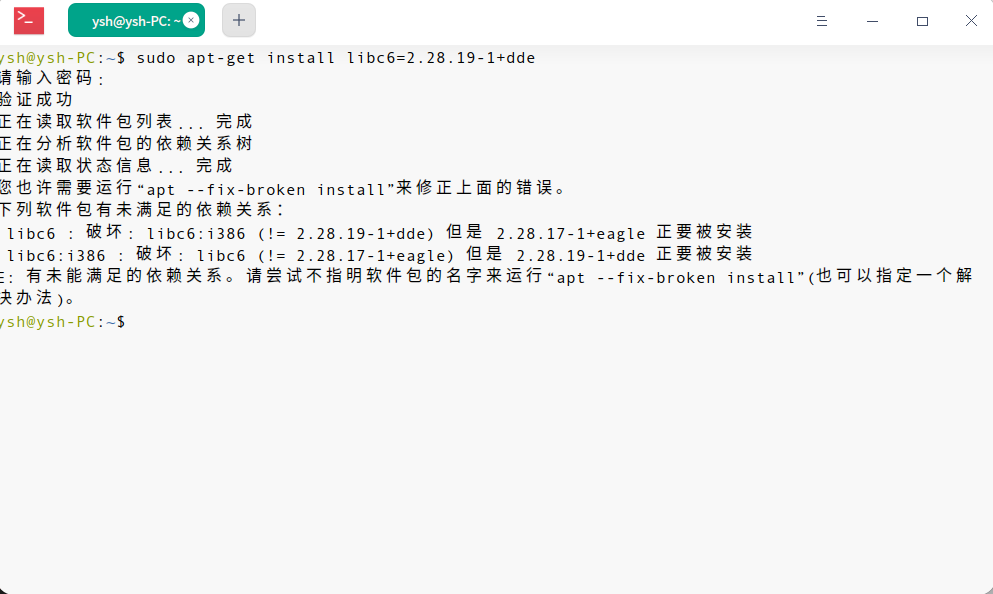
deepin 还是不行
sudo apt-get install libc6=2.28.19-1+dde libc6:i386=2.28.19-1+dde
怎么操作,直接把这段复制到终端就行了吗?我不会注释
在终端中输入sudo vi /etc/apt/sources.list,注释是在其他的源仓库前加#号就可以了
deepin sudo apt-get install libc6=2.28.19-1+dde libc6:i386=2.28.19-1+dde
好了,谢谢!
deepin 在终端中输入sudo vi /etc/apt/sources.list,注释是在其他的源仓库前加#号就可以了
已经解决了 多谢
Popular Ranking
ChangePopular Events
More


 A bug with the language select
如图