[Share Experiences] 20.4升级到20.5出问题了,咋办
Tofloor
poster avatar
andktan
deepin
2022-04-01 17:14
Author

20.4升级到20.5出问题了,咋办

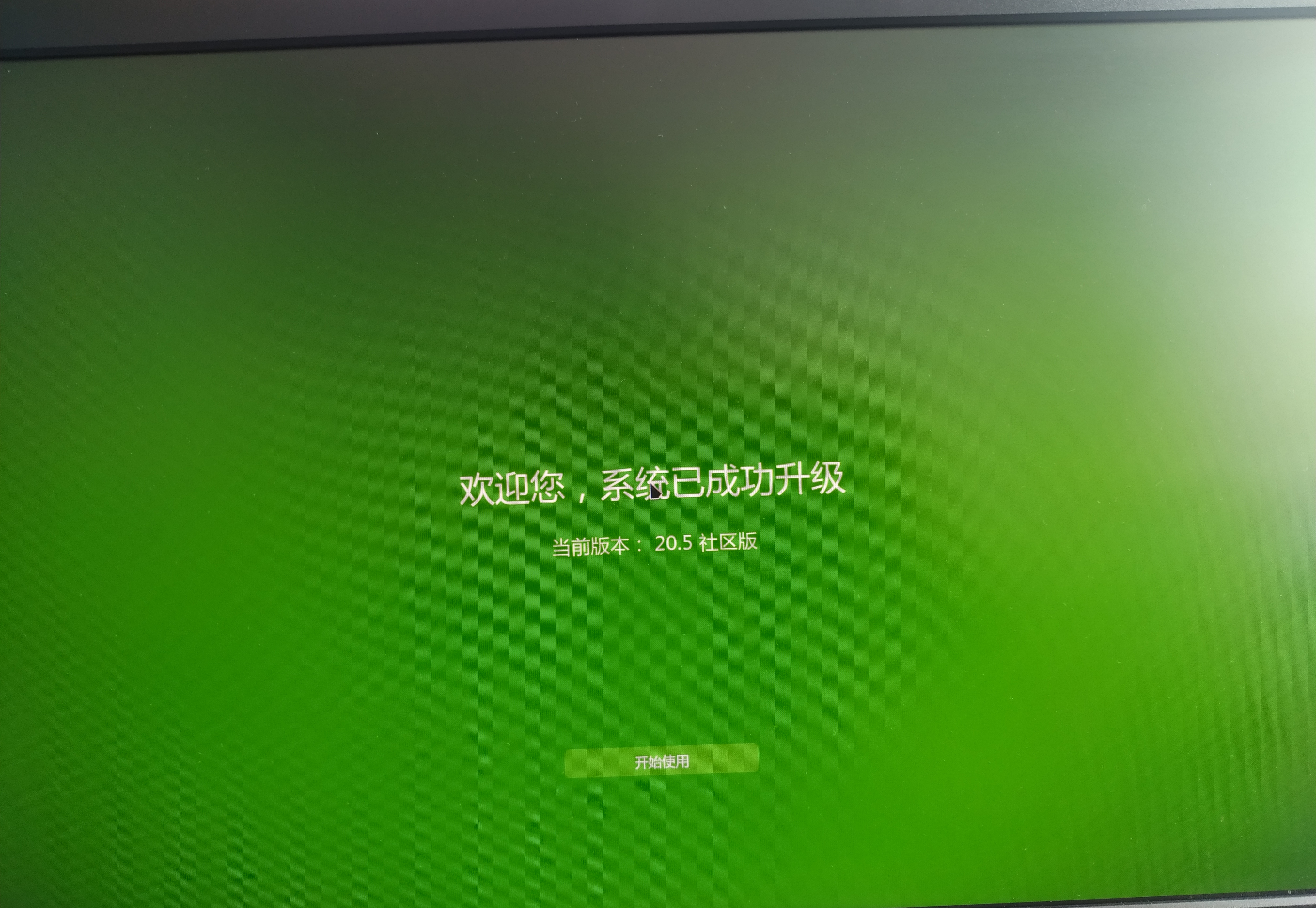
终端升级过程锁屏了,还没有输入密码的框,咋办呢,谁知道啥时候升级完成呢?要不要电源键关机重启啊sob

Reply Favorite View the author
All Replies
fanguanqun
deepin
2022-04-01 17:23
#1

如果是windows,这种升级失败的问题。马上就会登上世界各国的头条。在deepin这里就是无视。

Reply View the author
andktan
deepin
2022-04-01 17:26
#2

狠狠心估计了时间,直接alt,prt,r,s,e,i,u,o关机,重启还成功了,

IMG_20220401_092344.jpg

Reply View the author
deepin_xiaoqian
deepin testing team
2022-04-01 17:27
#3
It has been deleted!
deepin_xiaoqian
deepin testing team
2022-04-01 17:28
#4
andktan

狠狠心估计了时间,直接alt,prt,r,s,e,i,u,o关机,重启还成功了,

IMG_20220401_092344.jpg

进系统看看有没有异常

Reply View the author
andktan
deepin
2022-04-01 17:29
#5
fanguanqun

如果是windows,这种升级失败的问题。马上就会登上世界各国的头条。在deepin这里就是无视。

问题总会有的,win系统微软投入多少,岂是dp能比的, 国产不易,不抱怨,解决问题就行,支持dp 更好更快发展

Reply View the author
babyfengfjx
Super Moderator
CQA
2022-04-01 17:36
#6
andktan

问题总会有的,win系统微软投入多少,岂是dp能比的, 国产不易,不抱怨,解决问题就行,支持dp 更好更快发展

  • 可以优先通过控制中心升级可能靠谱点;
  • 终端升级过程息屏应该是电源管理时间到了,然后待机了终止了升级过程,感觉是个BUG;
  • 出现这个问题也不用慌,重启后:dpkg --configure -a 然后继续升级也可以搞起。
  • 感谢铁子的反馈,这种场景还是比较难复现的~
Reply View the author
andktan
deepin
2022-04-01 17:40
#7

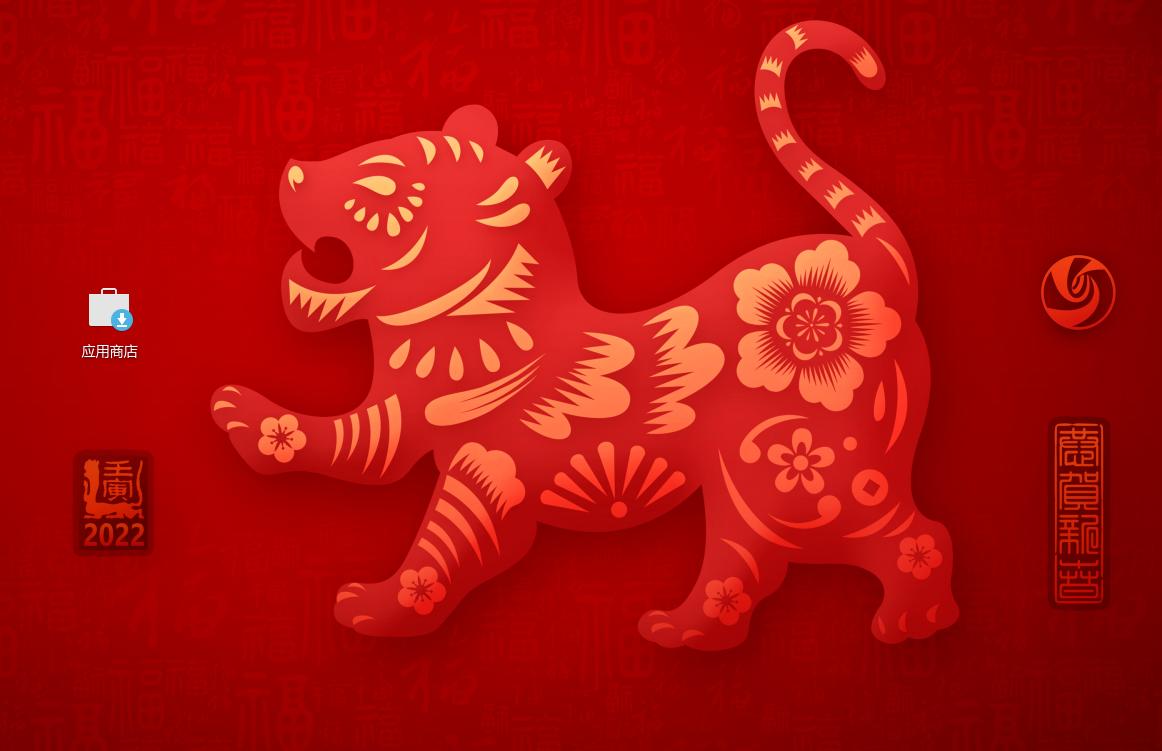
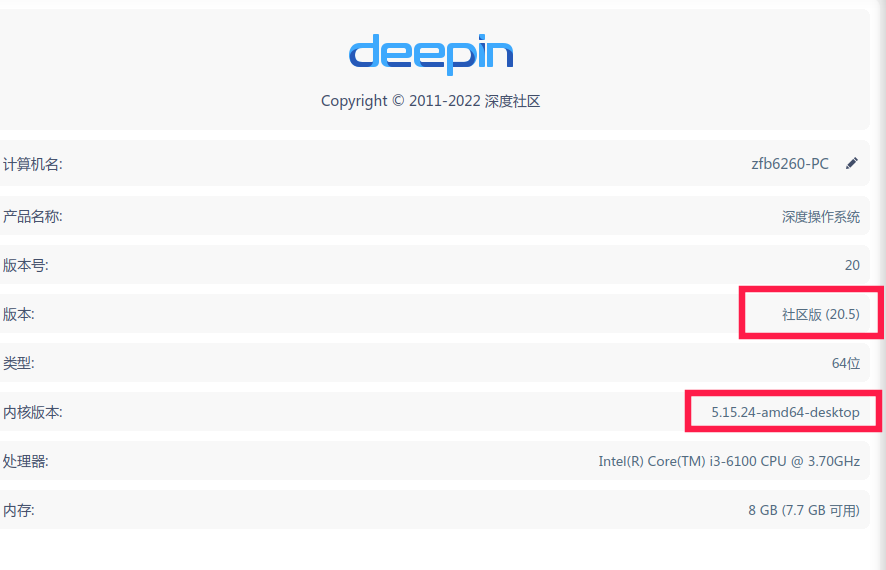
系统进来了,桌面 新增了商店的图标,

任务u地常用的截图_选择区域_20220401092952.jpg

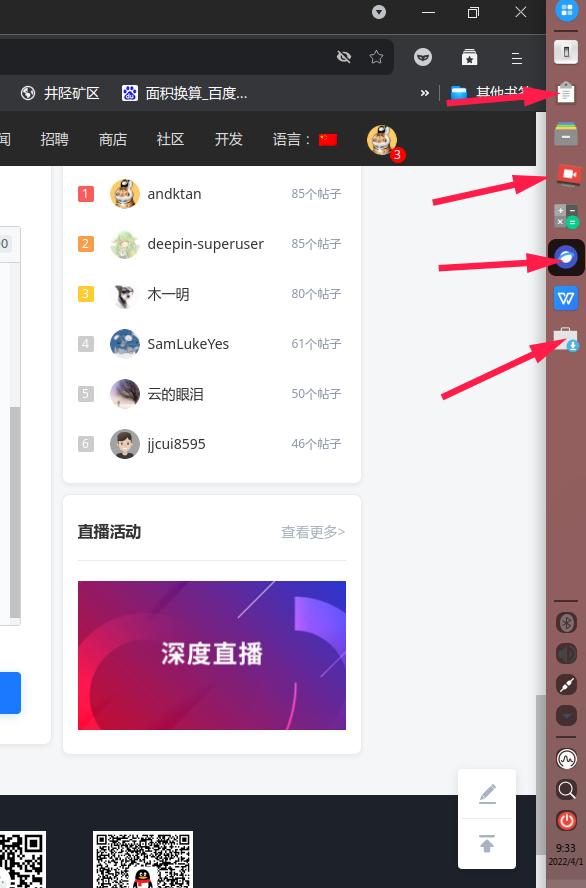
任务栏常用的Gnote、深度浏览器、截图的图标变了,商店也自己进来了

截图_选择区域_20220401093334.jpg

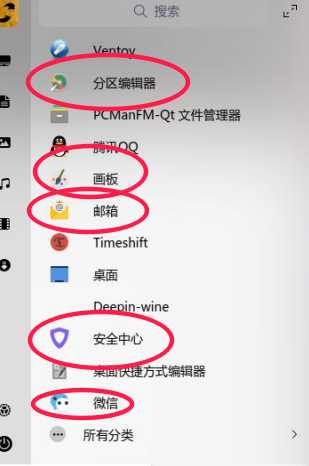
看了启动器中好多图标了变了,感觉更好看了

image.png

控制 中心

image.png

Reply View the author
andktan
deepin
2022-04-01 17:42
#8
babyfengfjx
  • 可以优先通过控制中心升级可能靠谱点;
  • 终端升级过程息屏应该是电源管理时间到了,然后待机了终止了升级过程,感觉是个BUG;
  • 出现这个问题也不用慌,重启后:dpkg --configure -a 然后继续升级也可以搞起。
  • 感谢铁子的反馈,这种场景还是比较难复现的~

主要是担心升半截出问题,不过还好,估计时间短了,应该够了才关机,这个问题还真需要重视起来

Reply View the author
csworldcup
deepin
2022-04-01 17:45
#9

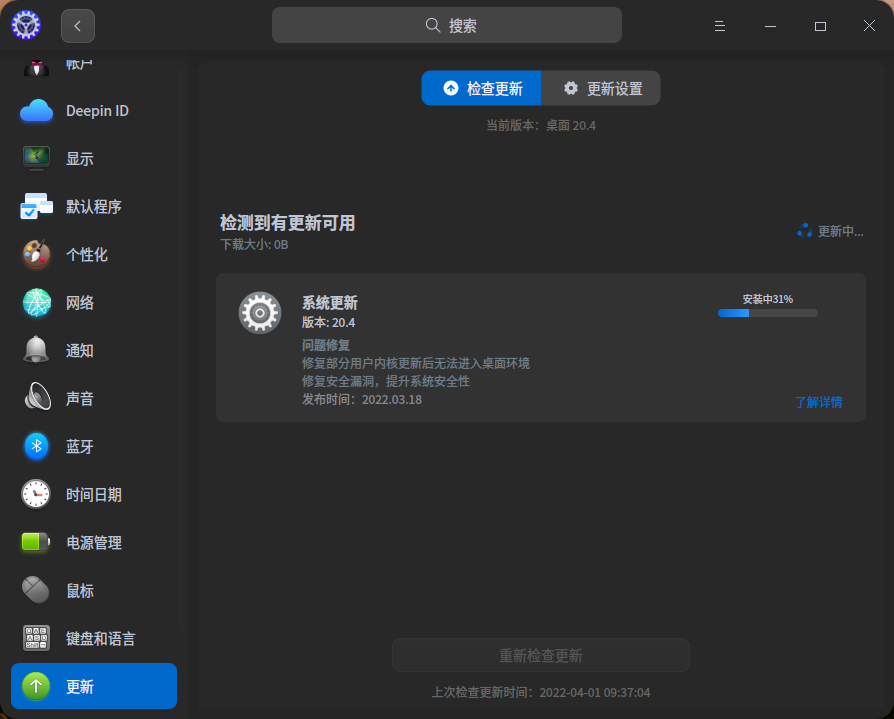
又翻车了吗?我正在升级

image.png

Reply View the author
rhymos
deepin
2022-04-01 18:47
#10

...这要是更新中出现提示是否保留配置之类的选择
怎么办?

Reply View the author
andktan
deepin
2022-04-01 19:26
#11
rhymos

...这要是更新中出现提示是否保留配置之类的选择
怎么办?

都可,看你意愿了

Reply View the author
andktan
deepin
2022-04-01 19:28
#12
csworldcup

又翻车了吗?我正在升级

image.png

每次翻车都是自己经验的提升,每次正常升级都为dp感到骄傲

这么想,你就升华了tail

Reply View the author
csworldcup
deepin
2022-04-01 19:31
#13
andktan

每次翻车都是自己经验的提升,每次正常升级都为dp感到骄傲

这么想,你就升华了tail

哈哈,格局不错,还好我这次升级没翻车

Reply View the author
SamLukeYes
deepin
2022-04-01 19:32
#14
andktan

系统进来了,桌面 新增了商店的图标,

任务u地常用的截图_选择区域_20220401092952.jpg

任务栏常用的Gnote、深度浏览器、截图的图标变了,商店也自己进来了

截图_选择区域_20220401093334.jpg

看了启动器中好多图标了变了,感觉更好看了

image.png

控制 中心

image.png

这图标主题不是 papirus 吗joy

Reply View the author
andktan
deepin
2022-04-01 19:47
#15
SamLukeYes

这图标主题不是 papirus 吗joy

这不你说了我才知道

Reply View the author
andktan
deepin
2022-04-01 19:48
#16
csworldcup

哈哈,格局不错,还好我这次升级没翻车

所以咱不怕折腾,用linux

Reply View the author
andktan
deepin
2022-04-01 20:14
#17
deepin_xiaoqian

进系统看看有没有异常

图标目前看着同一软件不一样颜色图标

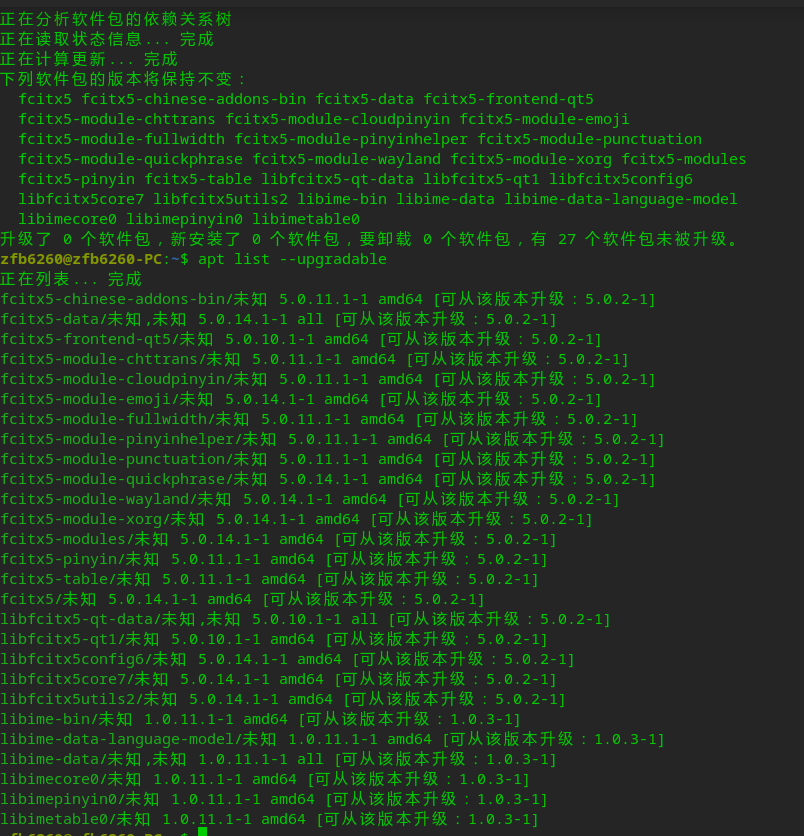
终端提示有27个软件未被升级,

下班了,下午再继续研究

Reply View the author
andktan
deepin
2022-04-01 21:44
#18

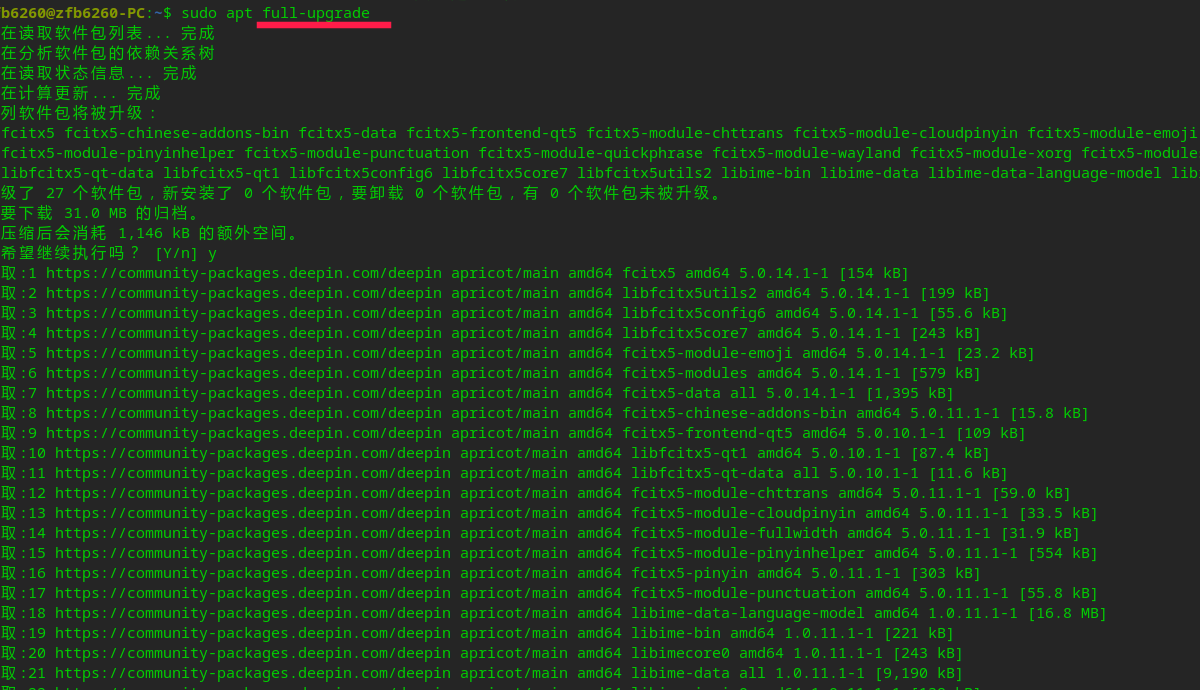
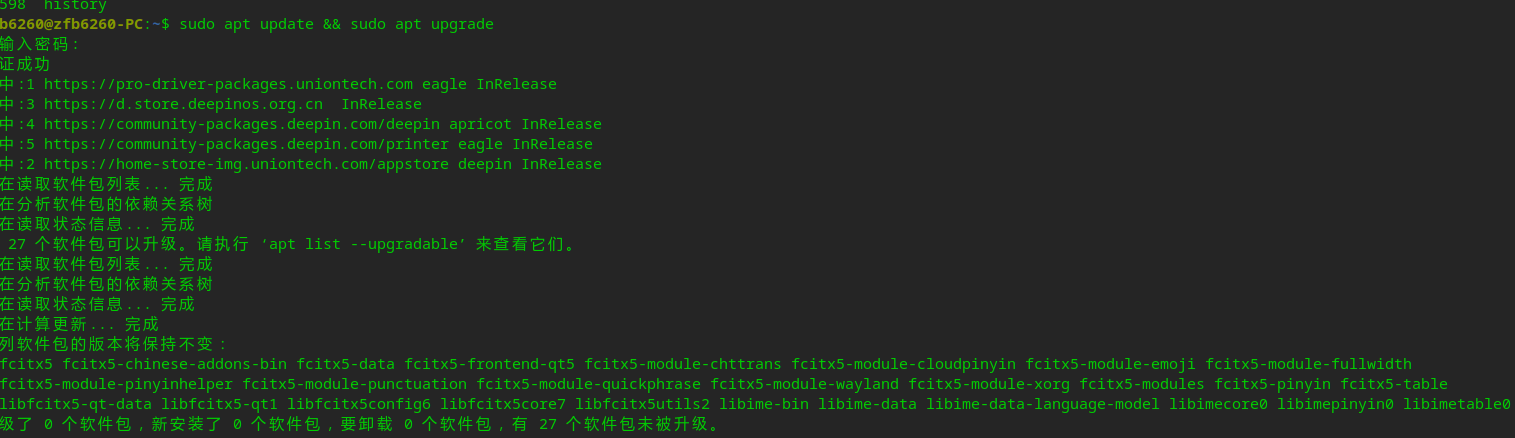
再次打开终端,有27个未被升级,现在试试image.png

为什么 还是不升级 呢?应该怎么办? @babyfengfjx

image.png

Reply View the author
andktan
deepin
2022-04-01 21:52
#19
andktan

再次打开终端,有27个未被升级,现在试试image.png

为什么 还是不升级 呢?应该怎么办? @babyfengfjx

image.png

原来需要用这个命令,成功了

image.png

Reply View the author
andktan
deepin
2022-04-01 21:52
#20
andktan

再次打开终端,有27个未被升级,现在试试image.png

为什么 还是不升级 呢?应该怎么办? @babyfengfjx

image.png

原来需要用这个命令,成功了

image.png

Reply View the author