

 中文
中文 
北冥夜未央 deepin
2022-04-01 02:05 deepin Ecological co-builder
把 /etc/modprobe.d/iwlwifi.conf文件修改成下面这样:
options iwlwifi 11n_disable=8 bt_coex_active=0 power_save=0 swcrypto=1
Reply Like 0 View the author
 deepin
 把 /etc/modprobe.d/iwlwifi.conf文件修改成下面这样:
options iwlwifi 11n_disable=8 bt_coex_active=0 power_save=0 swcrypto=1

 deepin
 把 /etc/modprobe.d/iwlwifi.conf文件修改成下面这样:
options iwlwifi 11n_disable=8 bt_coex_active=0 power_save=0 swcrypto=1
在我的系统中,按照你提供的路径,我这里怎么没有你说的那个文件呢?
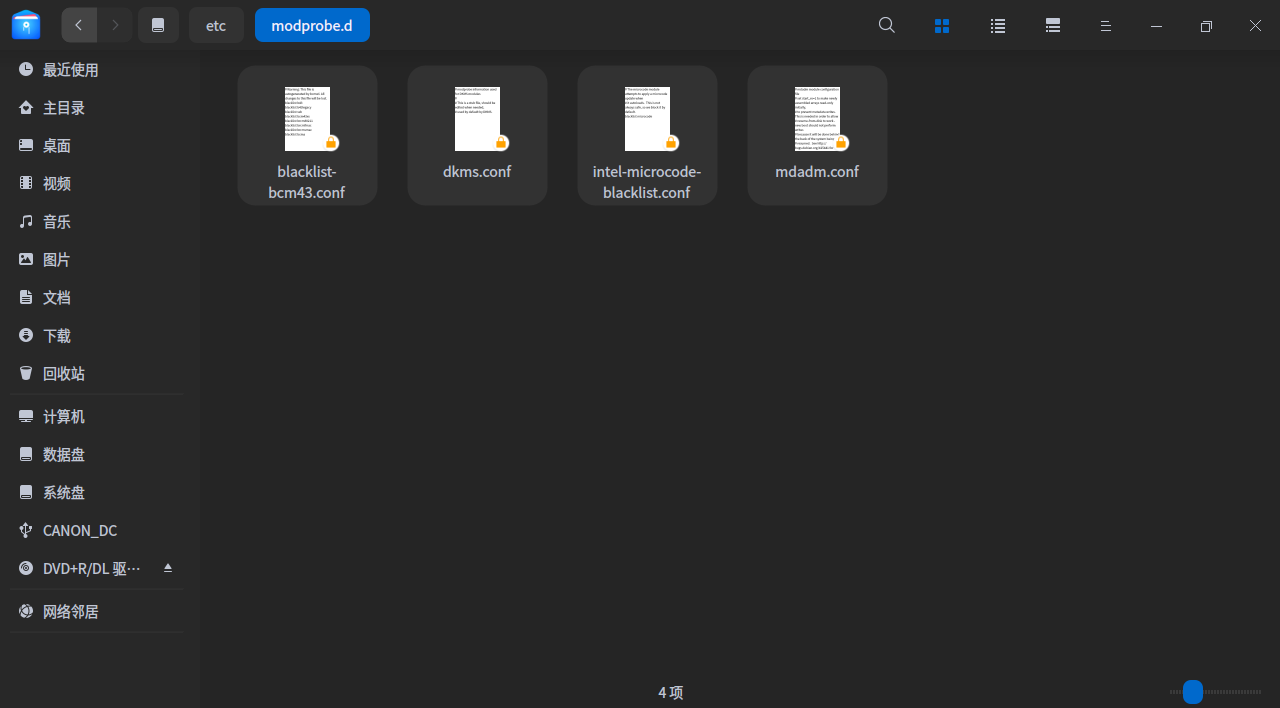
deepin 在我的系统中,按照你提供的路径,我这里怎么没有你说的那个文件呢?
没有就自己新建一个,设置好以后重启电脑。
可以在设置→网络→网络详情里看网卡的速率。
deepin 没有就自己新建一个,设置好以后重启电脑。
可以在设置→网络→网络详情里看网卡的速率。
打开后,看到网速为65M/S。正常吗?
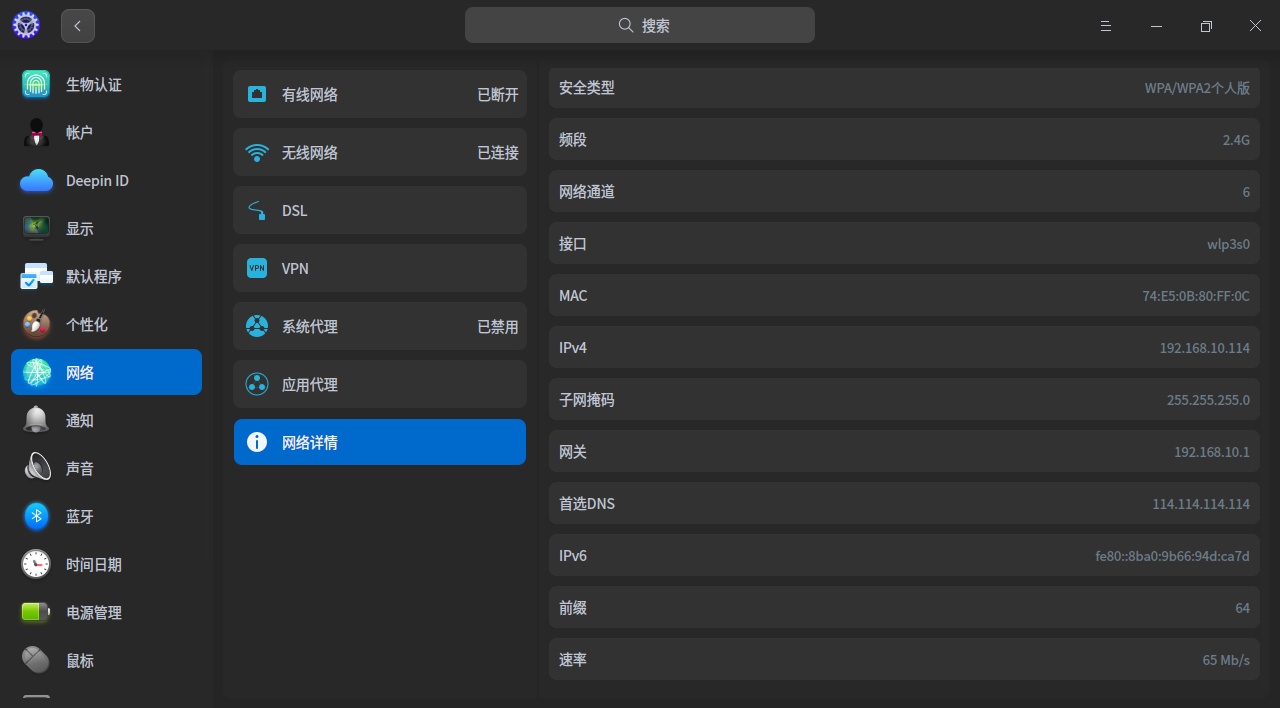
deepin 没有就自己新建一个,设置好以后重启电脑。
可以在设置→网络→网络详情里看网卡的速率。
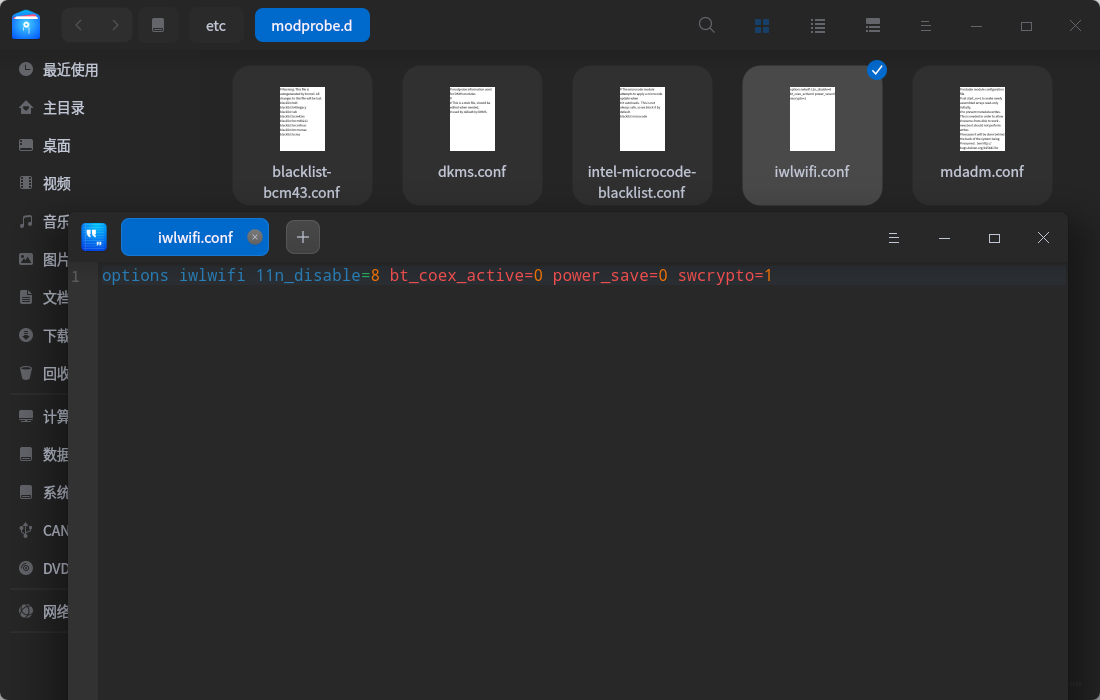
自己建一个文件,具体怎样建立一个文件,能否指导一下如何操作呢?谢谢。
deepin 没有就自己新建一个,设置好以后重启电脑。
可以在设置→网络→网络详情里看网卡的速率。
以下这样设置一下是否正确?下图所示。谢谢。
Popular Ranking
ChangePopular Events
More


 A bug with the language select
我的手提非常老旧,使用了近十年。自从安装deepin,电脑的整体速度明显比win10高了许多,但是,无线网络速度出现时慢时快的现象,几经对网速进行检测,也发现评价网速的指标时高时低,这是为什么呢?同一个家庭局域网内,台机上网速可以达到500到1000M,而在这台手提上检测到的网速只有几十M,同时在同一时间内连续测试几次的结果,其网速时大时小,就是大的时候,仍然只有几十M,这是什么情况呢?有时在浏览器打开某个网页后,始终在打圈圈。哪位高手给指点一下江山?谢谢!
我的电脑配置如下图所示: