

 中文
中文 
deepin-superuser deepin
2022-03-30 19:02 deepin 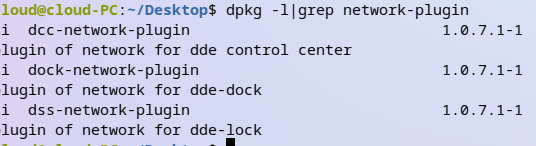
其他的两个也安装一下试试
Reply Like 1 View the author
 deepin
其他的两个也安装一下试试
 deepin
其他的两个也安装一下试试
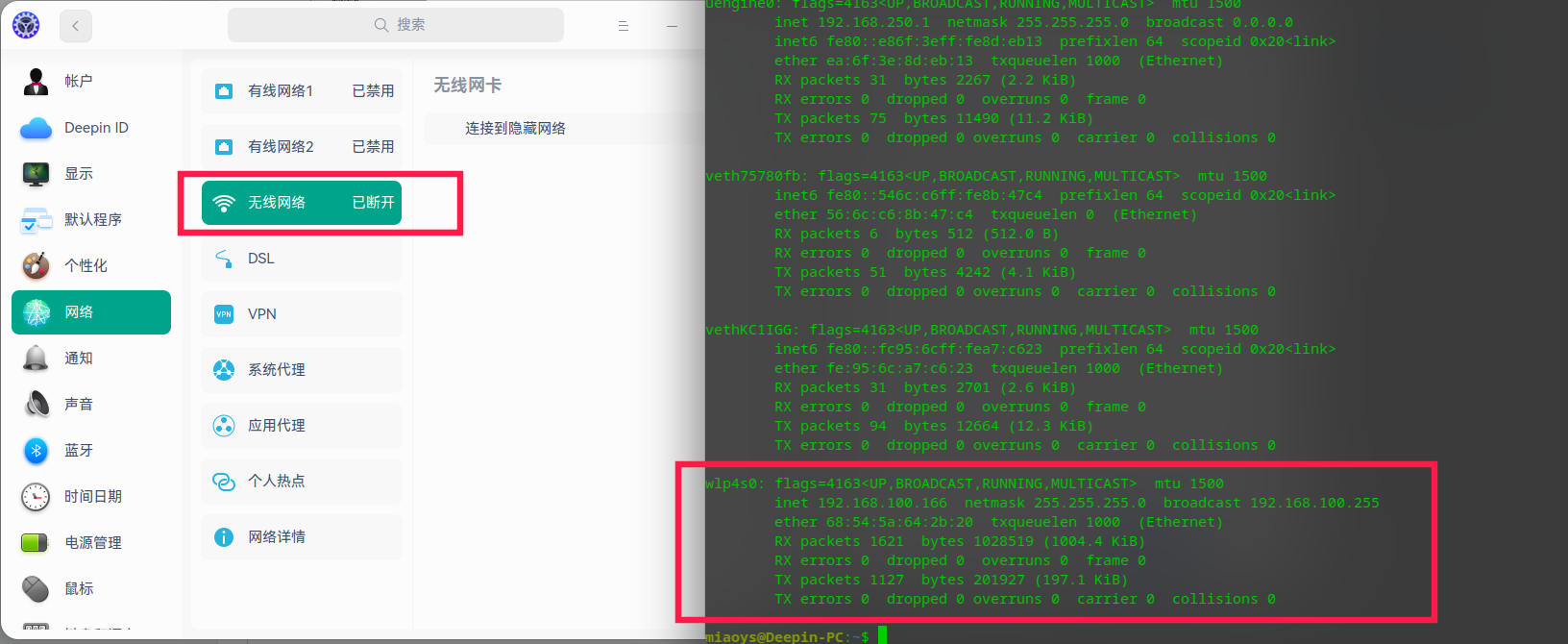
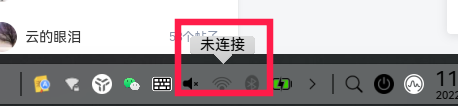
安装后还是这样,但是任务栏图标出来了,是不是还缺啥包呀😂
任务栏图标显示的是未连接,但是实际上是连接了的。记得之前点击会显示搜索到的网络那个小浮窗卡片,现在是直接调到设置里了
deepin dde-network-dialog
deepin sudo apt-get purge dde-control-center
sudo apt-get purge dde-dock
sudo apt-get install dde-dock dde-control-center
deepin sudo apt-get purge dde-control-center
sudo apt-get purge dde-dock
sudo apt-get install dde-dock dde-control-center
终于好了,电脑又活过来了,感谢!
deepin
其他的两个也安装一下试试
再请教下,换回deepin自身网络连接工具后,网络隔一段时间就会断开,这个怎么修复呀?之前一段时间不能用deepin连网络时用的wicd-gtk这个工具就很稳定
deepin 再请教下,换回deepin自身网络连接工具后,网络隔一段时间就会断开,这个怎么修复呀?之前一段时间不能用deepin连网络时用的wicd-gtk这个工具就很稳定
这个我就不太清楚了
deepin 这个我就不太清楚了
哦,好的,感谢!
Popular Ranking
ChangePopular Events
More


 A bug with the language select
之前升级到20.4后(设置里面升级的),设置里面的网络模块没了,任务栏网络图标也没了。现在通过安装dcc-network-plugin后,设置里面的网络模块回来了,但是在已连上网的情况下,网络详情是空白页,无线那里也搜不到网络,任务栏也没有网络图标。这个该怎么解决?