

 中文
中文 
189******79 deepin
2022-03-24 22:22 deepin 系统监视器中cups状态如图
.jpg)
Reply Like 0 View the author
 deepin
 系统监视器中cups状态如图

 deepin
 打开系统监视器,切换到系统服务,找到cups服务,先将它设置成自动启动,再启动服务。
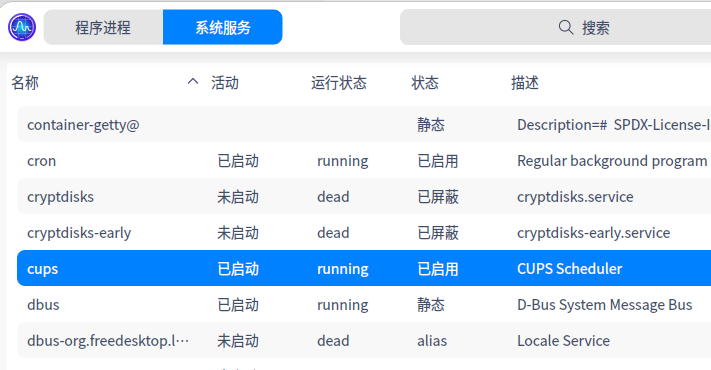
deepin deepin 打开系统监视器,切换到系统服务,找到cups服务,先将它设置成自动启动,再启动服务。
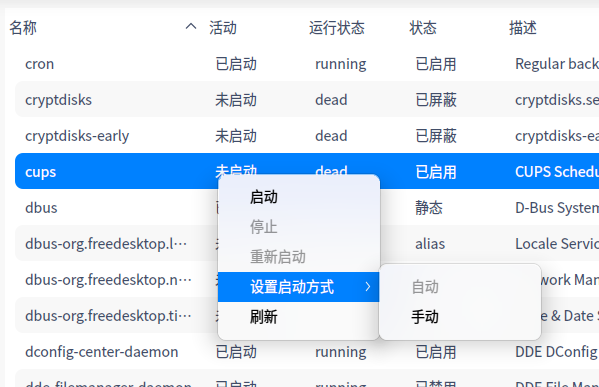
我就是点了启动之后还是在活动下面未启动,运行状态下面是dead,不知道为啥就是启动不了

 deepin
 我的也是理光的,之前用的3300,打印都是乱码,现在换了一款,就同现在图片这款,驱动完美
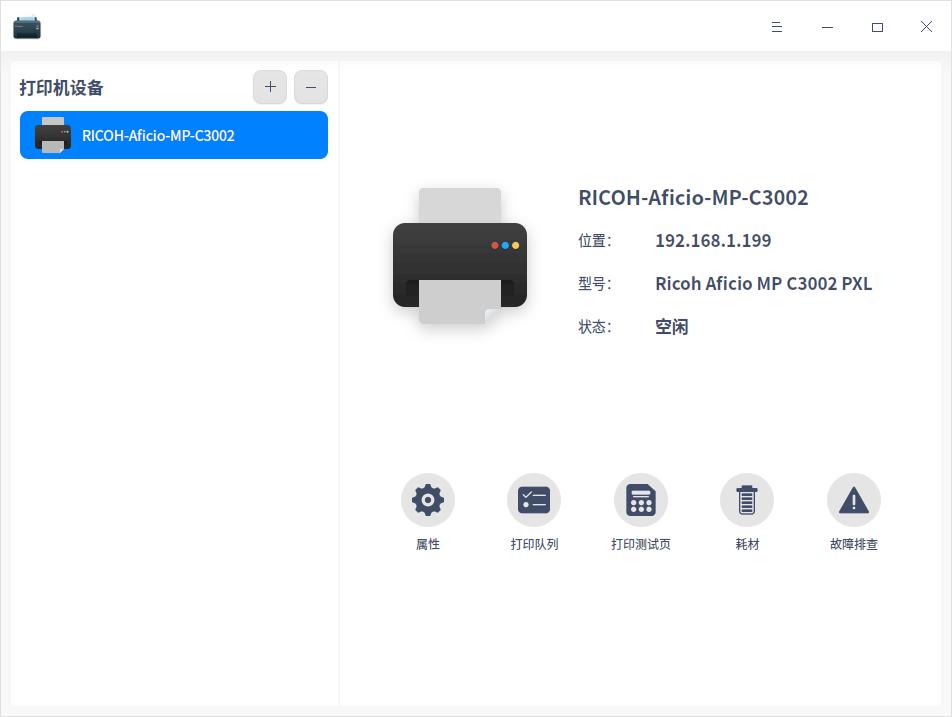
deepin 我的也是理光的,之前用的3300,打印都是乱码,现在换了一款,就同现在图片这款,驱动完美
你是在哪里下载的驱动,我两个问题,一个是搜索的时候是没有驱动的,要手动安装驱动,我在论坛里面下载了一个pdd格式驱动文件安装,但是安装就会提示cups异常安装失败
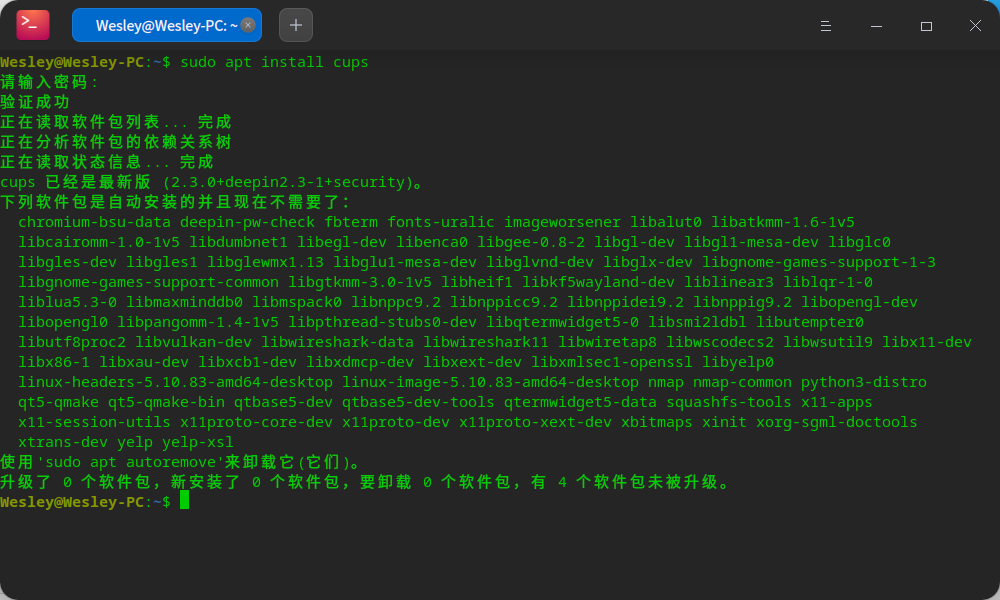
deepin 重新安装一下这个服务看看
sudo apt install cups
deepin 重新安装一下这个服务看看
sudo apt install cups
还是没能解决😭
 deepin
 换商店的软件“打印机”试试,我的是用这个安装成功。至于驱动可以去UOS的生态中心找。
deepin 你是在哪里下载的驱动,我两个问题,一个是搜索的时候是没有驱动的,要手动安装驱动,我在论坛里面下载了一个pdd格式驱动文件安装,但是安装就会提示cups异常安装失败
用的应用商店里的打印管理器,
deepin 换商店的软件“打印机”试试,我的是用这个安装成功。至于驱动可以去UOS的生态中心找。
这个也安装了,可能问题不在驱动,在于cups服务异常的那个问题
.jpg)
deepin 用的应用商店里的打印管理器,
就是这个,里面搜不到,估计根本原因就是cups连接不上的问题
deepin 这个也安装了,可能问题不在驱动,在于cups服务异常的那个问题
你可以试试下面的办法,或者直接把cups连配置文件一起卸载,在重新安装。
1.检查/etc/cups/cupsd.conf配置文件是否正常,如果异常:cp /usr/share/cups/cupsd.conf.default /etc/cups/cupsd.conf
2.重启cups.socket:systemctl restart cups.socket
3.重启cups.service:systemctl restart cups.service
deepin 你可以试试下面的办法,或者直接把cups连配置文件一起卸载,在重新安装。
1.检查/etc/cups/cupsd.conf配置文件是否正常,如果异常:cp /usr/share/cups/cupsd.conf.default /etc/cups/cupsd.conf
2.重启cups.socket:systemctl restart cups.socket
3.重启cups.service:systemctl restart cups.service
还是不行
.jpg)
.jpg)
Popular Ranking
ChangePopular Events
More


 A bug with the language select
刚刚换上深度系统20.4版本,一直无法安装打印驱动,打印机型号理光Ricoh MP C2011,求高手指点
系统版本及处理器型号
打开打印机管理提示CUPS服务器未运行,不能管理打印机
自动查找找不到打印机,只能通过手动IP地址查找可以找到打印机
但是安装驱动的时候总是失败,提示lpadmin:无法连接到服务器,错误的文件描述
故障排查结果是CUPS服务异常
系统监视器中cups也无法启动,点了启动输入密码之后还是未启动