[Kernel/Drive] 显卡驱动切换失败 V20.4
Tofloor
poster avatar
wzping9
deepin
2022-03-21 01:11
Author

问题/建议描述

 显卡驱动切换失败

问题如何重现

 切换的时候自动的,我也不知道怎么重现

问题重现频率

还是有点大,我遇到几次了,好像网络不稳定出现的概率就大.

Reply Favorite View the author
All Replies
deepin-superuser
deepin
2022-03-21 01:14
#1

显卡驱动还是手动安装吧。nvida 的话可以参考

#安装nvidia闭源驱动
sudo apt-get install -y nvidia-detect
nvidia-detect | awk 'match($0, /nvidia-.*/, a) {print a[0]}' | xargs sudo apt-get -y install

#安装任务栏显卡驱动切换插件
wget -t 3 -T 15 https://github.com/zty199/dde-dock-switch_graphics_card/releases/download/v1.8.4-1/dde-dock-graphics-plugin_1.8.4-1_amd64.deb
sudo apt-get install -y ./dde-dock-graphics-plugin_1.8.4-1_amd64.deb
Reply View the author
wzping9
deepin
2022-03-21 01:43
#2
deepin-superuser

显卡驱动还是手动安装吧。nvida 的话可以参考

#安装nvidia闭源驱动
sudo apt-get install -y nvidia-detect
nvidia-detect | awk 'match($0, /nvidia-.*/, a) {print a[0]}' | xargs sudo apt-get -y install

#安装任务栏显卡驱动切换插件
wget -t 3 -T 15 https://github.com/zty199/dde-dock-switch_graphics_card/releases/download/v1.8.4-1/dde-dock-graphics-plugin_1.8.4-1_amd64.deb
sudo apt-get install -y ./dde-dock-graphics-plugin_1.8.4-1_amd64.deb

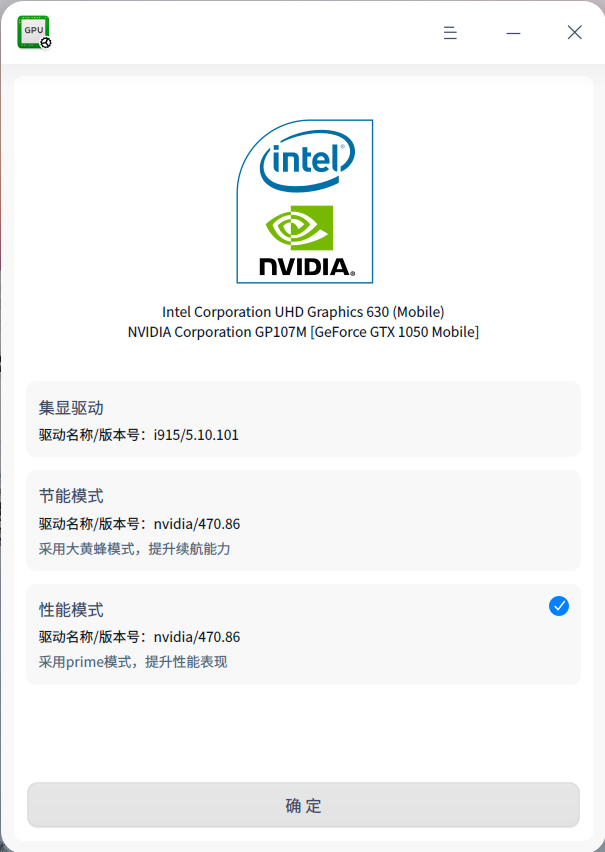
截图_deepin-graphics-driver-manager_20220320174158.png
用这玩意切换成功了,偶尔也会失败,

Reply View the author
孔方兄
deepin
2022-03-24 04:03
#3

我也是切换失败,第一次重启的时候有个报错,只能热起,然后进入系统,自动重启,再进系统,提示失败

Reply View the author