

 中文
中文 
seawencheng deepin
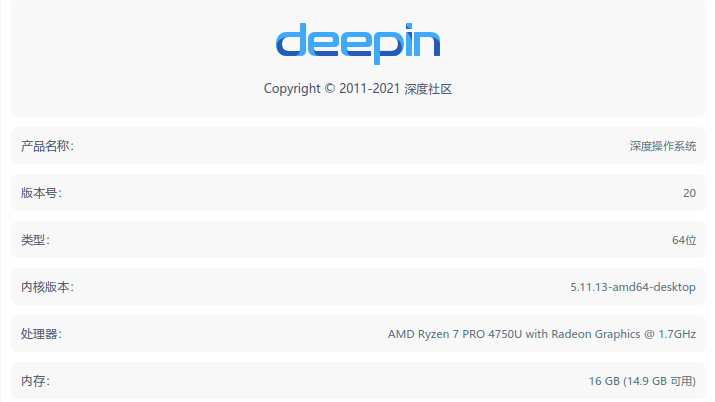
2022-03-17 00:01 deepin 系统信息:
Reply Like 0 View the author
 deepin
 系统信息:

 deepin
 创建文件完成应该顺便给文件权限

是在哪个路径下创建的文件?
 deepin
 很奇怪。能发一下这个文件的权限吗?
另外你这个share文件夹是在根目录下的吗?新建文件的初始权限是可以设置的

 deepin
 似乎是老毛病又犯了。。。

 deepin
 估计是通过其他nfs,samba,或者外置硬盘挂载的
mount时最好使用 -o 选项指定uid gid
 deepin
 似乎是老毛病又犯了。。。
什么毛病
deepin 什么毛病
很久以前出现过这个bug:默认的模板文件是只读的,复制到新文件夹后没有调整权限。后来有修复过。
deepin 文件的权限是: -rw-r--r-- 因此权限是正常的
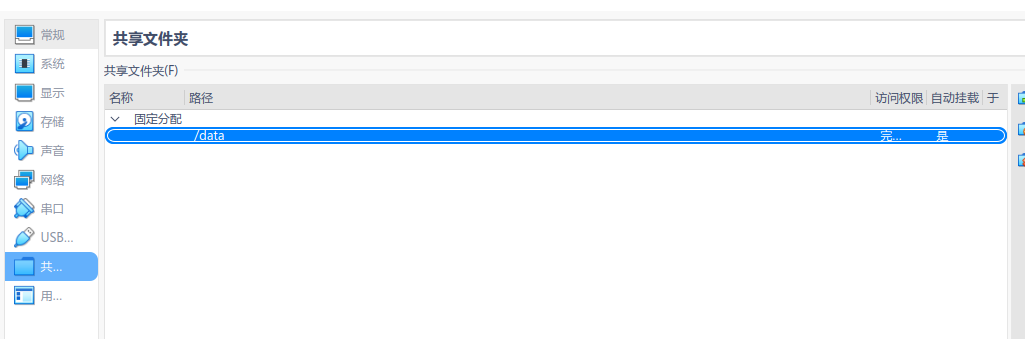
我找到了表面原因,可能是VirtualBox的原因,只有被VirtualBox挂载的目录,有这毛病,其它目录正常
Popular Ranking
ChangePopular Events
More


 A bug with the language select
复现方法
打开文件管理器,右击删除,报没有权限,只能通过指令删除