

 中文
中文 
liwl deepin
2022-03-16 22:10 deepin 
Reply Like 0 View the author
 deepin
deepin 五笔输入法应该是内置的

 deepin
 系统安装好就有五笔输入法,我的输入法排序:
键盘-英语
五笔字型
双拼
拼音
Sunpinyin

 deepin
感谢回复!你说的方法试了,没有你说的相应功能
系统是我在vm中新装的
deepin 五笔输入法应该是内置的
感谢回复!
查找了多次,20.4系统中没有集成 五笔输入法
请帮忙引导
deepin 系统安装好就有五笔输入法,我的输入法排序:
键盘-英语
五笔字型
双拼
拼音
Sunpinyin
感谢回复!
我是在vm中新装的20.4
安装/升级过程中没有任何 输入法 提示
安装后的结果也没有你说的这些种输入法
请指引
deepin 感谢回复!你说的方法试了,没有你说的相应功能
系统是我在vm中新装的
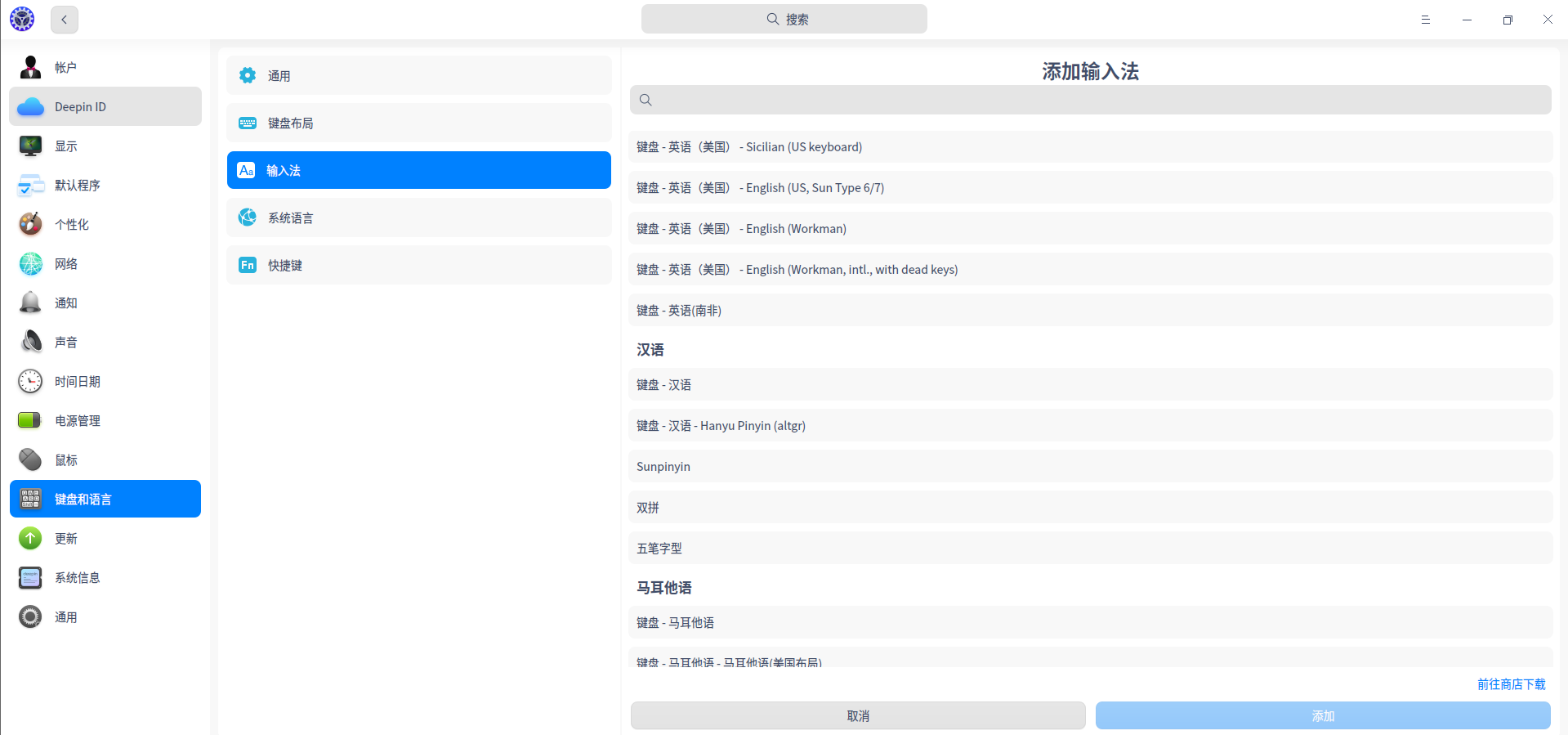
deepin 感谢回复!你说的方法试了,没有你说的相应功能
系统是我在vm中新装的
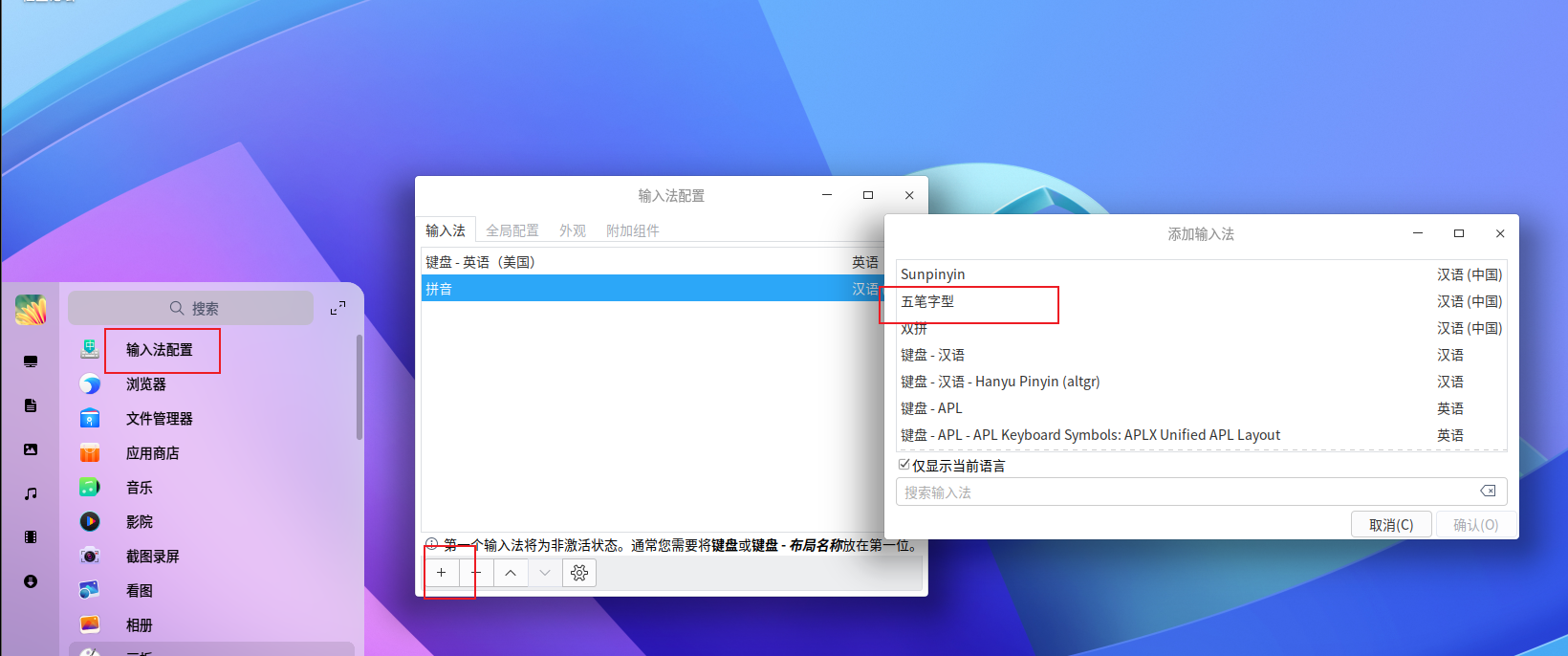
deepin
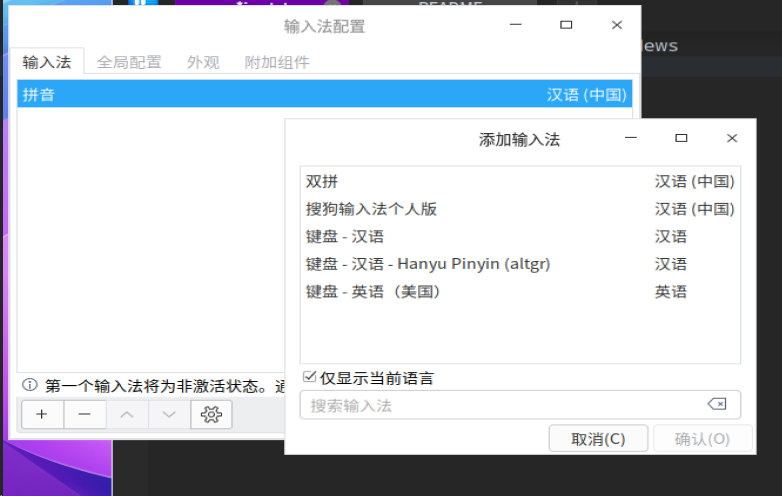
deepin
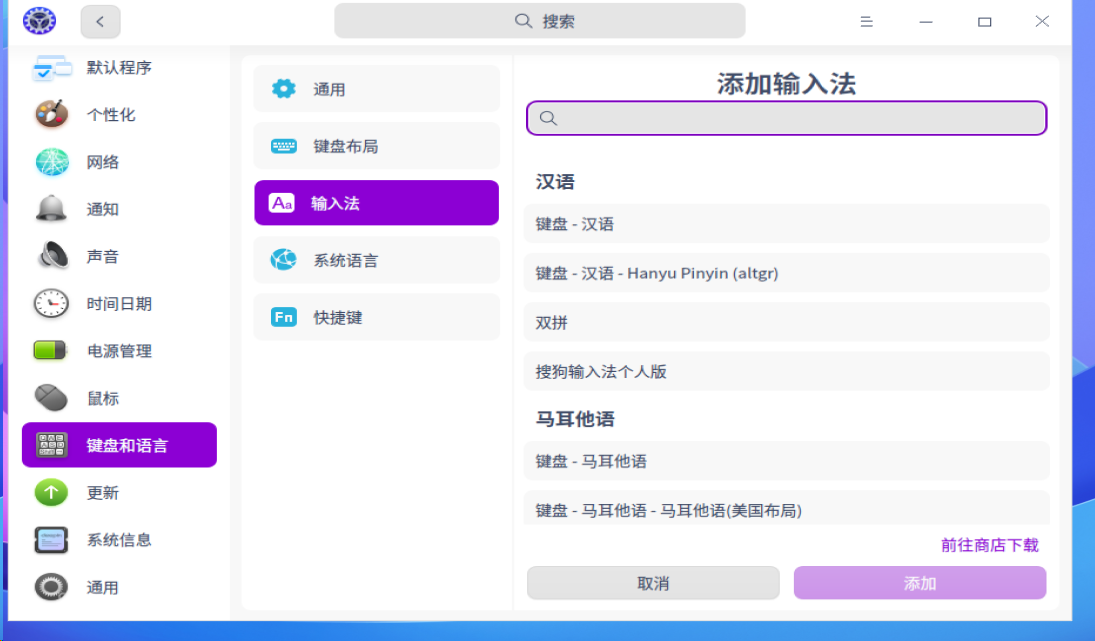
deepin 感谢回复!
查找了多次,20.4系统中没有集成 五笔输入法
请帮忙引导
应用商店安装,我用的小企鹅五笔拼音输入法
 deepin
 20.4 确实有内置五笔,我昨天刚刚在虚拟机中安装的。
可能是你无意中卸载掉了,再安装一下就是了。
deepin 感谢回复!
我是在vm中新装的20.4
安装/升级过程中没有任何 输入法 提示
安装后的结果也没有你说的这些种输入法
请指引
先更新一下,如果还没有,命令行安装:
sudo apt fcitx-table-wubi
或者:
sudo apt fcitx-table-wbpy
前者是纯五笔,后者是五笔拼音
 deepin
 我使用过小企鹅的五笔拼音,可以设置的,不过现在用了fcitx不能给你复现了
 deepin
 我今晚心血来潮,把旧的笔记本电脑装了这个系统。结果一个输入法搞了两三个小时。看来和WINDOWS的差别还真的是挺大的。
deepin 我也是用五笔的,新世纪版五笔。这个问题尝试了多次。现在已经找到好用的输入法了。
你到搜狗输法的官网,下载一个LINUX版本的:https://pinyin.sogou.com/linux/?r=pinyin 安装后设置成五笔输入法就可以。我现在就是用的这个输入法在给你回帖子。
deepin 我今晚心血来潮,把旧的笔记本电脑装了这个系统。结果一个输入法搞了两三个小时。看来和WINDOWS的差别还真的是挺大的。
我也是用五笔的,新世纪版五笔。这个问题尝试了多次。现在已经找到好用的输入法了。
你到搜狗输法的官网,下载一个LINUX版本的:https://pinyin.sogou.com/linux/?r=pinyin 安装后设置成五笔输入法就可以。我现在就是用的这个输入法在给你回帖子。
deepin 感谢回复!
查找了多次,20.4系统中没有集成 五笔输入法
请帮忙引导
我也是用五笔的,新世纪版五笔。这个问题尝试了多次。现在已经找到好用的输入法了。
你到搜狗输法的官网,下载一个LINUX版本的:https://pinyin.sogou.com/linux/?r=pinyin 安装后设置成五笔输入法就可以。我现在就是用的这个输入法在给你回帖子。
Popular Ranking
ChangePopular Events
More


 A bug with the language select
当前系统为
安装五笔输入法问题如下:
深度系统为何不能内置一个五笔输入法