

 中文
中文 
vbox deepin
2022-03-16 03:30 deepin It has been deleted!
 deepin
 deepin
 有点意思

 deepin
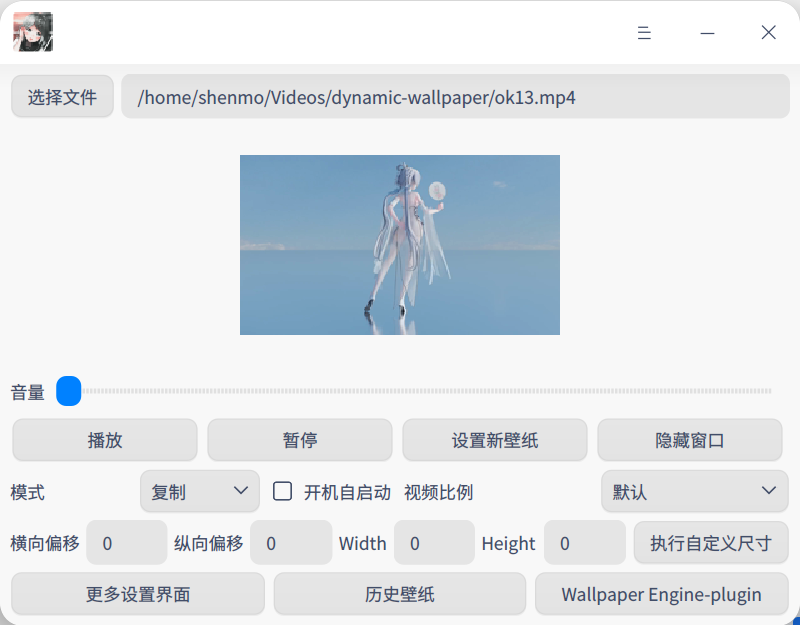
 fantascene支持
星火商店下载最新版:spk://store/themes/fantascene-dynamic-wallpaper
从深度商店下载旧版:appstore://deepin-home-appstore-client?app_detail_info/com.github.fantascene
分享链接使用方法:安装对应应用后复制到浏览器打开
deepin https://app4deepin.com/dynamic-wall/
 deepin
 确切的说就是自动更换指定壁纸。
Popular Ranking
ChangePopular Events
More


 A bug with the language select
偶然发现了https://github.com/boramalper/himawaripy这个项目,它可以把卫星图片下载到指定位置。
那么如何和deepin结合可以实现动态更换的效果呢?
自定义壁纸会存放在这个位置
~/.config/deepin/dde-daemon/appearance/custom-wallpapers
那么我在这个文件夹生成了一张名为himawari.png的图片并设置为壁纸。
通过这里的讲解,https://ywnz.com/linuxjc/7786.html,找到了命令更换壁纸。
dbus-send --dest=com.deepin.daemon.Appearance /com/deepin/daemon/Appearance --print-reply com.deepin.daemon.Appearance.SetMonitorBackground string:"屏幕名称" string:"file:///图片路径"
屏幕名称可以在设置里面 显示->亮度 查看。
或者xrandr(我的这里叫"eDP-1")。
注:以上命令适合在Deepin V20系统中。
现在我只要设置一个crontab定时任务,10分钟一更新理论上就可以实现想要的效果。
我试着写了一个python脚本,用crontab进行调用,但是dbus-send命令一直不成功,无法自动更新。
在尝试加入环境变量之后,问题得到解决。
crontab -e
*/10 * * * * /bin/python3 /data/home/fangjiyuan/github_file/change_wapper.py