

 中文
中文 
andktan deepin
2022-03-11 22:57 deepin 让大伙看看你的盘,好做分析
Reply Like 0 View the author
 deepin
 让大伙看看你的盘,好做分析

 deepin
 一般我是不太建议自动全盘安装的。全盘安装它是自动分去,自动挂载的,有些分区它挂载上去了但是你不知道。
 deepin
 让大伙看看你的盘,好做分析
4是系统盘,5是数据盘,128G装完只剩下50G能用,还有很多乱七八糟的文件
deepin 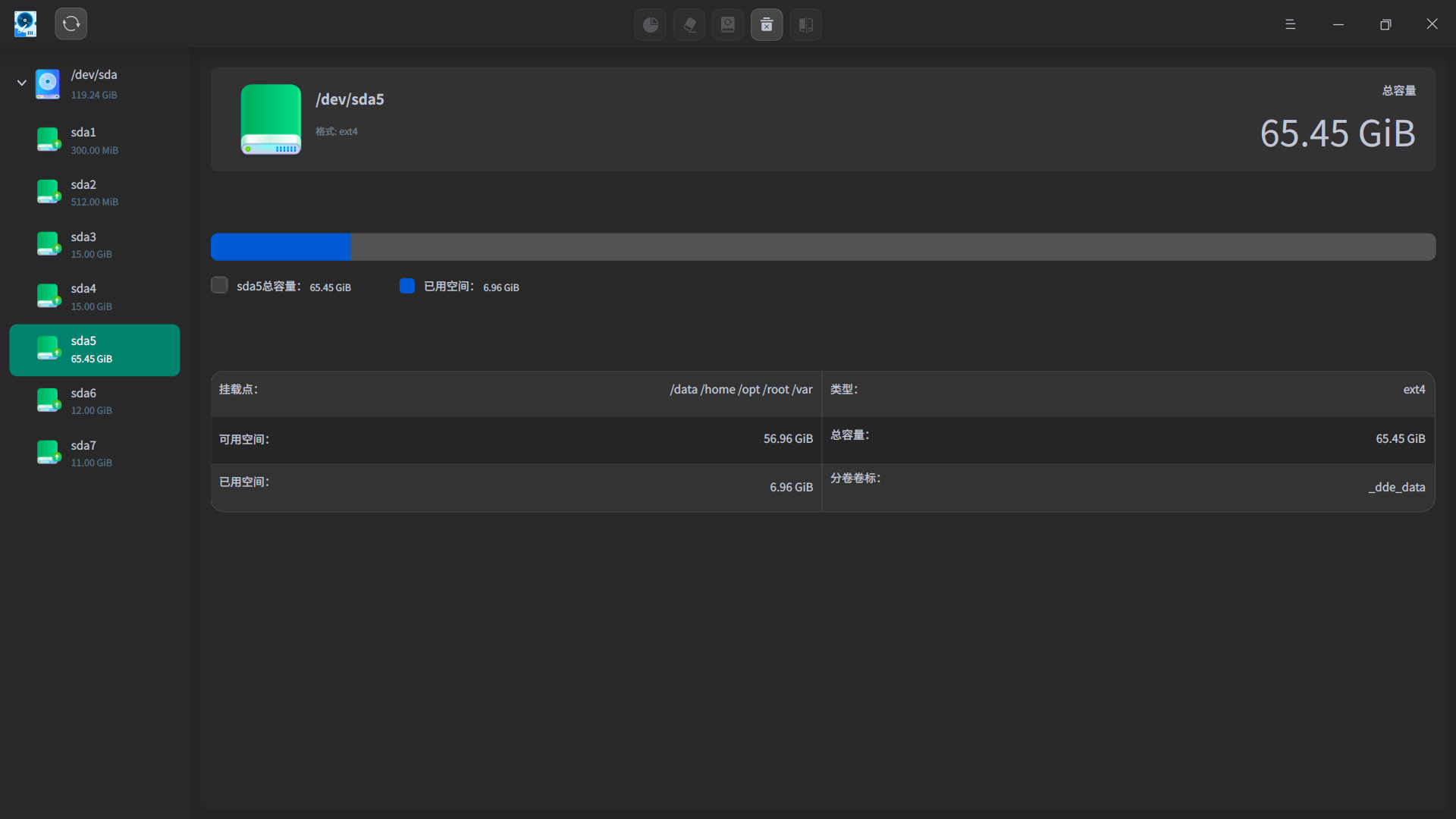
 deepin
 sda1:EFI
sda2:boot
sda3:系统盘
sda4:更新备份盘
sda5:数据盘
sda6:系统备份盘
sda7:swap交换空间
这里面,sda4可以不要,可删除后与sda3合并,sda6也可以不要,并入数据盘。
deepin 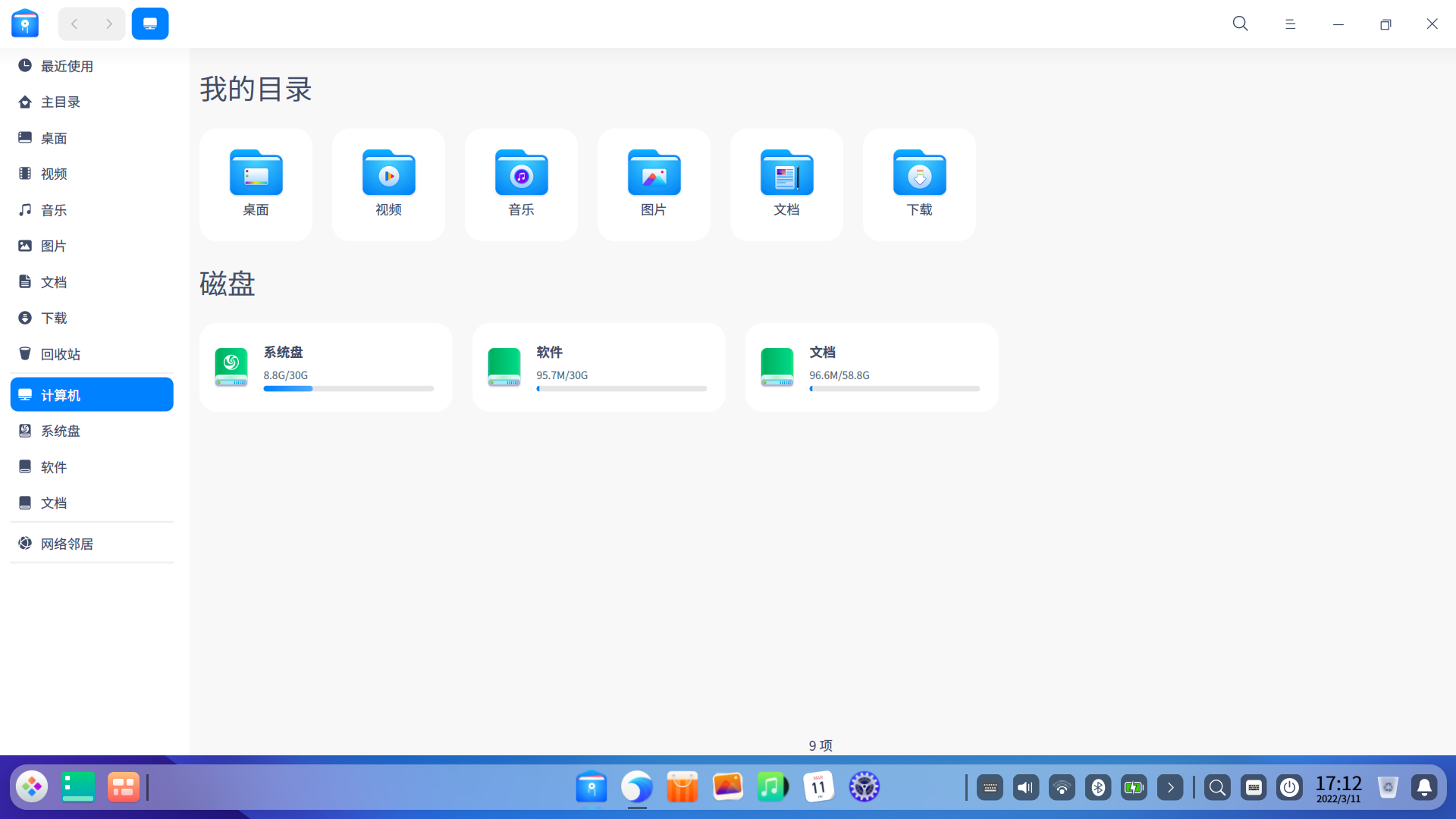
感谢各位,我重新分区了,然后手动安装,现在舒服了
deepin 
Popular Ranking
ChangePopular Events
More


 A bug with the language select
磁盘有7个,但数据盘能用的硬盘容量连电脑的一半都没有了,而且数据盘里还有很多乱七八糟的文件