[Freezing/Lagging] 待机锁屏后无法操作
Tofloor
poster avatar
小小诗人不写诗
deepin
2022-03-11 21:28
Author

没有手动锁屏,开着网易云音乐,关掉显示器电源,后来自动锁屏,

打开显示器电源,显示登录界面,整个界面卡死。不能点击密码框,也不能输入东西

但音乐的播放那三个按钮,暂停播放可以点,点了后音乐也会暂停,再点恢复,但其他的不能点,没法输入密码,进不了系统,最终只能重启。

这个问题非常严重!!!!!!!!!连保存的机会都没有。完全等死!!!!!!!别的问题还能将就一下,这个不行!!!!真不行!!!!

Reply Favorite View the author
All Replies
小小诗人不写诗
deepin
2022-03-11 21:30
#1

sad 我就刚准备用两天。。。任务栏卡死。更新后进不了系统,待机后登录框无法用。。。。有点抗不住了。。

Reply View the author
ryule
deepin
2022-03-11 21:45
#2

我也是更新之后,运行明显卡顿。午休起来,也进不了系统。更新补丁还说提高安全性、稳定性,真特么搞人

Reply View the author
ieayoio
deepin
2022-03-11 21:48
#3

我也是,今天更新以后就出现这个问题,真的太难受了

Reply View the author
babyfengfjx
Super Moderator
CQA
2022-03-11 21:49
#4
  • 这个可能跟具体机型有一定关系,如果当前内核用的是5.10的话,可以尝试切换到5.15内核试试;
Reply View the author
小小诗人不写诗
deepin
2022-03-11 21:51
#5
babyfengfjx
  • 这个可能跟具体机型有一定关系,如果当前内核用的是5.10的话,可以尝试切换到5.15内核试试;

不知道吖,我已经重启切windows了,过段时间再来试试看吧。

Reply View the author
babyfengfjx
Super Moderator
CQA
2022-03-11 21:54
#6
小小诗人不写诗

不知道吖,我已经重启切windows了,过段时间再来试试看吧。

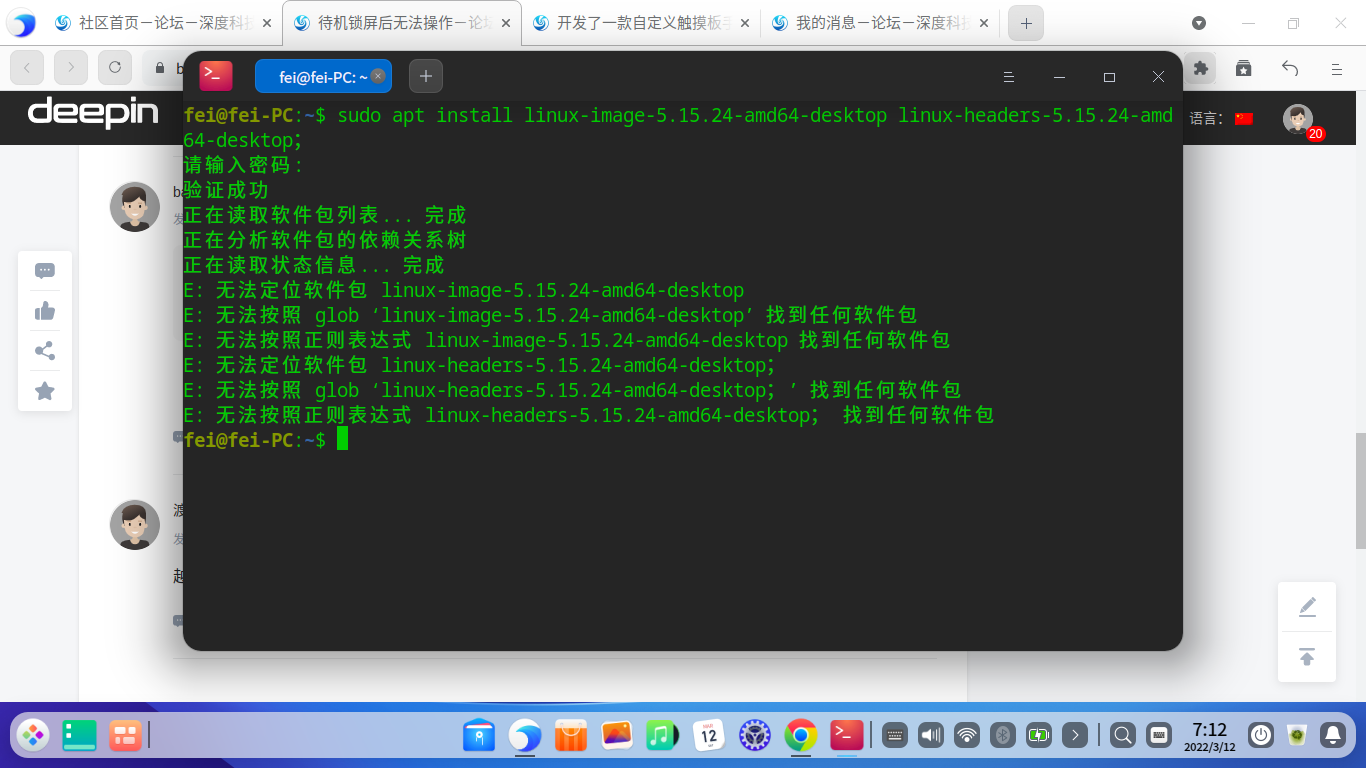
  • 看先尝试切换一下内核版本试试:sudo apt install linux-image-5.15.24-amd64-desktop linux-headers-5.15.24-amd64-desktop;
Reply View the author
渡然
deepin
2022-03-11 23:53
#7

越更bug越多,不想用了

Reply View the author
大飞
deepin
2022-03-12 15:13
#8
babyfengfjx
  • 看先尝试切换一下内核版本试试:sudo apt install linux-image-5.15.24-amd64-desktop linux-headers-5.15.24-amd64-desktop;

截图_20220312071250.png

Reply View the author
babyfengfjx
Super Moderator
CQA
2022-03-12 17:55
#9
大飞

截图_20220312071250.png

  • 之前给你的那个是内测版本的;
  • 可以试试这个:sudo apt install linux-image-deepin-stable-amd64 linux-headers-deepin-stable-amd64
Reply View the author
大飞
deepin
2022-03-13 01:55
#10
babyfengfjx
  • 之前给你的那个是内测版本的;
  • 可以试试这个:sudo apt install linux-image-deepin-stable-amd64 linux-headers-deepin-stable-amd64

我开机选择高级选项,选5.10.83就正常了

Reply View the author
babyfengfjx
Super Moderator
CQA
2022-03-13 17:42
#11

昨天已经推送更新,看是否问题得到解决?

Reply View the author