

 中文
中文 
xmingx deepin
2022-03-08 17:19 deepin 同样的问题
Reply Like 0 View the author
 deepin
 同样的问题
 deepin
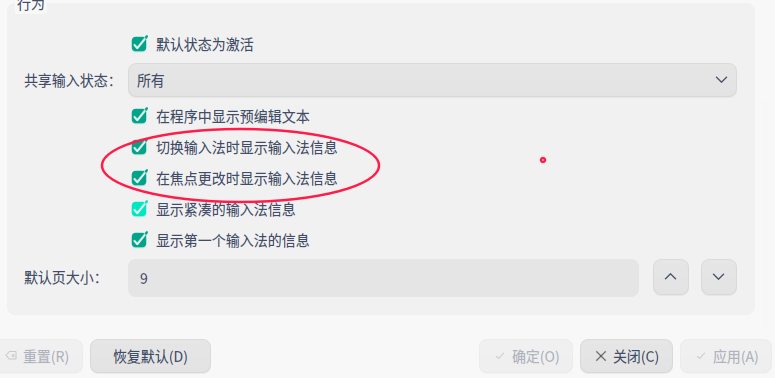
 加一,所以我设置了焦点切换显示信息
 deepin
 deepin
 内测版 5.0.13

 deepin deepin
 rm -rf ~/.local/share/fcitx5/pinyin/dictionaries/
亲测不行
deepin rm -rf ~/.local/share/fcitx5/pinyin/dictionaries/
亲测不行
注销之后也不可以吗?我这边测试了两台机子都解决了
deepin 注销之后也不可以吗?我这边测试了两台机子都解决了
重启了也不行
deepin 重启了也不行
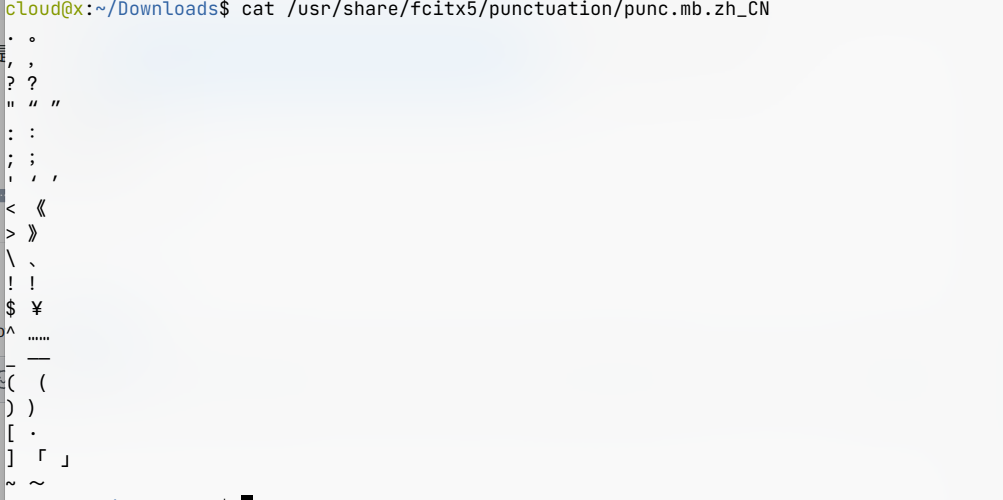
是否修改了 /usr/share/fcitx5/punctuation/punc.mb.zh_CN文件。并添加了【】符号?
deepin 是否修改了 /usr/share/fcitx5/punctuation/punc.mb.zh_CN文件。并添加了【】符号?
没有
deepin 我通APT安装的是5.0.14版本
deepin 我通APT安装的是5.0.14版本
https://bbs.deepin.org/zh/post/237746
Popular Ranking
ChangePopular Events
More


 A bug with the language select
解决方法:
编译安装最新版 fcitx5 (5.0.16)
https://bbs.deepin.org/zh/post/237746
现象:
重启电脑后,fcitx5 托盘图标有一定概率闪一下后消失,但是右键 fcitx5 托盘图标 - 重新启动,100% 闪一下后消失
此时打开 音乐 或 邮箱,fcitx5 图标会一起出来