[Topic DIscussion] DEEPIN20.4如何使用大容量移动硬盘
Tofloor
poster avatar
RE.彼岸
deepin
2022-03-04 18:40
Author

请教大神,最近买了一个2T的移动硬盘(非固态),在Windows下能正常使用,文件分区是EXFAT。在DEEPIN下不能识别,但是拔出时能有提示“设备已被安全移除”。该如何解决这个问题啊?

Reply Favorite View the author
All Replies
babyfengfjx
Super Moderator
CQA
2022-03-04 18:44
#1
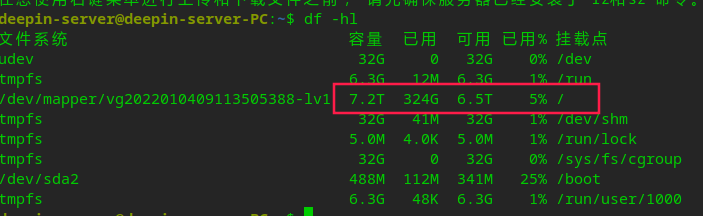
  • 可以尝试格式化成EXT4;
  • deepin管理大硬盘肯定没问题咯:
  • image.png
Reply View the author
lcw0268
deepin
2022-03-04 18:44
#2
It has been deleted!
RE.彼岸
deepin
2022-03-04 18:46
#3
lcw0268 It has been deleted!

该如何解决呢?

我找个分区软件去把这个移动硬盘的分区格式化成EXT4格式吗?这样影响移动硬盘在windows下面使用吗?为什么我用U盘没有问题。

Reply View the author
RE.彼岸
deepin
2022-03-04 18:57
#4
babyfengfjx
  • 可以尝试格式化成EXT4;
  • deepin管理大硬盘肯定没问题咯:
  • image.png

如何在deepin的平台下面格式化这个找不到的硬盘,然后分区成EXT4呢?

Reply View the author
myml
Super Moderator
Developer
2022-03-04 19:11
#5

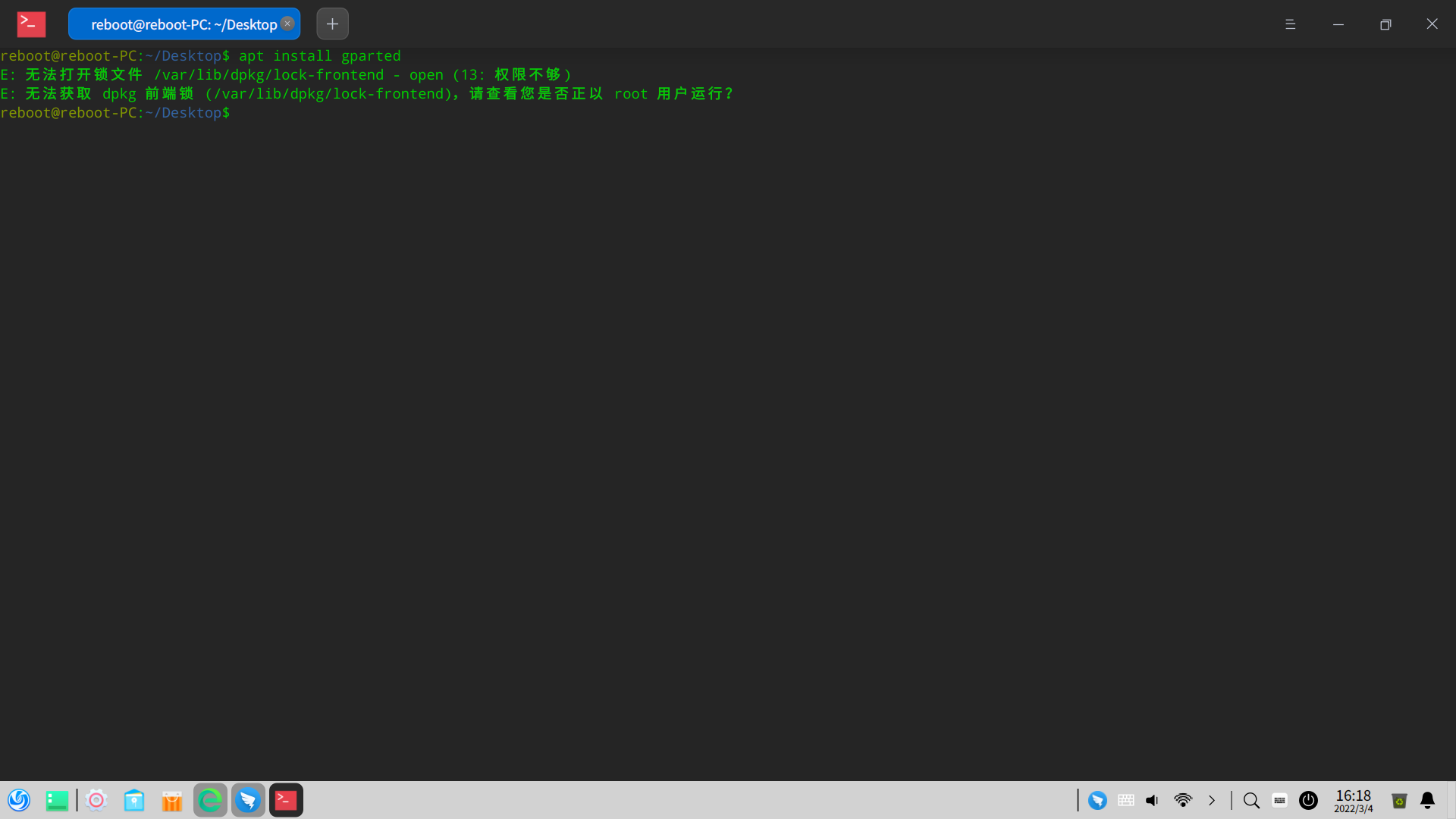
用gparted试试

安装 apt install gparted

在菜单里找分区编辑器

Reply View the author
Ziggy
deepin
2022-03-04 19:15
#6

是不是被Windows加了bitlocker,或者Windows没关快速启动占用设备

Reply View the author
jjcui8595
deepin
2022-03-04 19:24
#7

从通用性考虑,不建议弄成ext4格式。可尝试在Windows下重新分区,建立较小分区试试。

Reply View the author
andktan
deepin
2022-03-04 21:46
#8
jjcui8595

从通用性考虑,不建议弄成ext4格式。可尝试在Windows下重新分区,建立较小分区试试。

agree

Reply View the author
seraph
deepin
2022-03-04 23:25
#9

可能是你没弄对吧,我 1T 和 4T 的 NTFS格式两个桌面硬盘都能用

Reply View the author
大多时候吃素
deepin
2022-03-04 23:50
#10
babyfengfjx
  • 可以尝试格式化成EXT4;
  • deepin管理大硬盘肯定没问题咯:
  • image.png

好大

Reply View the author
大多时候吃素
deepin
2022-03-04 23:52
#11

按说会自动挂载,用fdisk -l看一下有你的硬盘吗

Reply View the author
RE.彼岸
deepin
2022-03-05 00:19
#12
myml

用gparted试试

安装 apt install gparted

在菜单里找分区编辑器

截图_20220304161837.png

输入了su,密码用账号登录密码,不行。没有root权限

Reply View the author
pzm9012
Moderator
2022-03-05 01:17
#13
RE.彼岸

截图_20220304161837.png

输入了su,密码用账号登录密码,不行。没有root权限

在命令前要加“sudo ”(注意空格)

然后盲敲密码回车

Reply View the author
pzm9012
Moderator
2022-03-05 01:18
#14

执行以下命令,看看能不能用其他文件管理器看到:

sudo apt install nemo

Reply View the author
林统度
deepin
2022-03-05 01:40
#15
RE.彼岸

截图_20220304161837.png

输入了su,密码用账号登录密码,不行。没有root权限

可能是还没有设置Root密码,输入

sudo passwd root
Reply View the author
babyfengfjx
Super Moderator
CQA
2022-03-05 05:50
#16
大多时候吃素

好大

用的LVM管理的,方便扩容

Reply View the author
babyfengfjx
Super Moderator
CQA
2022-03-05 05:51
#17
RE.彼岸

截图_20220304161837.png

输入了su,密码用账号登录密码,不行。没有root权限

前面加sudo

不是su su 是切换到root用户,而root用户你又没设置过密码,肯定不行,设置密码用 sudo passwd root

Reply View the author