

 中文
中文 
doooooit deepin
2022-03-03 03:24 deepin 庆阳人,看到【庆阳音乐】眼前一亮 😃
虽然但是,降央卓玛不是庆阳人啊 😂
Reply Like 0 View the author
 deepin
 庆阳人,看到【庆阳音乐】眼前一亮 😃
虽然但是,降央卓玛不是庆阳人啊 😂
 deepin
 关掉自动索引试试,我之前好像也是这样,关掉就行了(
应该是bug
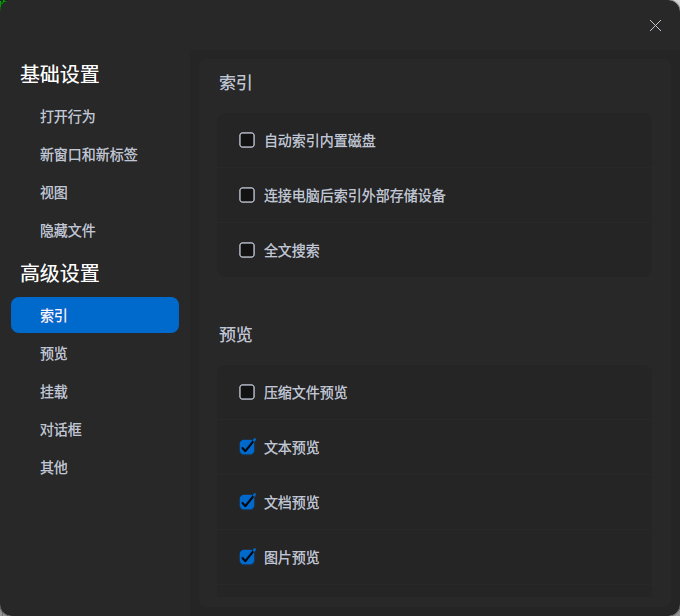
明天试试
deepin 
deepin 庆阳人,看到【庆阳音乐】眼前一亮 😃
虽然但是,降央卓玛不是庆阳人啊 😂

 deepin
 明天试试
如果是这个问题的话帮我向官方反馈一下,最近有点忙(
deepin 明天试试
取消索引的结果,连这个字也“等”不出来了
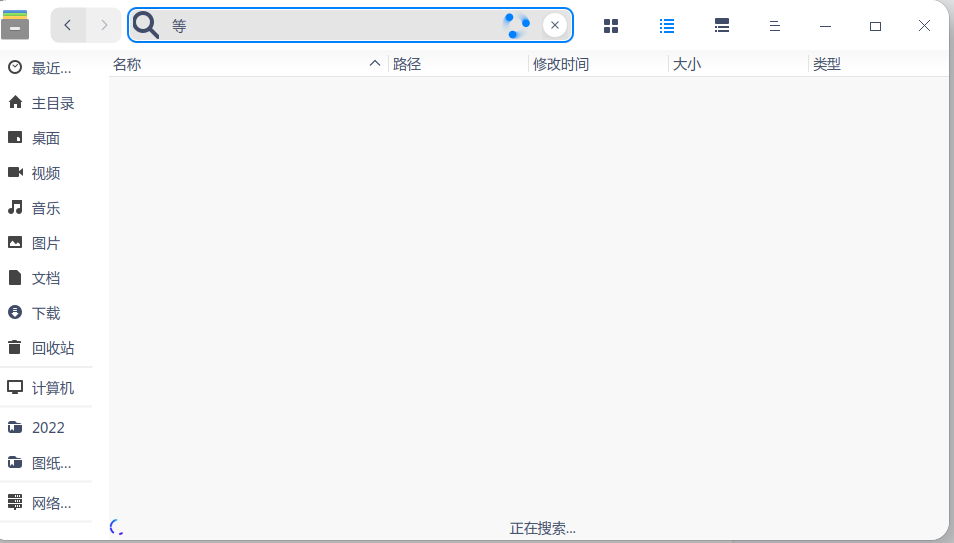
感觉没有明显变化,
但是发现个问题,如果设置取消索引后,在文管中搜索不会自动加上,但使用任务栏搜索后会自动又加上索引。

 deepin
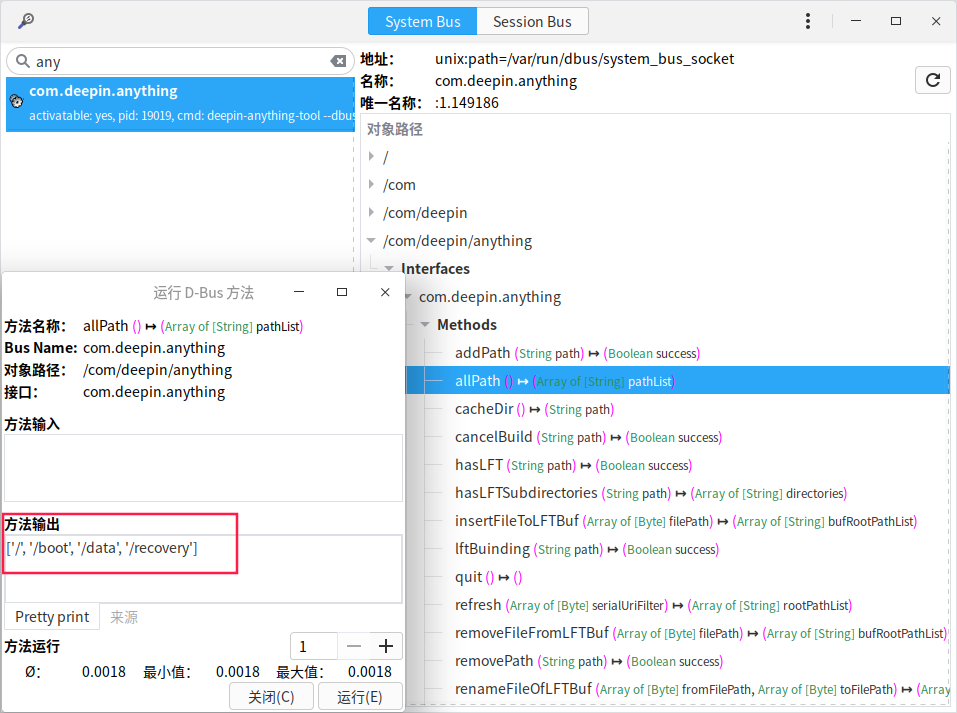
 从表象看,应该是deepin-anything的问题,在文管勾选自动索引的情况下,你可以用d-feet(安装:sudo apt install d-feet)调试一下anything的接口返回是否正常。
allPath:
search:
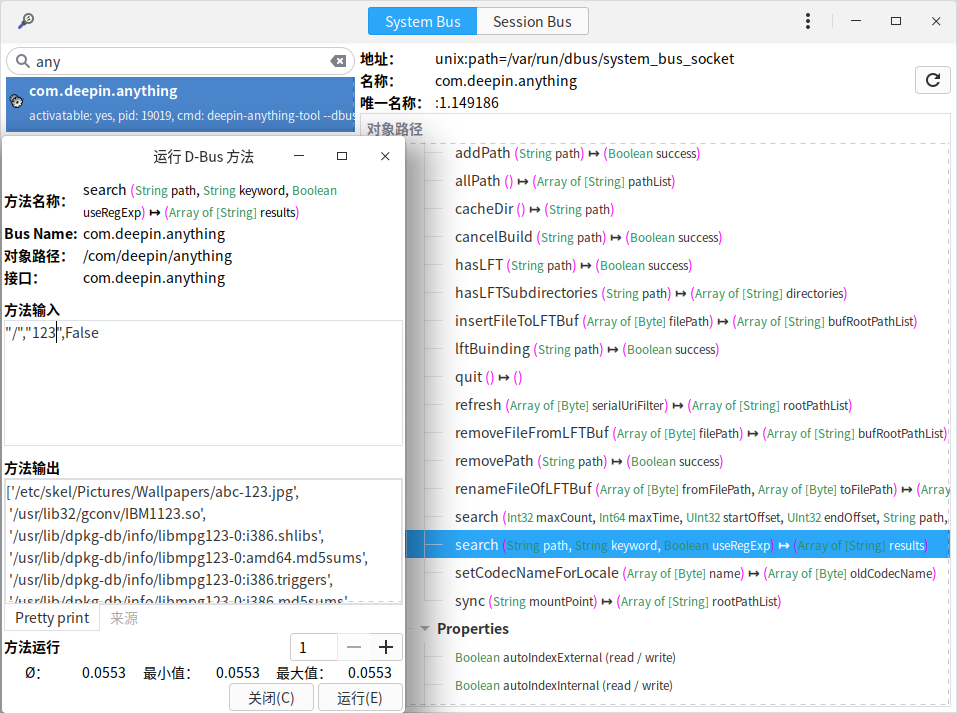
如果你要调试搜索用户目录的话,你输入的路径应该是“/data/home”

 deepin
 出现情况的时候,可以用如下命令查看下anything的状态:
sudo systemctl status deepin-anything-monitor.service
sudo systemctl status deepin-anything-tool.service
恢复索引的话,去掉“自动索引...“ 然后再勾选,等一会儿(第一次创建索引比较耗时)应该OK。
deepin 问题已经复现,搜索的目录文件太少,索引切片存在问题,会在下一次更新修复。 非常感谢您的反馈👍
deepin 问题已经复现,搜索的目录文件太少,索引切片存在问题,会在下一次更新修复。 非常感谢您的反馈👍

deepin 从表象看,应该是deepin-anything的问题,在文管勾选自动索引的情况下,你可以用d-feet(安装:sudo apt install d-feet)调试一下anything的接口返回是否正常。
allPath:
search:
如果你要调试搜索用户目录的话,你输入的路径应该是“/data/home”
这个对于我来说,有难度
deepin 出现情况的时候,可以用如下命令查看下anything的状态:
sudo systemctl status deepin-anything-monitor.service
sudo systemctl status deepin-anything-tool.service
恢复索引的话,去掉“自动索引...“ 然后再勾选,等一会儿(第一次创建索引比较耗时)应该OK。
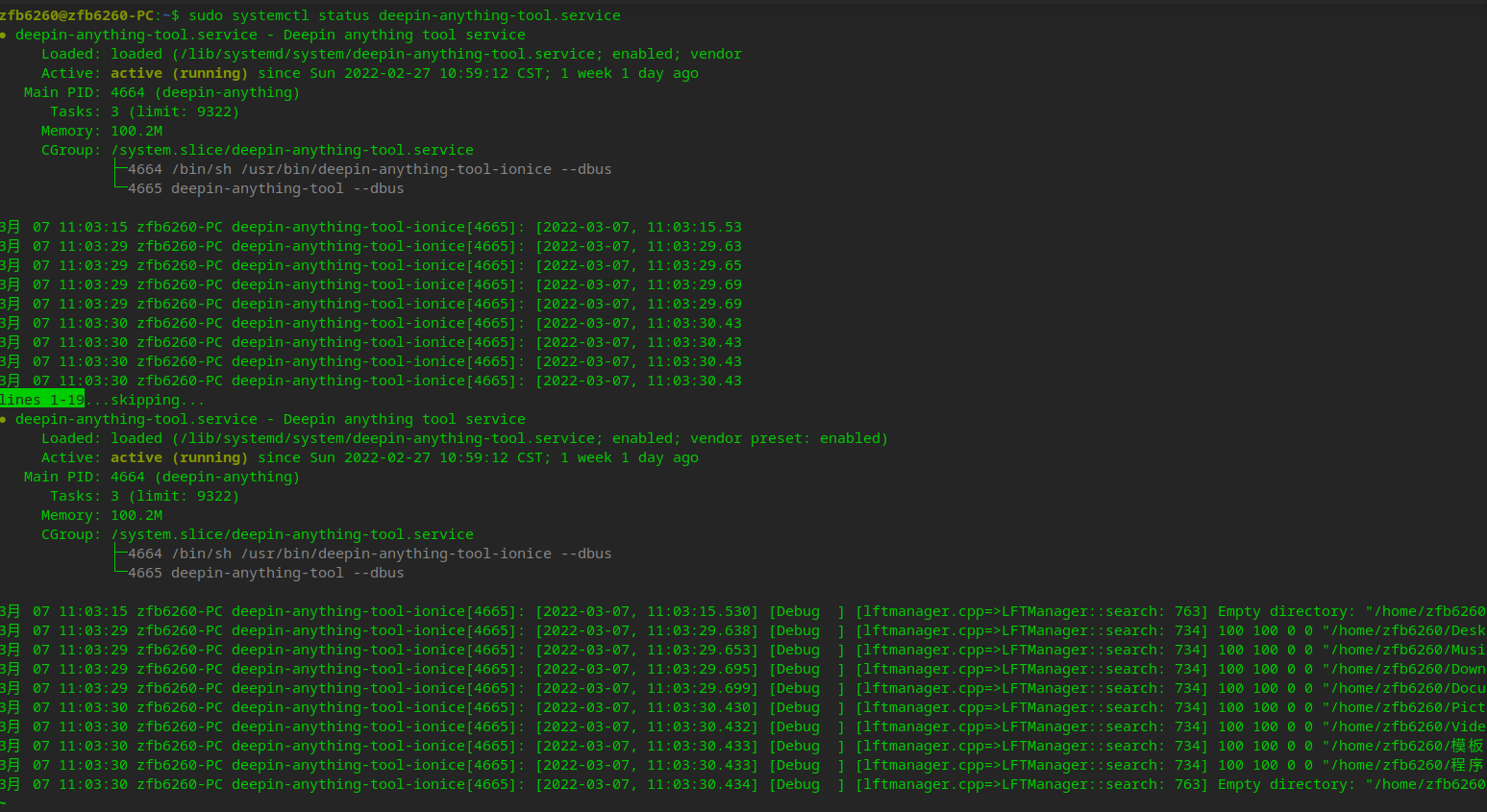
deepin 查看服务状态都正常,应该是索引创建遇到问题,但是复现几率很小,重启后发现OK。 如果发现有高几率发现的步骤更新一下,谢谢
Popular Ranking
ChangePopular Events
More


 A bug with the language select
这个搜索不能要了呀😭
这长时间没有用过搜索这个功能,现在用成这样了,电脑里确定有的文件却搜索不到,太烂了,
愁死了,大佬们辛苦一下,好好搞一下吧,
如下
1、明明含有“等”这个字的文字,就是找不到
2、打开任务栏搜索,倒是能找到,可是我电脑里含“等”字的可不止这一个文件呀
3、再搜个“程序”两字,结果如下,差太多了,只搜了几个应用和一个文件夹