

 中文
中文 
babyfengfjx
2022-02-26 21:32 Super Moderator
CQA
- 通过这个IP能否搜索到打印机?
- 这种方式倒还没玩过,现在用的打印机都是wifi的,直接会自动搜索到。
Reply Like 0 View the author


 deepin
 打开 打印管理器
添加打印机
有三种搜索方式 自动 、手动、url
 deepin
 不行。找不到。以前是可以的,就固定的一台不行。

 deepin
 打开 打印管理器
添加打印机
有三种搜索方式 自动 、手动、url
试试以上方法
deepin 试试以上方法
主要是里面的格式不会写啊
deepin 刷新samba的windows防火墙,写确认防火墙里samba服务是否可信,那如何查看防火墙呢?发现不可信,如何置成可信呢?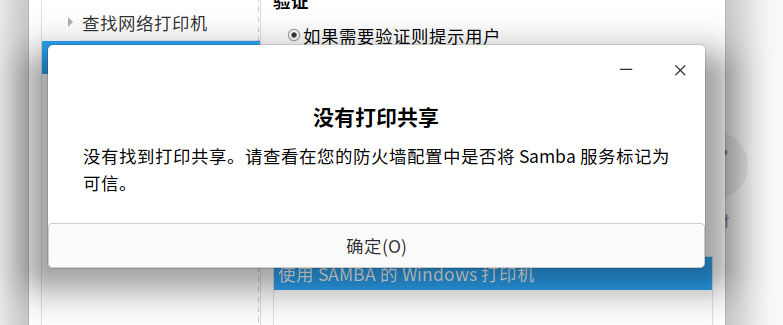
deepin sudo systemctl enable smbd,输入此命令就能找到打印机了,但是不停地让我输入帐号密码,但是不管是输客户端帐号密码,还是服务端的都不对。
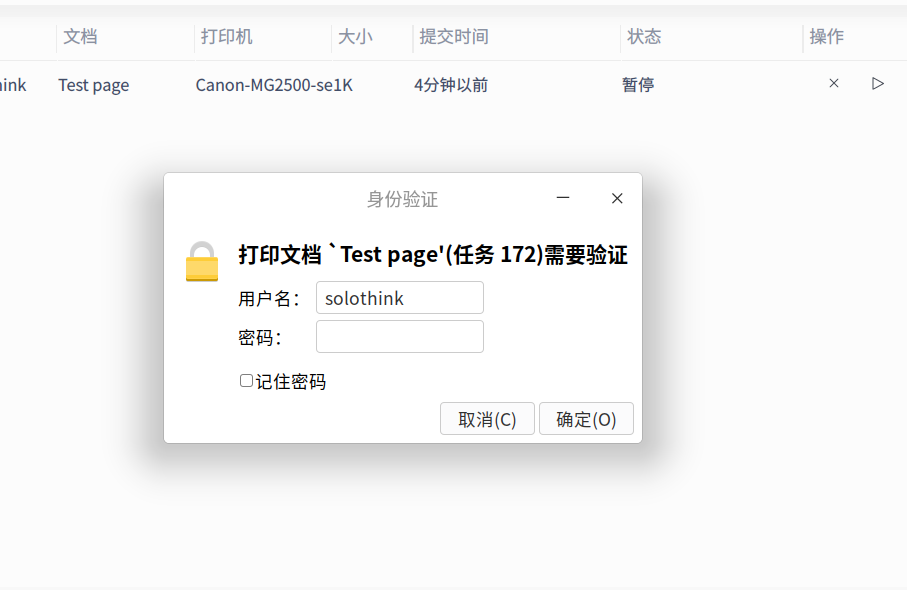
deepin 该问题解决了。我查到了gufw,这个工具,他打包了ufw工具。gufw是图形化的,安装以后设置了防火墙允许445端口,解决了共享打印机的问题,太感谢了!
deepin 该问题解决了。我查到了gufw,这个工具,他打包了ufw工具。gufw是图形化的,安装以后设置了防火墙允许445端口,解决了共享打印机的问题,太感谢了!
棒

deepin 该问题解决了。我查到了gufw,这个工具,他打包了ufw工具。gufw是图形化的,安装以后设置了防火墙允许445端口,解决了共享打印机的问题,太感谢了!
防火墙限制,防不胜防啊
deepin sudo systemctl enable smbd,输入此命令就能找到打印机了,但是不停地让我输入帐号密码,但是不管是输客户端帐号密码,还是服务端的都不对。
这个问题困扰我到现在,原来是防火墙问题,我试试试
 deepin
 该问题解决了。我查到了gufw,这个工具,他打包了ufw工具。gufw是图形化的,安装以后设置了防火墙允许445端口,解决了共享打印机的问题,太感谢了!
我也搜索不到共享打印机,如何设置防火墙呢
deepin 我也搜索不到共享打印机,如何设置防火墙呢
你现在deepin什么版本啊,现在比较新的版本加上用“打印机设置”这个程序能解决。在打印共享的客户端装sudo apt install system-config-printer,就能找到。
deepin 你现在deepin什么版本啊,现在比较新的版本加上用“打印机设置”这个程序能解决。在打印共享的客户端装sudo apt install system-config-printer,就能找到。
我用的是deepin V23,共享打印机的系统是win10,通过IP地址查找打印机,一直搜索不到
deepin 我用的是deepin V23,共享打印机的系统是win10,通过IP地址查找打印机,一直搜索不到
你试一下我说的,应该可以的。
Popular Ranking
ChangePopular Events
More


 A bug with the language select
我在一台deepin上共享了打印机,地址是192.168.1.18,应该在客户端上如何设置才能正常使用共享打印功能啊,客户端也是deepin