

 中文
中文 
tsic deepin
2022-02-23 17:54 deepin 为什么要用root身份运行clion?
Reply Like 0 View the author
 deepin
 为什么要用root身份运行clion?
 deepin
 为什么要用root身份运行clion?
这货没有root权限 导入工程时会创建失败, 除非对相关目录具有读写权限

 deepin
 以下不知对你有没有参考

 deepin
 pkexec DISPLAY=:0 xxxxxxxx 试试看?
deepin 这货没有root权限 导入工程时会创建失败, 除非对相关目录具有读写权限
项目属主不是自己?
Popular Ranking
ChangePopular Events
More


 A bug with the language select
我新建了一个桌面快捷方式
`[Desktop Entry]
X-Deepin-CreatedBy=com.deepin.dde.daemon.Launcher
X-Deepin-AppID=clion-2019.1.4
Version=1.0
Type=Application
Name=CLion
Icon=clion
Exec=pkexec /home/dev_soft/clion-2019.1.4/bin/clion.sh %u
Categories=Development;IDE;
StartupWMClass=jetbrains-clion
Comment=A cross-platform IDE for C and C++.
StartupNotify=true
Terminal=false
`
点击后弹出密码输入框输入密码后就没有动静了
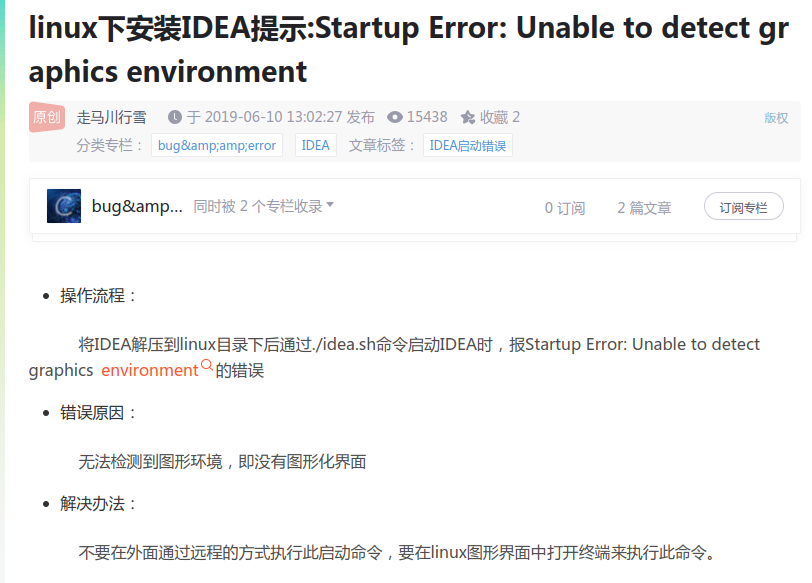
我在命令行执行报错如下:
`pkexec sh /home/dev_soft/clion-2019.1.4/bin/clion.sh
Startup Error: Unable to detect graphics environment
`
请问有知道如何解决的大佬不