

 中文
中文 
deepin-superuser deepin
2022-02-22 18:43 deepin 手动安装吧
sudo apt-get install nvidia-driver
然后再去星火商店下载个 显卡切换插件 切换到nvidia
Reply Like 0 View the author
 deepin
 手动安装吧
sudo apt-get install nvidia-driver
然后再去星火商店下载个 显卡切换插件 切换到nvidia

 deepin
 手动安装吧
sudo apt-get install nvidia-driver
然后再去星火商店下载个 显卡切换插件 切换到nvidia
好的多谢
deepin 手动安装吧
sudo apt-get install nvidia-driver
然后再去星火商店下载个 显卡切换插件 切换到nvidia
大佬提示没有权限啊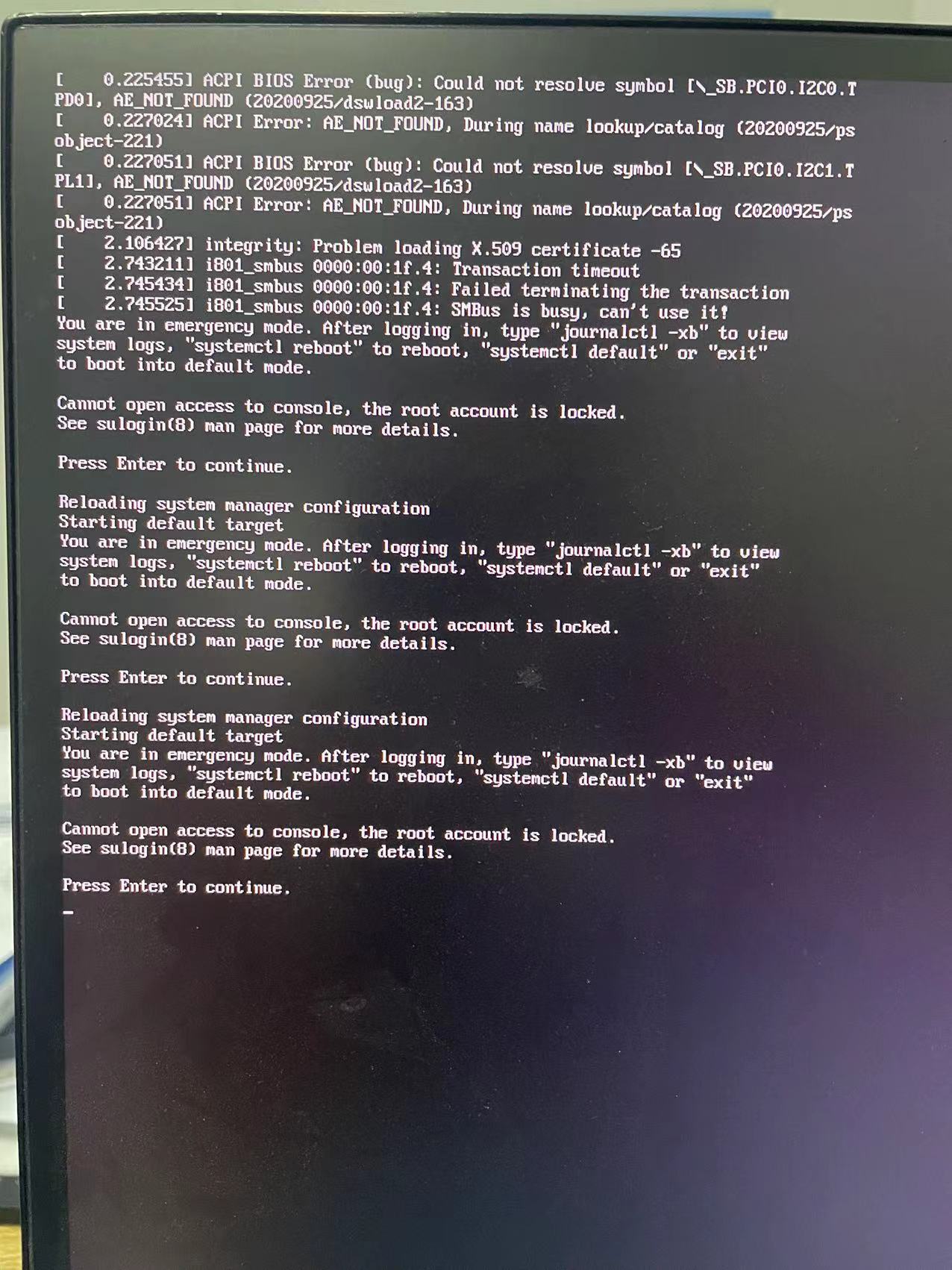
deepin 大佬提示没有权限啊
参考一下这个帖子
https://bbs.deepin.org/post/229445
 deepin
 使用星火商店里的切换工具
deepin 使用星火商店里的切换工具
切换后,出现了切换错误,提示BIOS有问题,账户权限被锁定,上面有图,刚入手系统的小白不是很明白
deepin 切换后,出现了切换错误,提示BIOS有问题,账户权限被锁定,上面有图,刚入手系统的小白不是很明白
参考这个
https://bbs.chinauos.com/zh/post/5525
deepin 参考这个
https://bbs.chinauos.com/zh/post/5525
照着帖子装完没有

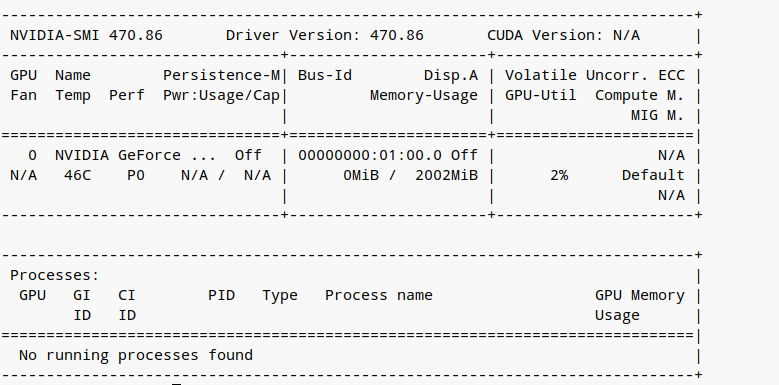
deepin 好吧已经解决可能是安装的时候勾选了英伟达闭源驱动导致的
deepin 多谢大佬帮忙十分感谢
deepin 多谢大佬帮忙十分感谢
不客气,祝贺
 deepin
 一般动手能力比较差的,还是不建议,自己手动安装显卡驱动,有很大风险。。。这是我的体会,如果实在想动手,那就备好资源再说,可以先看看debian上安装N卡驱动的帖子
deepin 一般动手能力比较差的,还是不建议,自己手动安装显卡驱动,有很大风险。。。这是我的体会,如果实在想动手,那就备好资源再说,可以先看看debian上安装N卡驱动的帖子
好的谢谢
Popular Ranking
ChangePopular Events
More


 A bug with the language select
使用深度显卡驱动管理由集显驱动切换英伟达显卡时失败