中文
中文 
忘记、过去 deepin
2022-02-21 08:42 deepin 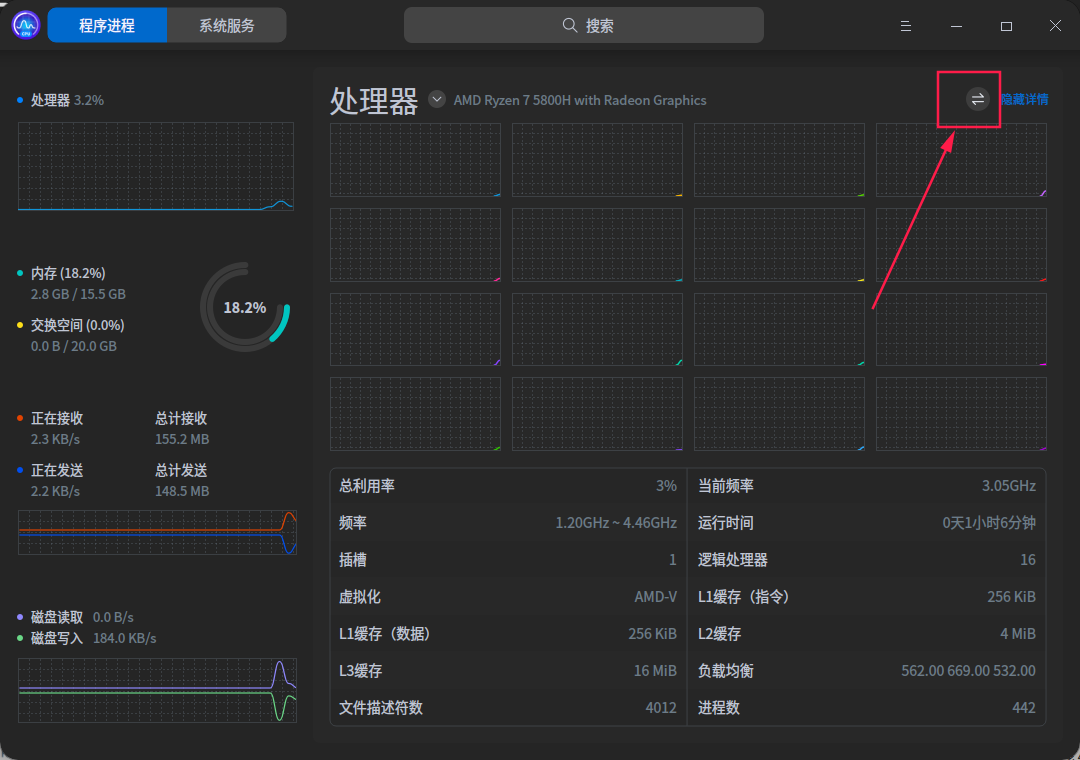
Reply Like 0 View the author
 deepin

 deepin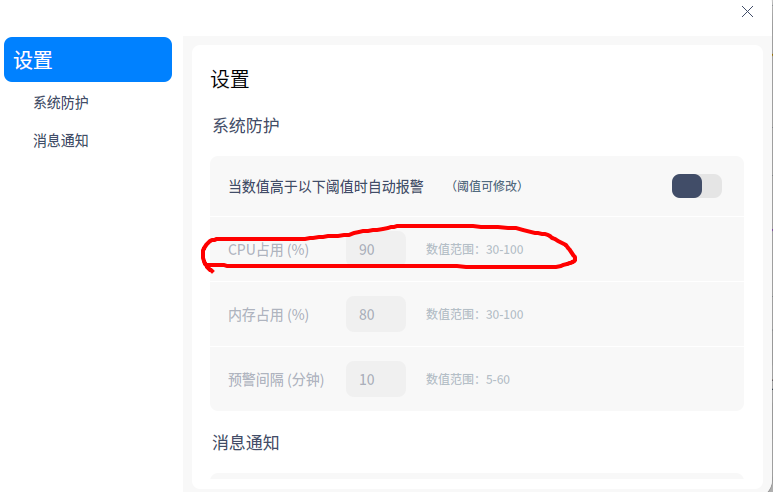
那么问题来了,系统防护中,是按cpu整体利用率,还是每个核心利用率,来触发呢

 deepin
好多框框

 deepin
 原来这种真的有人用啊!
htop 不是更一目了然么?
 deepin
  deepin
 好多框框
get,原来如此😂
deepin 原来这种真的有人用啊!
htop 不是更一目了然么?
习惯性用系统自带的了
deepin
那么问题来了,系统防护中,是按cpu整体利用率,还是每个核心利用率,来触发呢
不同情况吧,我就偶尔遇到bug,单核心一直满载,之前用ubuntu有插件在任务栏看每个核心的占用率的。
deepin 感谢大家的帮助哈😁
deepin 习惯性用系统自带的了
试试 s-tui
Github:https://github.com/amanusk/s-tui
 deepin
可以问问产品经理能不能扩大点嘛
加几个字什么的
比如 切换核心视图
这个用户感知趋向于无
Popular Ranking
ChangePopular Events
More


 A bug with the language select
问题/建议描述
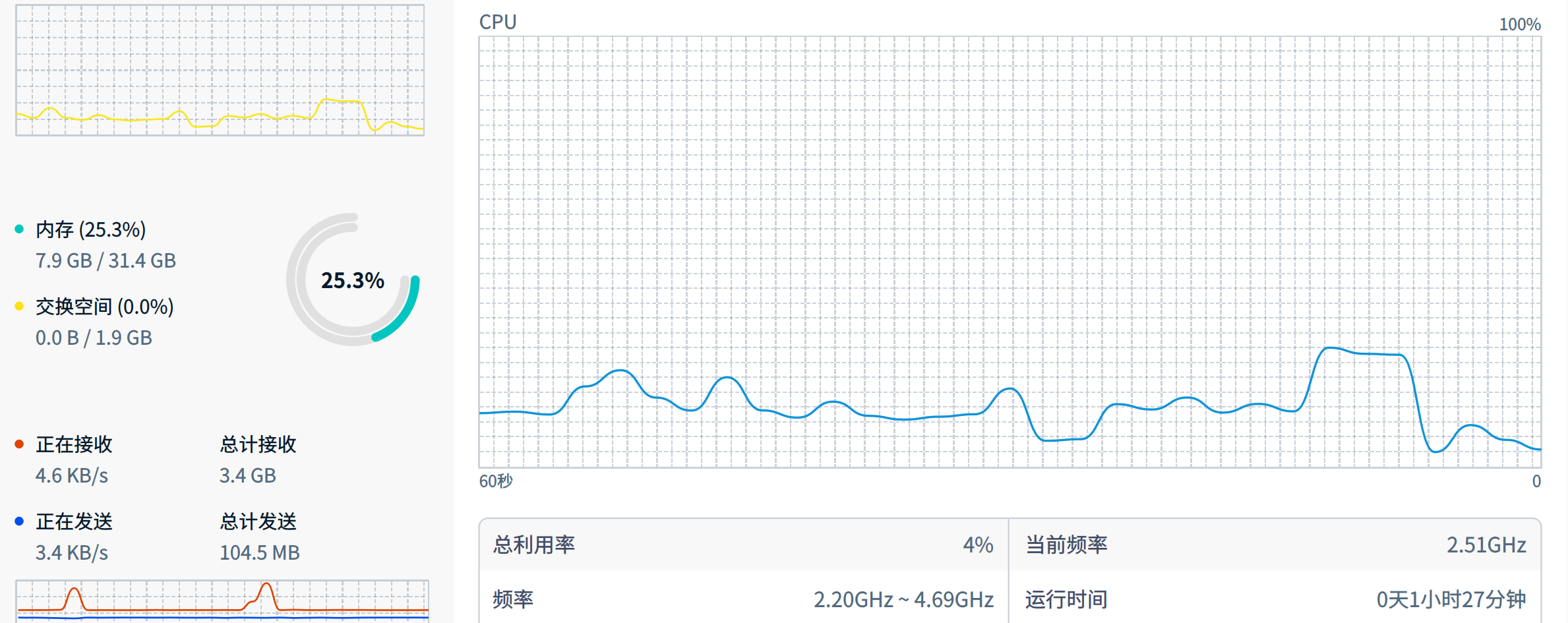
建议改为以前那种显示线程的视图,现在只有一个总使用率,在多核心的情况下,单独一条线程满载,总使用率不会凸显多少出来。有时候有些程序bug导致单条线程一直满载,可以看到每条线程负载比较好。
或者可以增加一个功能,当任意一条线
程长时间超过设定值的负载(如90%),再单独显示这条线程出来,加个警报声。
不然那些8核心或者16核心的处理器,有一个核心因为bug一直满载,单看总使用率不明显。