

 中文
中文 
delsin deepin
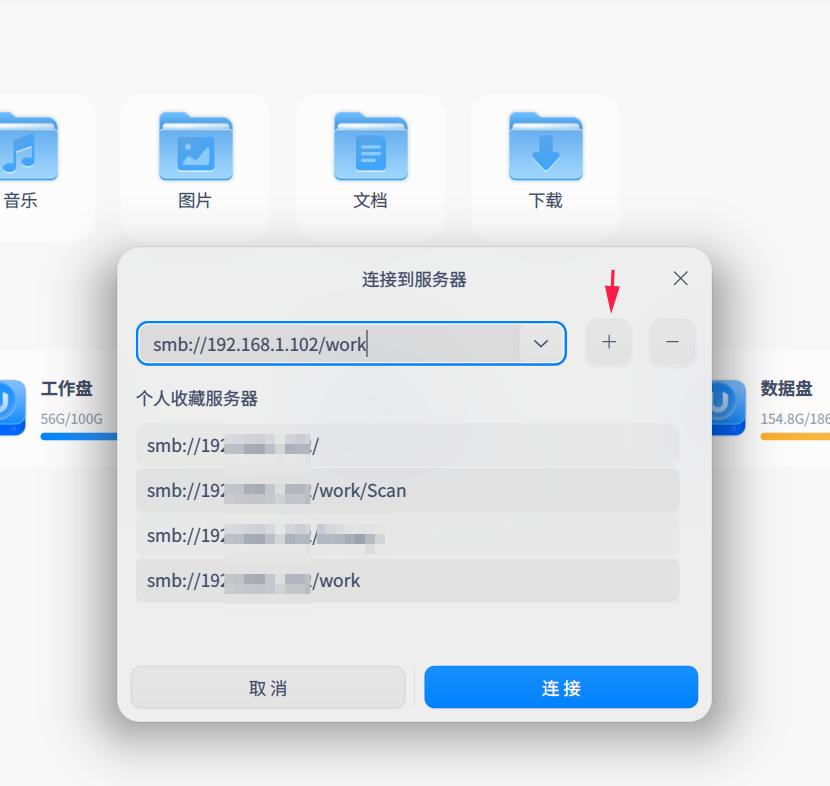
2022-02-17 20:21 deepin 1、不需要每次重新输入smb地址。只要添加收藏后,每次只需要选择收藏里的smb地址就行。
Reply Like 1 View the author
 deepin
 1、不需要每次重新输入smb地址。只要添加收藏后,每次只需要选择收藏里的smb地址就行。
deepin 弄个脚本 , 再自己建个快捷方式
设访问IP为 192.168.1.18
#!/bin/bash
dde-file-manager smb://192.168.1.18
保存为 winshare.sh
sodo chmod +x /hrom/xxxx/winshare.sh
再弄个桌面快捷方式
[Desktop Entry]
Encoding=UTF-8
Exec=/home/xxxx/winshare.sh
Icon=dde-file-manager
Name=192.168.1.18
Actions=new-window;
Type=Application
桌面双击就好了

 deepin
deepin 弄个脚本 , 再自己建个快捷方式
设访问IP为 192.168.1.18
#!/bin/bash
dde-file-manager smb://192.168.1.18
保存为 winshare.sh
sodo chmod +x /hrom/xxxx/winshare.sh
再弄个桌面快捷方式
[Desktop Entry]
Encoding=UTF-8
Exec=/home/xxxx/winshare.sh
Icon=dde-file-manager
Name=192.168.1.18
Actions=new-window;
Type=Application
桌面双击就好了
你的方法很好,已亲测有用,不过你有句写错了:不是sodo,是sudo。
deepin 你的方法很好,已亲测有用,不过你有句写错了:不是sodo,是sudo。

输入法切来切去的,,手误,,手误~~抱歉~抱歉~~~
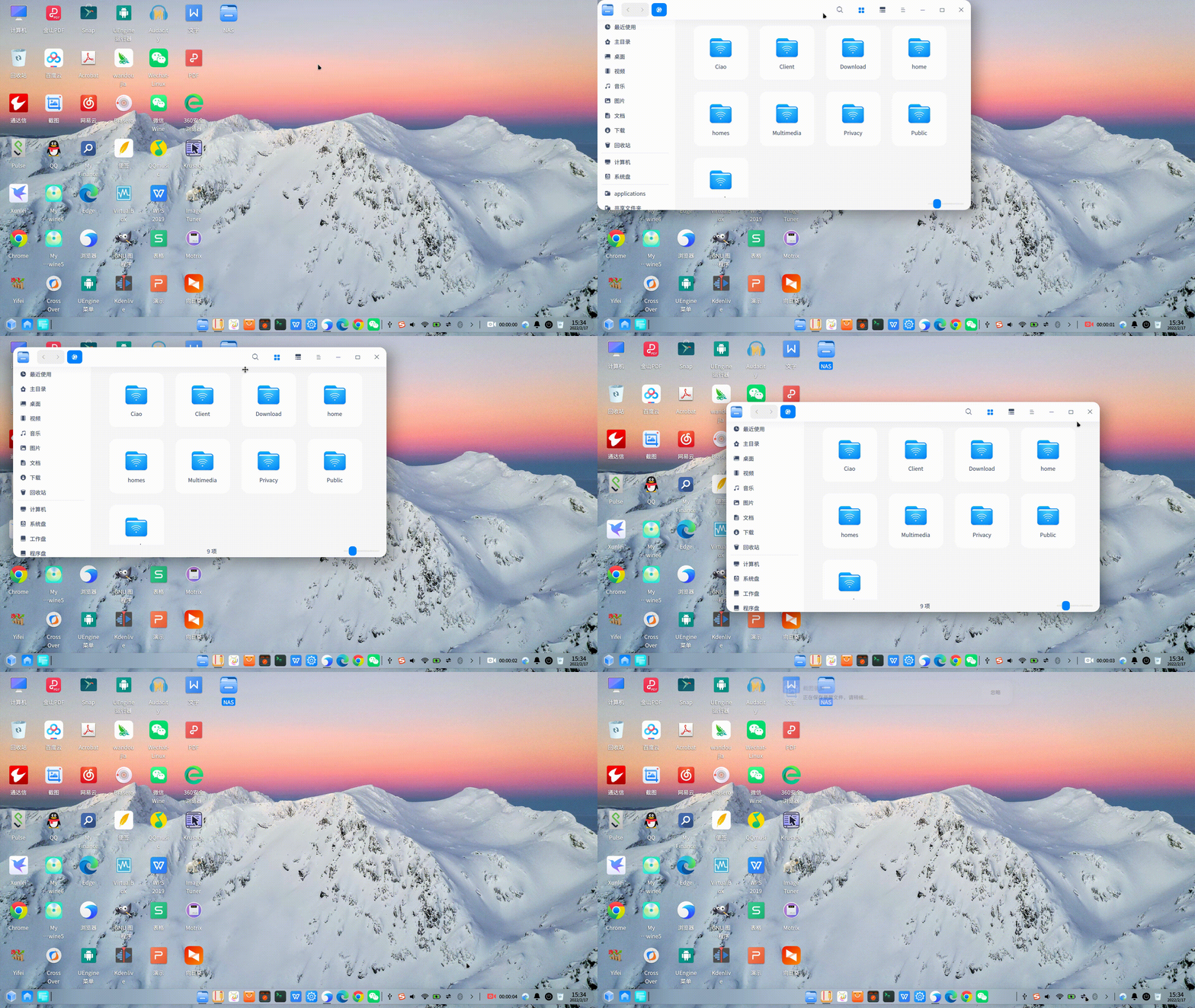
deepin 根据板凳的方法做了个视频
https://www.bilibili.com/video/BV1fa411y78z/
Popular Ranking
ChangePopular Events
More


 A bug with the language select
请问怎么可以向windows那样。在桌面新建一个快捷方式直接访问到局域网ip里面,或者在我的电脑里面挂载一个网络磁盘。不用每次访问都输入smb命令