

 中文
中文 
jjcui8595 deepin
2022-02-10 17:20 deepin 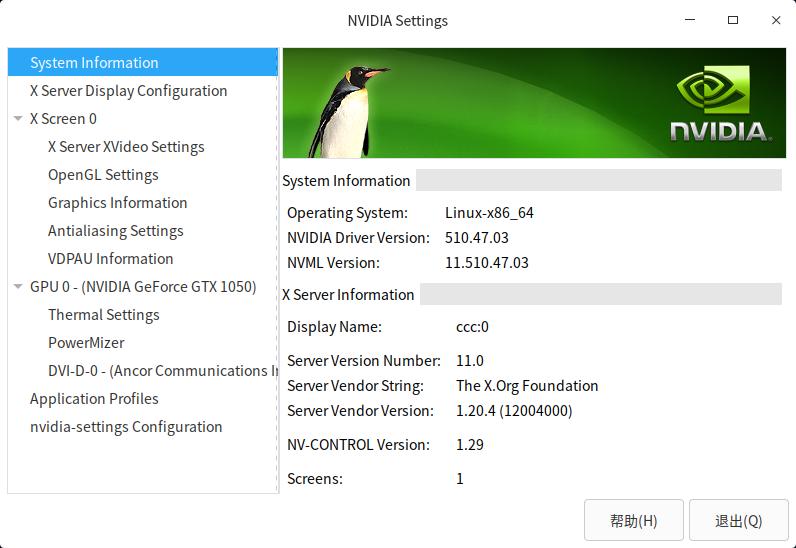
Reply Like 1 View the author
 deepin

 deepin
 感谢分享
 deepin
 deepin
 NVIDIA GeForce GT 750M
这个型号支持吗
deepin NVIDIA GeForce GT 750M
这个型号支持吗
够呛,去官网看看吧
deepin deepin NVIDIA GeForce GT 750M
这个型号支持吗
不支持。支持GTX750

 deepin
 驱动是装好了,但独显是否真的就运行起来了呢?我的双显笔记本就不行了
intel630+GTX1050
deepin 驱动是装好了,但独显是否真的就运行起来了呢?我的双显笔记本就不行了
intel630+GTX1050
下载星火商店,安装显卡切换工具,就可以手动切换显卡了
Popular Ranking
ChangePopular Events
More


 A bug with the language select
1.官网下载新驱动:https://www.nvidia.cn/Download/driverResults.aspx/186168/cn/
2.给下载的驱动安装程序添加可执行权限
3.终端执行sudo init 3
4.字符终端登录后禁用lightdm服务:sudo systemctl stop lightdm
5.运行下载的驱动安装程序
6.重启系统