

 中文
中文 
HualetWang deepin
2022-02-08 02:09 deepin Reply Like 1 View the author


 deepin
 这个建议很好,我也经常使用这些软件,但DEEPIN中没有这个软件,有时间还得使用WINDOWS系统来操作。
 deepin
 自带终端可以远程,但是不支持导入导出(带密码),不太方便


SecureCRT linux 版本可以先在官网下载:https://www.vandyke.com/cgi-bin/releases.php?product=securecrt,后续我们会推进上商店;
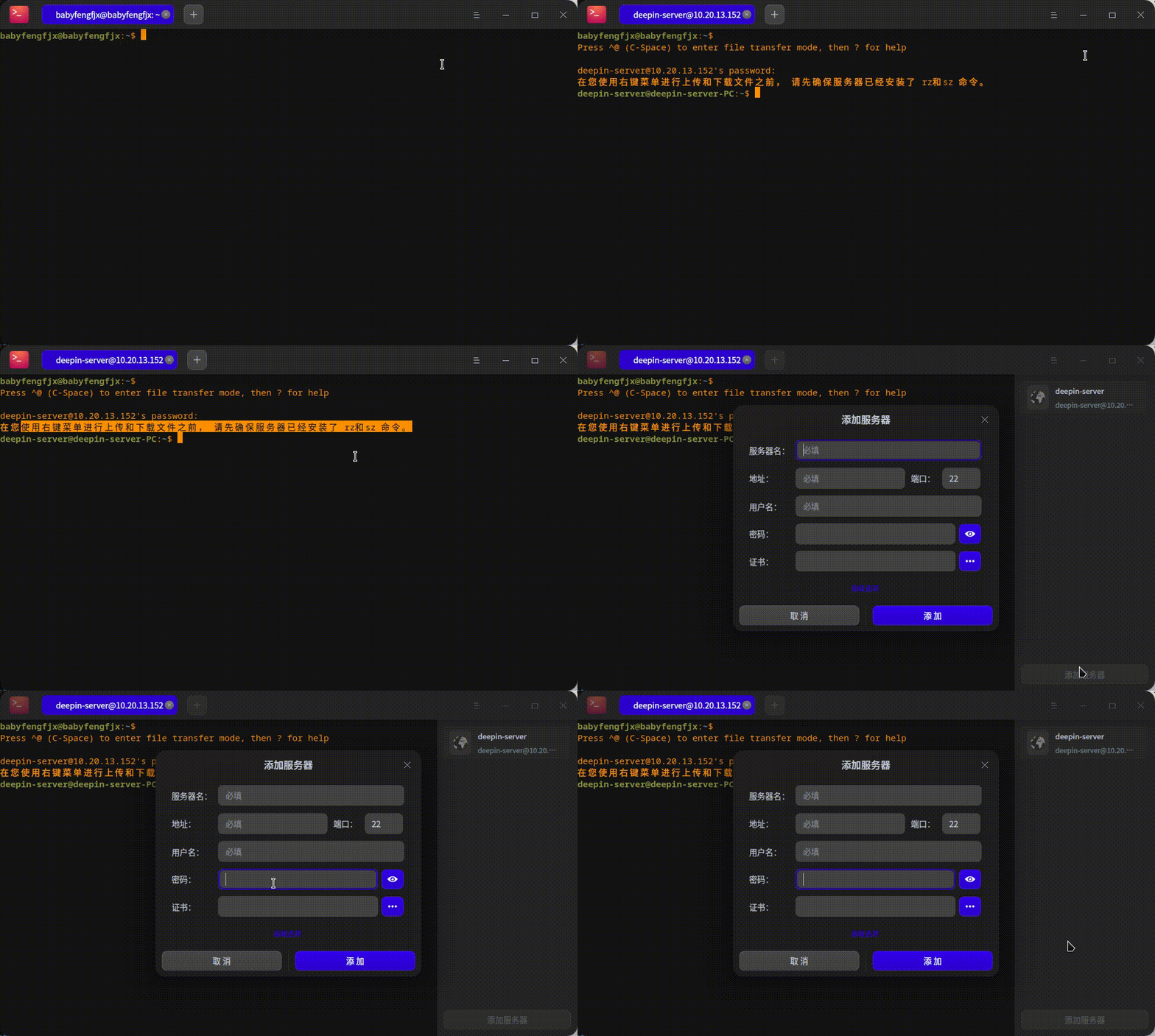
目前来说还是很多解决方案的,也有很多成熟的软件支持Linux,deepin自带的终端也可以管理远程服务器;
比如楼上提供的软件就非常不错;
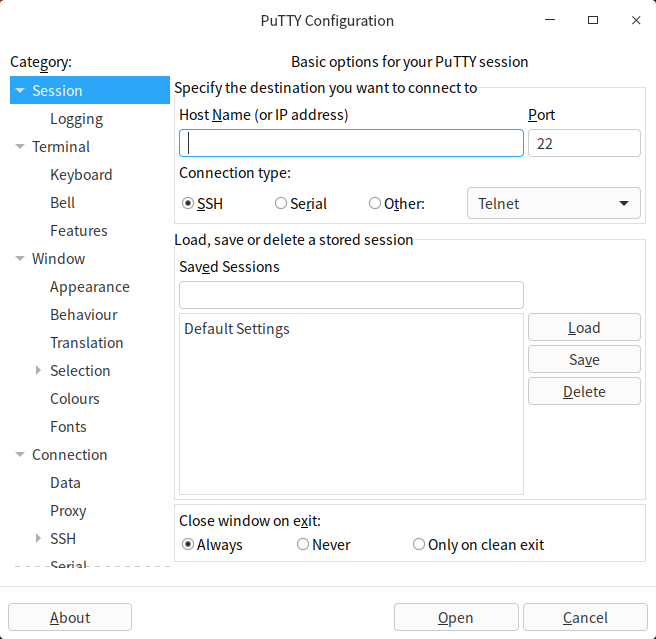
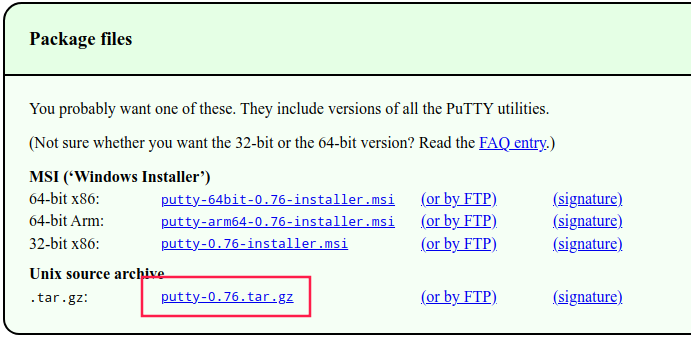
有名的免费软件putty也是备受大家推崇的,且支持Linux
点击下载源码包
解压后本地编译安装即可:
./configure # 观察配置最后的提示,如果提示找不到可用的GTK版本,则可以执行如下命令安装:sudo apt-get build-dep gedit
# 然后开始编译安装
sudo make && sudo  make install
#最后直接在终端中运行即可
putty
启动后就能看到熟悉的界面:
方案二 也可以通过终端的远程管理来管理远程服务器
 deepin
 推荐remmina,开源免费。

 deepin
 推荐使用 winterm :下载连接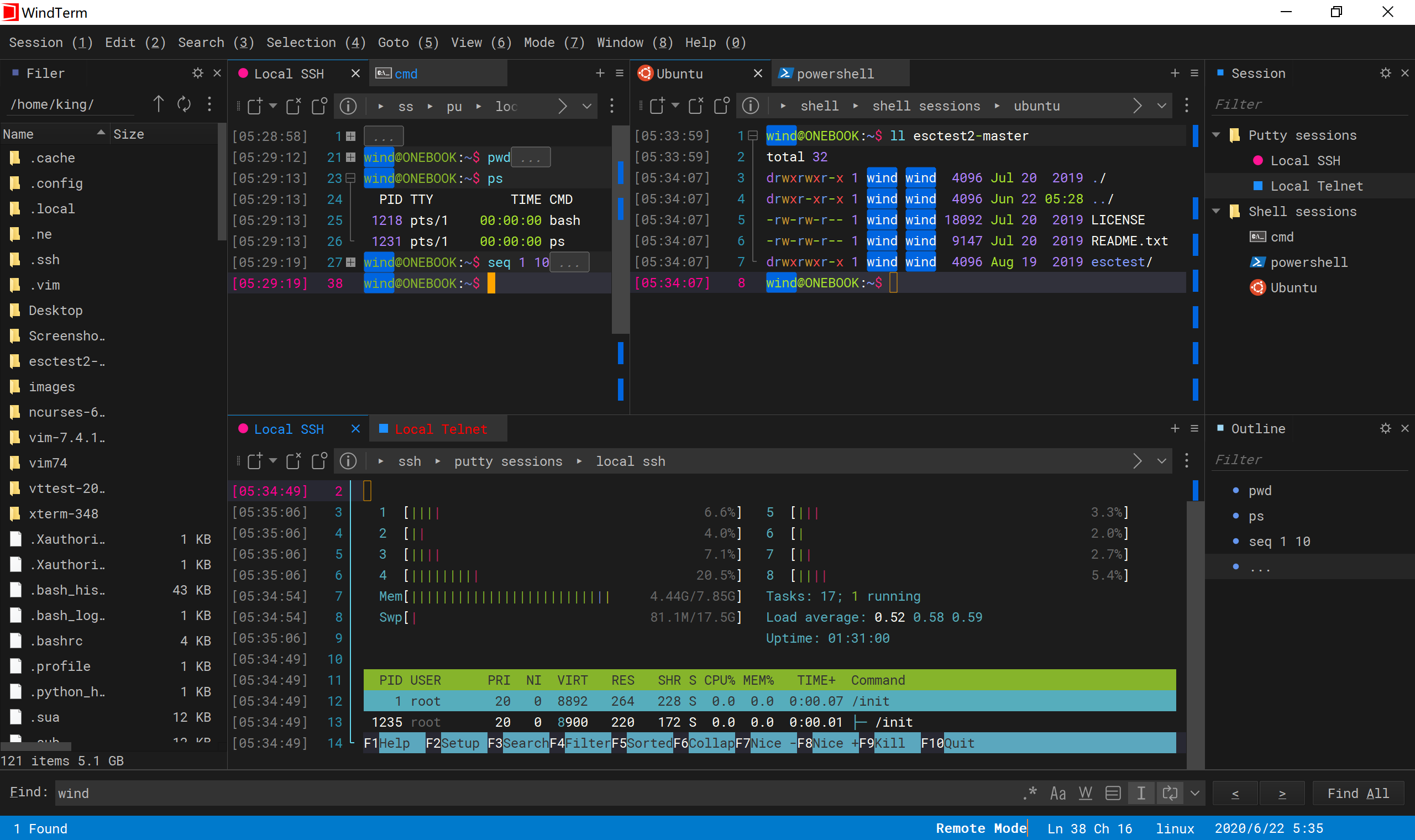
感谢推荐 会尽快安排上架商店
deepin 关键问题不是上架,是要钱

 deepin
 Tabby 免费开源,可以试试
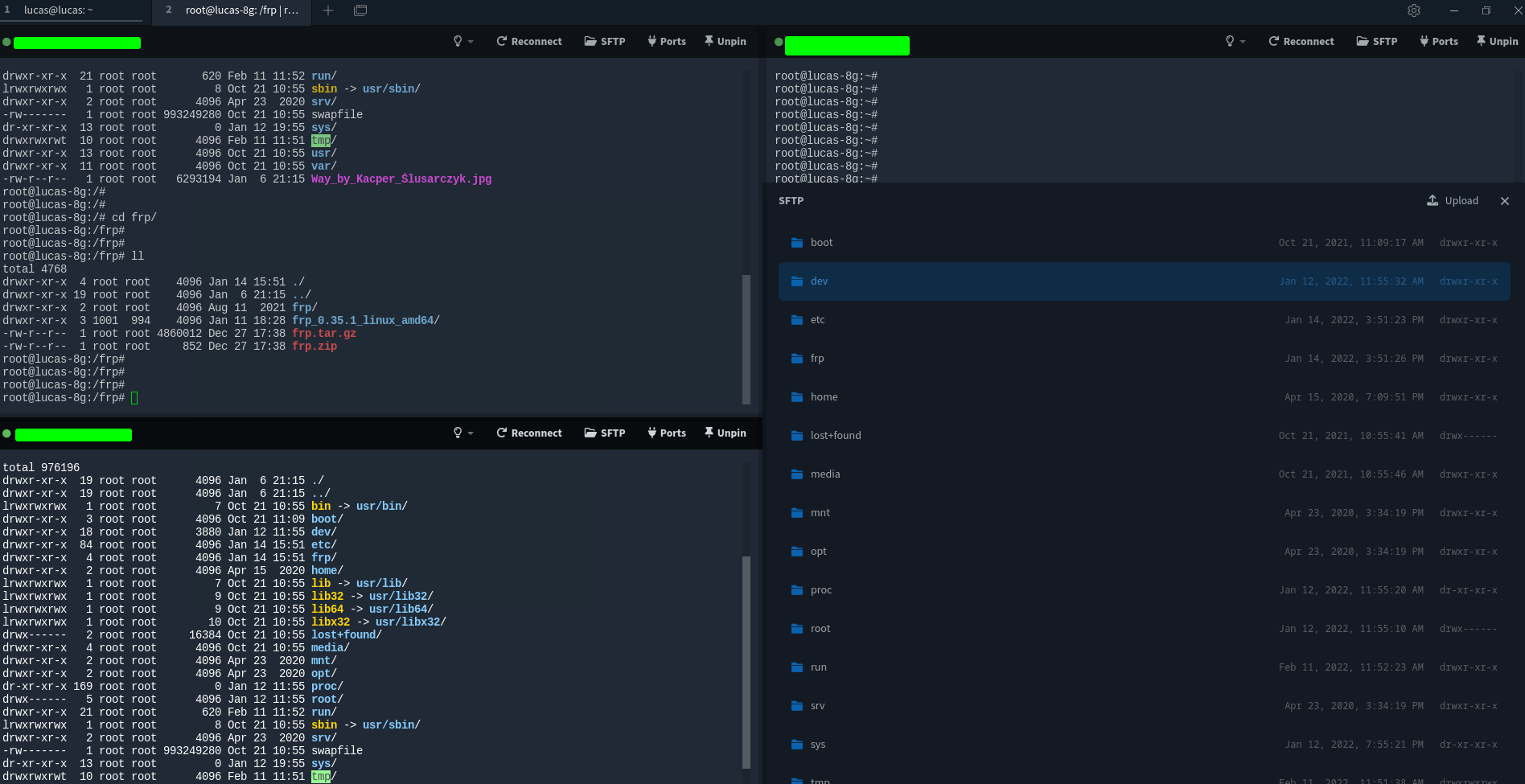
deepin 命令行minicom也不错
Popular Ranking
ChangePopular Events
More



 A bug with the language select
用户反馈
问题/建议描述
问题如何重现
问题重现频率