

 中文
中文 
andktan deepin
2022-01-29 16:47 deepin 来个虎,dp虎虎
Reply Like 0 View the author
 deepin
 来个虎,dp虎虎
 deepin
 要是有个主题色是红白相间的就更好了,全红的太多了

 deepin
 大家伙用上了没,看久了会不会刺目?
deepin 用上了, 这个程序下载安装后,菜单项也没有,商店里应用管理也没有,如果想卸载怎么办,只能在壁纸目录里删除吗?
 deepin
 大家伙用上了没,看久了会不会刺目?
看到截图就觉得有点晃眼 太红了
 deepin
 用上了, 这个程序下载安装后,菜单项也没有,商店里应用管理也没有,如果想卸载怎么办,只能在壁纸目录里删除吗?
在商店里搜索应用,如果显示卸载,那么卸载就好。如果还是显示安装,那就得去壁纸目录删除了。
deepin 在商店里搜索应用,如果显示卸载,那么卸载就好。如果还是显示安装,那就得去壁纸目录删除了。
找到了,没想到新安装的应用跑到最后边了,看来商店的排序有些问题,起码自己安装的应用应该有个先后显示顺序

 deepin
 不错,先用上

 deepin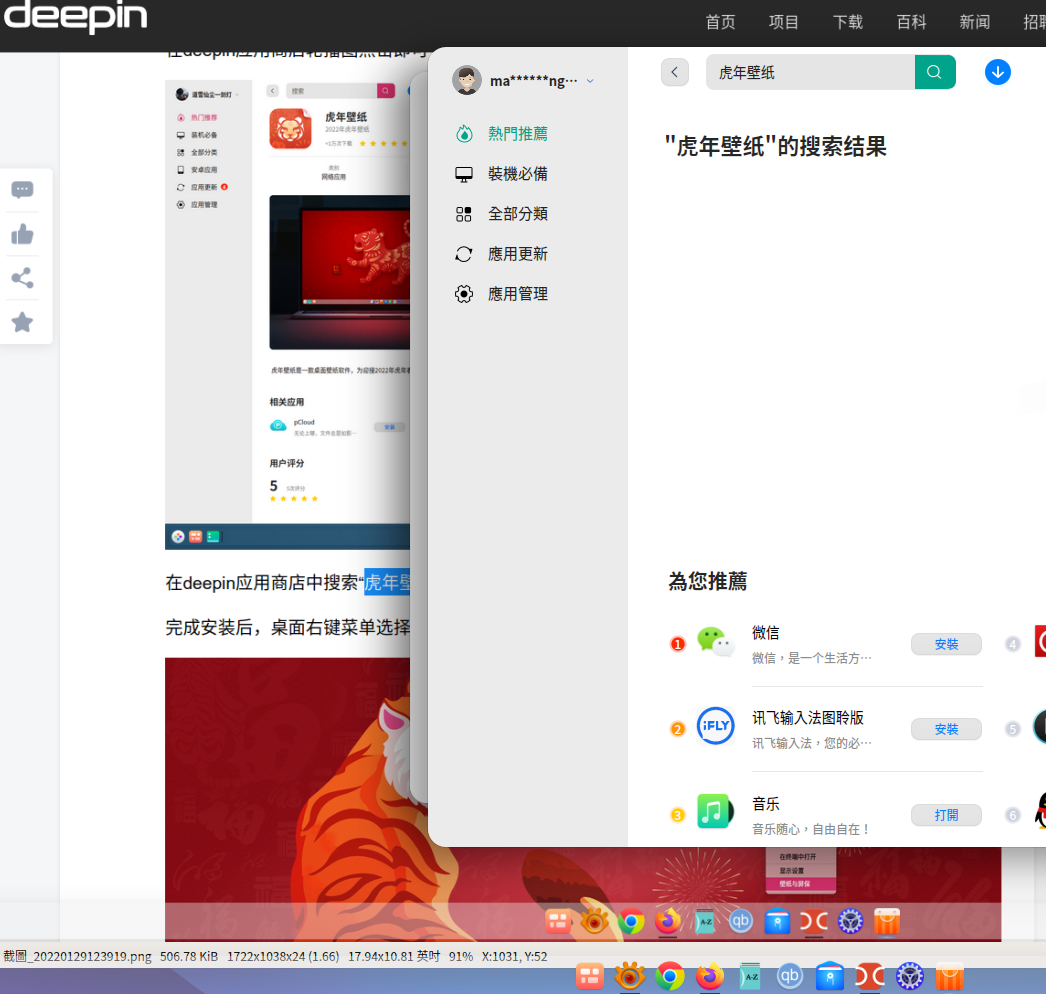
樓主,不知甚麼原因,我的應用商店搜索不到「虎年壁纸」
Deepin 20.4,應用商店 7.1.1.0009
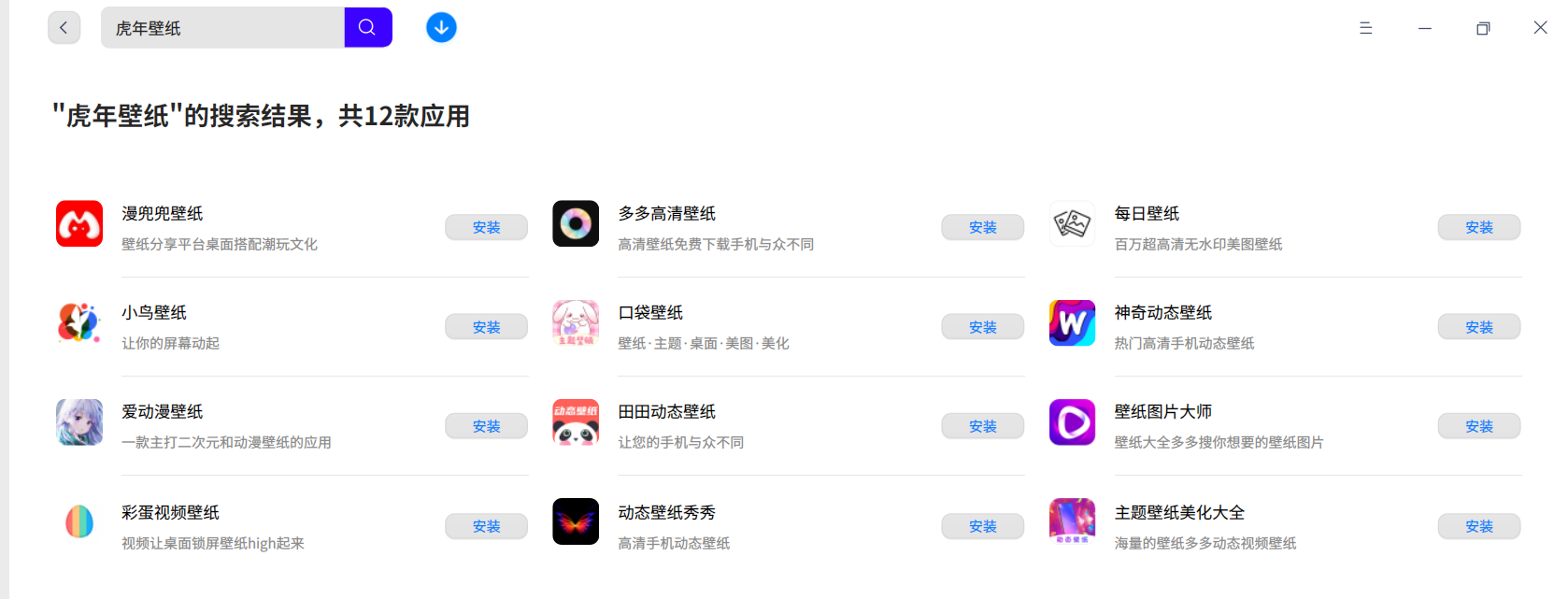
deepin 我也是搜索不到。。。

 deepin
 搜索不到 可能你地区在香港 / 澳門,不在国内地区
 deepin
 请问如何切换壁纸呢?
 deepin
 我也找不到。 为啥非要限制于国内呢? 华人遍布世界各地。 另外对中国文化传统感兴趣的人也会喜欢。
提个建议, 如果某些应用只能在国内下载, 请明确注明, 免得用户浪费时间, 空欢喜一场。
deepin 我也找不到。 为啥非要限制于国内呢? 华人遍布世界各地。 另外对中国文化传统感兴趣的人也会喜欢。
提个建议, 如果某些应用只能在国内下载, 请明确注明, 免得用户浪费时间, 空欢喜一场。
剛找到方法,先在控制中心(時間與時刻)內將時区列表改為中国内地,然後打開應用商店。應該會出現虎年壁紙。
deepin 剛找到方法,先在控制中心(時間與時刻)內將時区列表改為中国内地,然後打開應用商店。應該會出現虎年壁紙。
多謝Pi的指教,用上虎年壁紙了。
但這不利推廣中華文化,同時,Linux不是無國界的嗎?人人可用虎年壁紙亦可顯示Deepin是中國人製的系統!
deepin 剛找到方法,先在控制中心(時間與時刻)內將時区列表改為中国内地,然後打開應用商店。應該會出現虎年壁紙。
多谢。 按你的方法成功安装虎年壁纸。
虎年吉祥!
 deepin
 直接来图片不行吗?
 deepin
 为什么不直接放图片呢
 deepin
 sudo apt install org.deepin.year-of-the-tiger-wallpapers
Popular Ranking
ChangePopular Events
More


 A bug with the language select
在新的一年即将到来之际,deepin社区团队决定把祝福的话,全部写在这份虎年壁纸里,祝大家新的一年,虎运连连!
简单两三步设置壁纸
deepin应用商店安装
在应用商店首页轮播图中点击跳转至壁纸安装页面,也可搜索“虎年壁纸”关键字,选择“虎年壁纸”安装壁纸包。
在deepin应用商店轮播图点击即可
在deepin应用商店中搜索“虎年壁纸”即可
完成安装后,桌面右键菜单选择壁纸与屏保,设置为桌面,也可同时选择为锁屏壁纸。
祝大家新的一年,虎运连连!