

 中文
中文 
ssjk deepin
2022-01-18 17:05 deepin It has been deleted!
deepin 
 deepin
 这个概率不是很大,我看 debian10 就是4.4的,debian11 也才 6.2 ,得等明年 V23 版本才能体验到 6.2
deepin 这个概率不是很大,我看 debian10 就是4.4的,debian11 也才 6.2 ,得等明年 V23 版本才能体验到 6.2
那就退而求其次,能否把4.4的错误修复一下。我安装了两台电脑,都出了这个问题。看来,出现这个问题的概率还挺大的。
 deepin
 那就退而求其次,能否把4.4的错误修复一下。我安装了两台电脑,都出了这个问题。看来,出现这个问题的概率还挺大的。
还是用flatpak吧,flathub上面都是最新的;搜了下,甚至你可以用conda来装这俩软件?
deepin 还是用flatpak吧,flathub上面都是最新的;搜了下,甚至你可以用conda来装这俩软件?
谢谢。我试试flatpak。😁

 deepin
 backports大法,可以安装5.2的

 deepin
 从官网https://wiki.octave.org/Category:Installation
可以找到与Linux发行版无关的 其他安装途径
deepin 还是用flatpak吧,flathub上面都是最新的;搜了下,甚至你可以用conda来装这俩软件?
我用flatpak安装了octave,用flatpak run org.octave.Octave命令只是在终端中打开了octave,打开gui需要用那个命令??
deepin deepin 我试了flatpak安装octave和conda安装octave,还是发现conda安装更好,flatpak安装的octave无法添加改变octave路径等bug。
安装miniconda后,再安装Octave,是最新版本的6.4.
conda install -c conda-forge octave
deepin 我用flatpak安装了octave,用flatpak run org.octave.Octave命令只是在终端中打开了octave,打开gui需要用那个命令??
运行gui直接在后面加 --gui 参数就可以了
安装完成后应该会有desktop file,如果你没看到,可能你没有设置好环境;
在 ~/.profile 最后加上下面这条,然后注销再看下
export XDG_DATA_DIRS=$HOME/.local/share/flatpak/exports/share:/var/lib/flatpak/exports/share:$XDG_DATA_DIRS
emmm,我自己试了下,不知道为啥在Ubuntu上会把gnome-shell干掉,可能不支持wayland?或者和插件冲突了


软件仓库里,GNU octave软件的版本长期停留在4.4版本,而且,一直存在启动问题。主要表现在以下两个方面:1无法将帮助内容写入临时文件导致搜索能力受限。2软件操作界面无法调出代码编辑器。相关截图如下: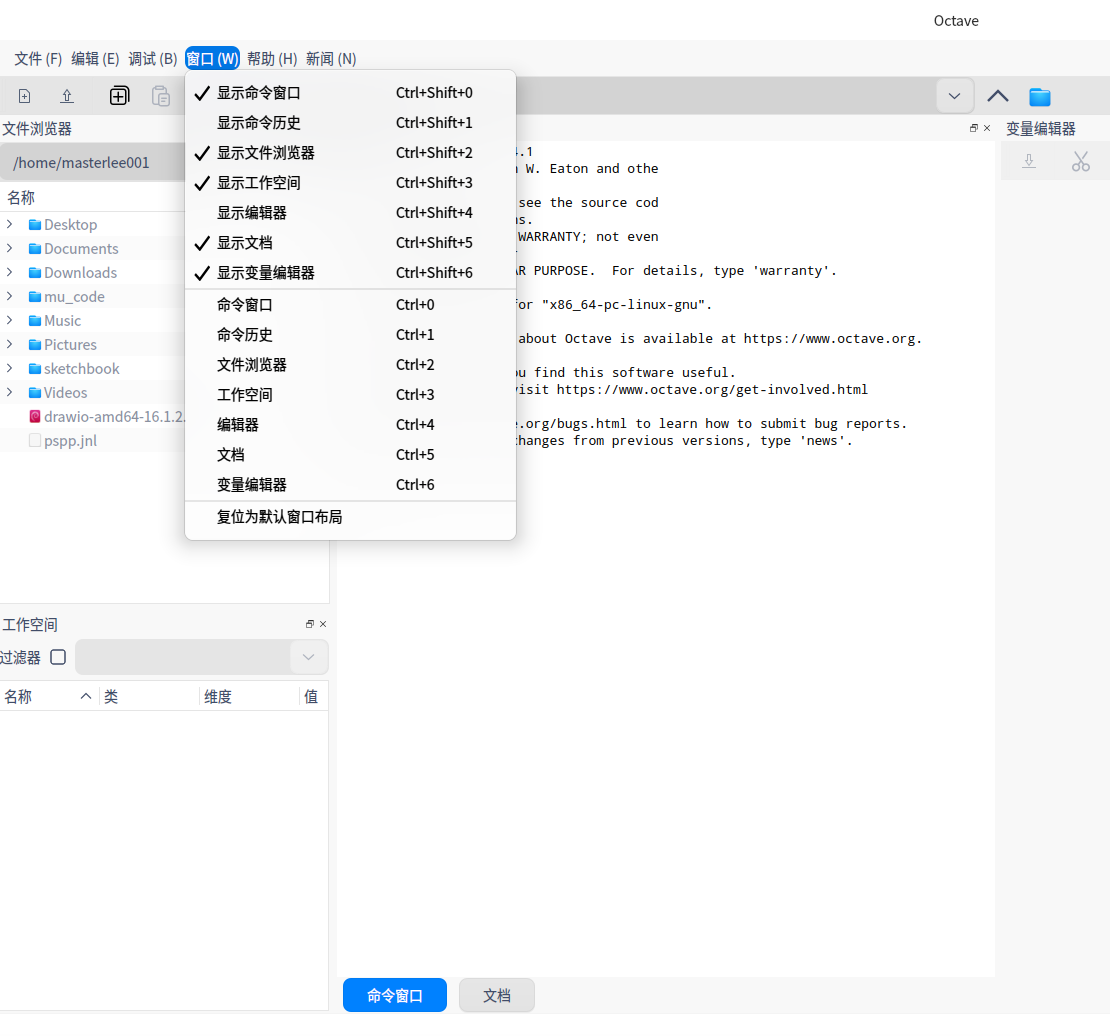
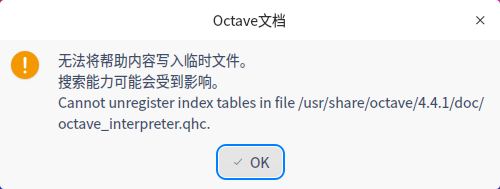
烦请修复如上所述的两项错误。另外,GNU octave官方已经发布6.4版本了,烦请贵公司把软件仓库里的octave升级至最新版本。
还有,scilab也存在打不开的问题。也烦请修复此错误。