

 中文
中文 
jjcui8595 deepin
2022-01-02 05:51 deepin rm -f ~/.local/share/keyrings/login.keyring
Reply Like 0 View the author
 deepin
 rm -f ~/.local/share/keyrings/login.keyring
 deepin
 是否开启自动登录?

 deepin
 设置中开启自动登录后,勾选清除密钥链即可`
deepin 设置中开启自动登录后,勾选清除密钥链即可`
这个问题昨晚我想了许久,终于想明白了。与你的提醒相同。谢谢!
按照截图所示的设置,原来的问题彻底解决了。再次谢谢!
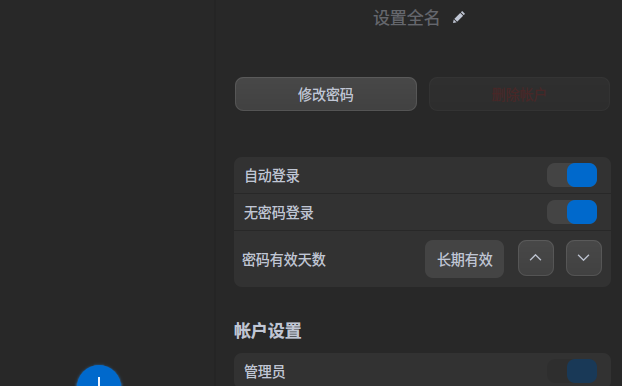


作为测试版,几次升级后的某次后,凡是进入桌面时,首先要做的是往这个“解锁登录密码环”时输入登录密码,这还不是重点,问题的重点是,如果你启动电脑过程中离开了电脑,在系统进入桌面时没有及时向这个“解锁登录密码环”内输入登录密码,那么不一会儿就出现整个屏幕闪烁,同时还有一段看不清楚的提示(因为闪烁频率高,根本看不清楚是什么提示)。截图如下: