中文
中文 
ronghai deepin
2021-12-20 19:47 deepin 每次都要?
sudo systemctl disable apt-daily.service
sudo systemctl disable apt-daily-upgrade.service
Reply Like 0 View the author
 deepin
 每次都要?
sudo systemctl disable apt-daily.service
sudo systemctl disable apt-daily-upgrade.service
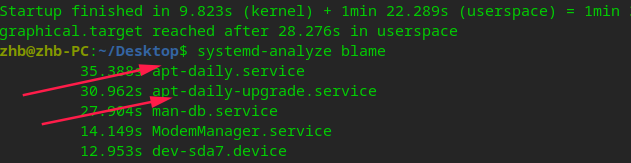
deepin 27.904s man-db.service
14.149s ModemManager.service
这俩能停吗

 deepin
 设置里关闭自动检测更新看看
deepin 设置里关闭自动检测更新看看
更新原来就关闭了,没用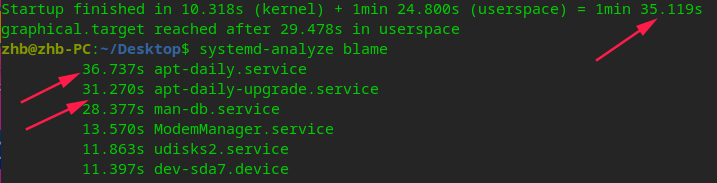
今天开机有出现了
deepin 更新原来就关闭了,没用
今天开机有出现了
1、看了我之前的求助贴,大佬是这样回复我的
systemctl mask apt-daily.service
systemctl mask apt-daily-upgrade.service
解除禁用 unmask
2、原因:百度相关文章,mask的“级别权限”(不知道啥名词瞎编的)比disable要高,如果disable没用的话,就用mask掉这两个。
但是要注意,其他的不清楚的服务不要随意禁用,可能导致其他问题。我只是把这两个mask掉,目前正常


关闭的启动项又出现,开机用时间1分钟32秒