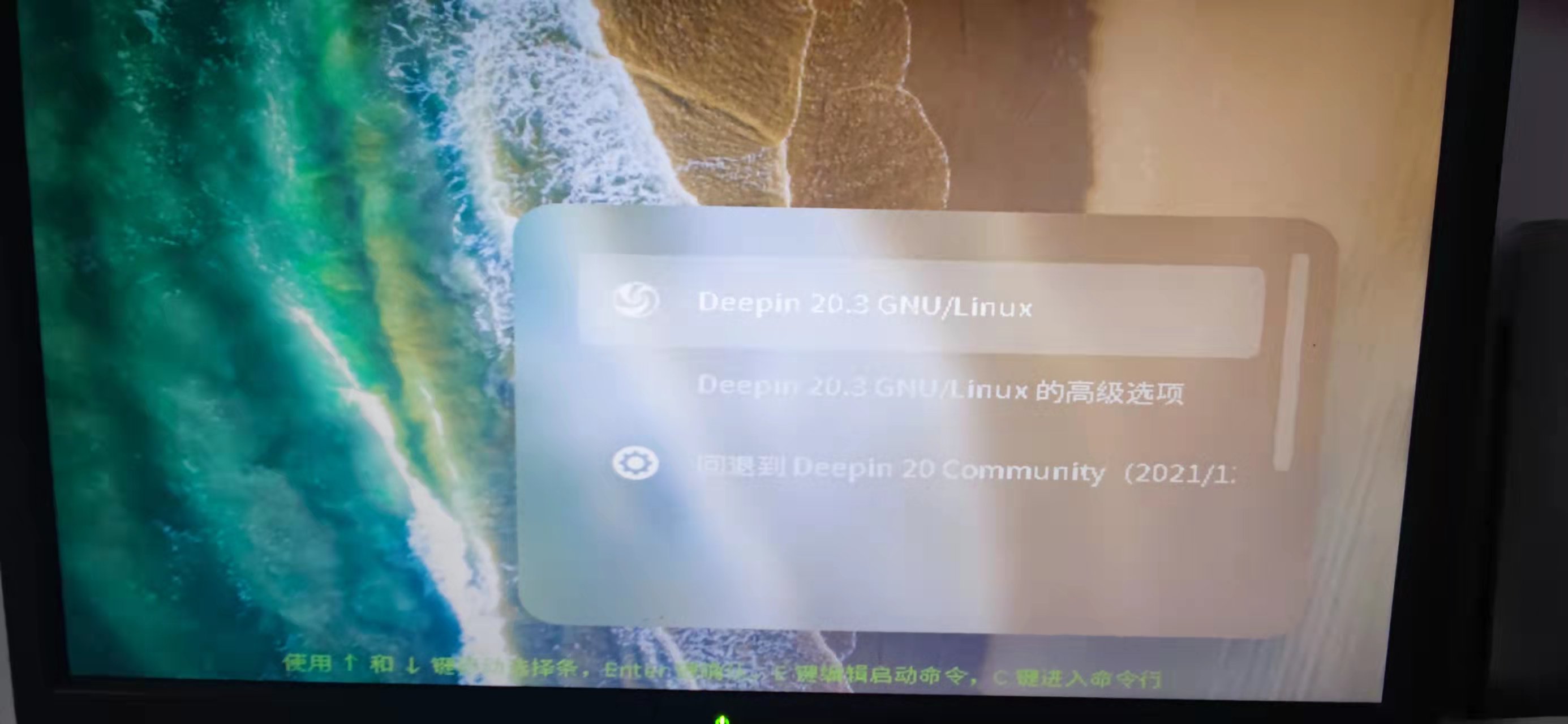
[Tutorials] 更换显卡后 启动菜单变的很大如何解决?
Tofloor
poster avatar
jacky8888163169
deepin
2021-12-17 00:22
Author

如题,如何变回标准大小,谢谢

Reply Favorite View the author
All Replies
babyfengfjx
Super Moderator
CQA
2021-12-17 00:23
#1

有截图么

Reply View the author
liwl
deepin
2021-12-17 00:25
#2

调整缩放比例

Reply View the author
jacky8888163169
deepin
2021-12-17 01:03
#3
It has been deleted!
jacky8888163169
deepin
2021-12-17 01:04
#4
liwl

调整缩放比例

如何调整?

Reply View the author
jacky8888163169
deepin
2021-12-17 01:04
#5
babyfengfjx

有截图么

20211216170312.jpg

Reply View the author
zijinyise
deepin
2021-12-17 01:10
#6

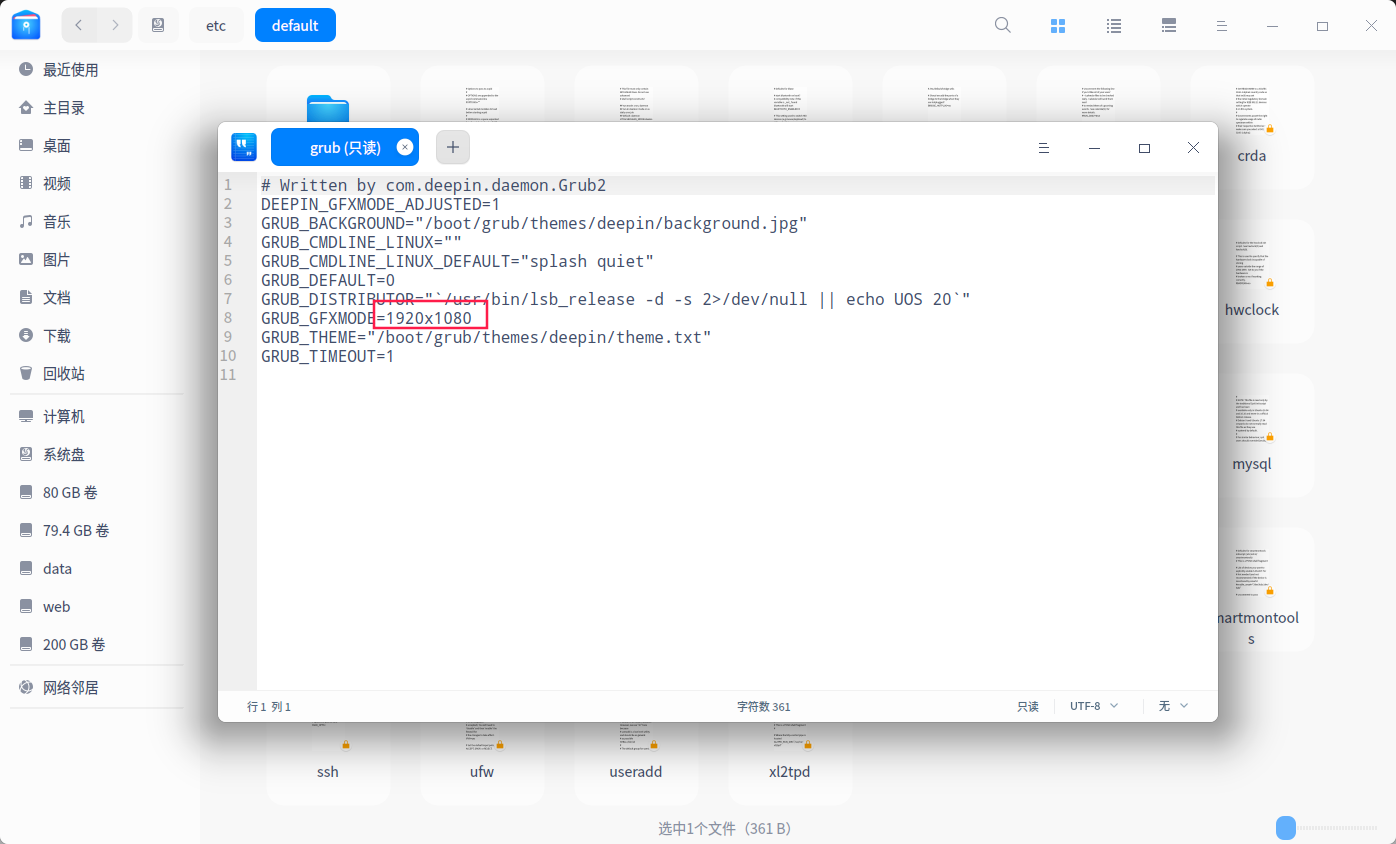
一般情况不是安装好驱动后自动调整的吗

如果没自动调整就修改这个截图_dde-file-manager_20211216170925.png

Reply View the author
jacky8888163169
deepin
2021-12-17 01:30
#7
zijinyise

一般情况不是安装好驱动后自动调整的吗

如果没自动调整就修改这个截图_dde-file-manager_20211216170925.png

我看了分辨率是正确的,还是老样子,但是这个是只读无法编辑,如何才能修改,我想修改成其他分辨率看看截图_选择区域_20211216172835.png
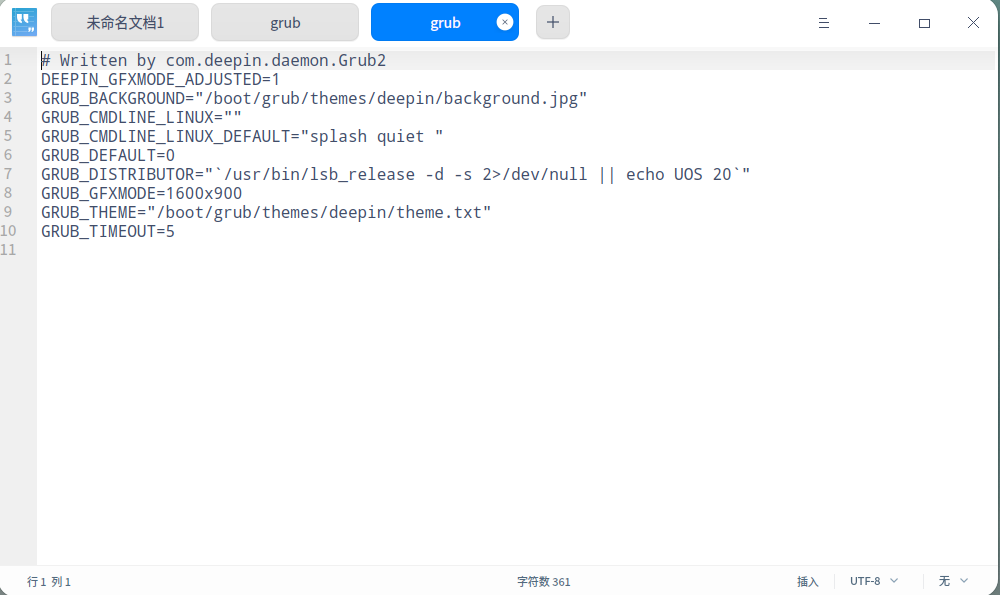
Reply View the author
zijinyise
deepin
2021-12-17 01:56
#8
jacky8888163169

我看了分辨率是正确的,还是老样子,但是这个是只读无法编辑,如何才能修改,我想修改成其他分辨率看看截图_选择区域_20211216172835.png

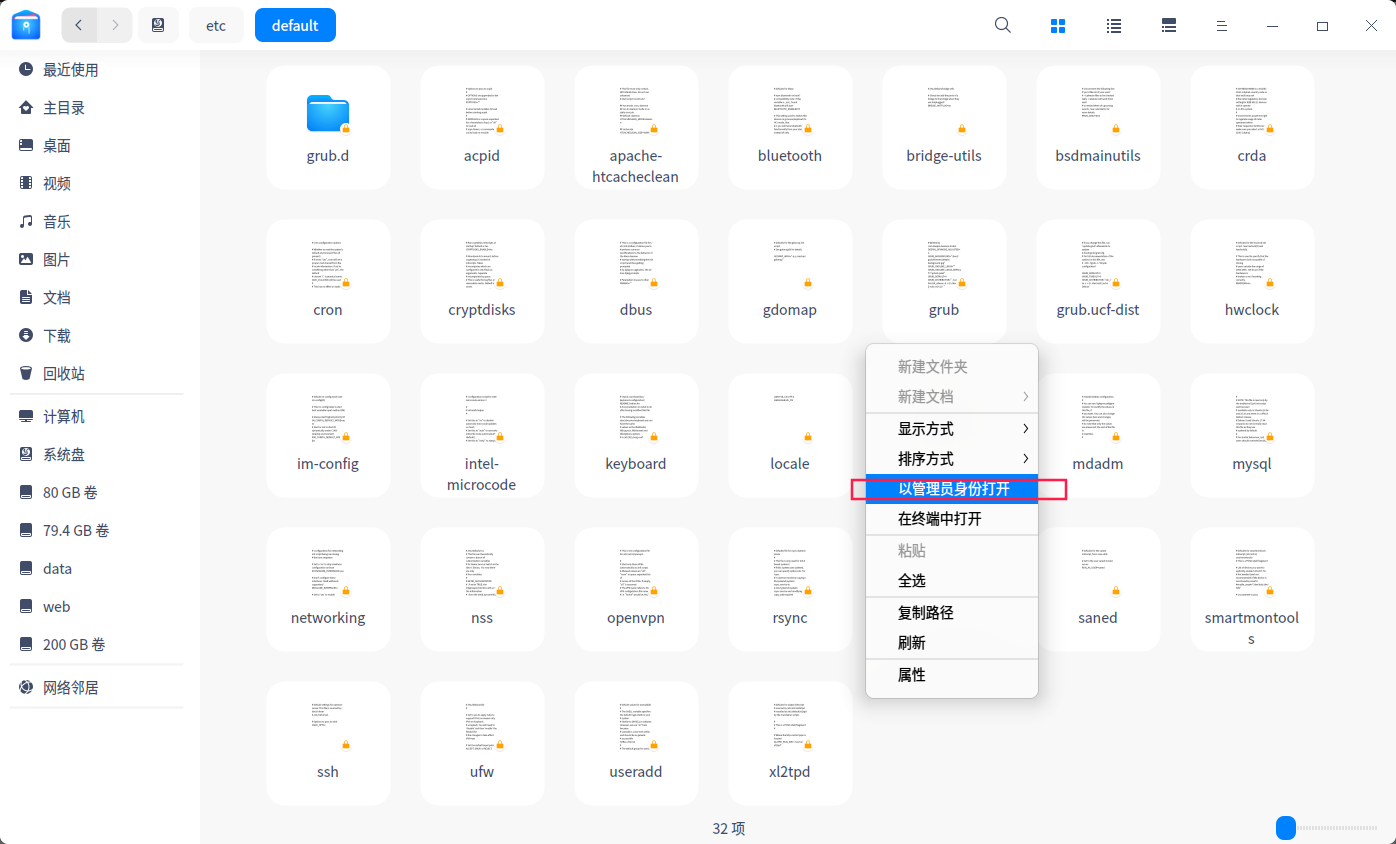
右键以管理员打开文件夹,就可以编辑

截图_dde-file-manager_20211216175544.png

Reply View the author
zijinyise
deepin
2021-12-17 01:57
#9
zijinyise

右键以管理员打开文件夹,就可以编辑

截图_dde-file-manager_20211216175544.png

然后 ctrl + alt + t 打开 终端执行 sudo update-grub2

Reply View the author