

 中文
中文 
deepin-superuser deepin
2021-12-15 18:06 deepin sudo apt-get install linux-image-deepin-stable-amd64 linux-headers-deepin-stable-amd64
Reply Like 0 View the author
 deepin
 sudo apt-get install linux-image-deepin-stable-amd64 linux-headers-deepin-stable-amd64
 deepin
 deepin
 https://www.deepin.org/zh/2021/11/23/deepin-20-3/ 这不是官方发布的吗?Stable内核升级到5.15版本,增强对Intel 12代U和NTFS文件系统的支持,系统兼容性进一步提升。深度操作系统支持选择双内核(LTS+Stable)进行安装,同时也可以手动升级内核版本。
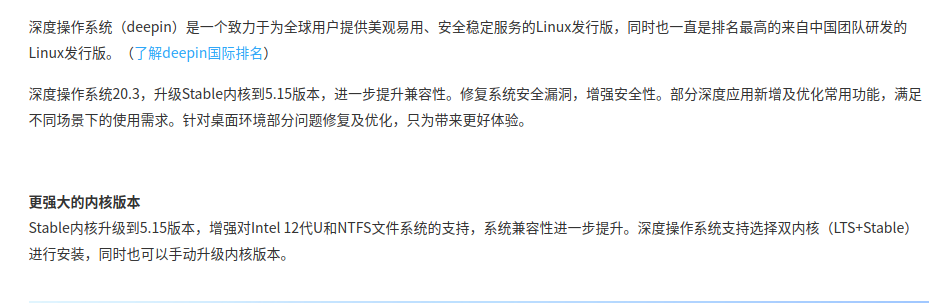
deepin https://www.deepin.org/zh/2021/11/23/deepin-20-3/ 这不是官方发布的吗?Stable内核升级到5.15版本,增强对Intel 12代U和NTFS文件系统的支持,系统兼容性进一步提升。深度操作系统支持选择双内核(LTS+Stable)进行安装,同时也可以手动升级内核版本。
要是全新安装的话就有5.15,要是升级上来的话得自己安装


 deepin
 两种方式:一是安装时选择5.15内核,二是终端内更新内核到5.15
 deepin
 https://www.deepin.org/zh/2021/11/23/deepin-20-3/ 这不是官方发布的吗?Stable内核升级到5.15版本,增强对Intel 12代U和NTFS文件系统的支持,系统兼容性进一步提升。深度操作系统支持选择双内核(LTS+Stable)进行安装,同时也可以手动升级内核版本。
咋手动升级,球个教程

 deepin
 咋手动升级,球个教程

 deepin
 咋手动升级,球个教程
一楼那个指令就是
LTS是5.10
deepin 一楼那个指令就是
LTS是5.10
终端执行:
sudo apt install linux-image-deepin-stable-amd64 linux-headers-deepin-stable-amd64
sudo apt update && sudo apt dist-upgrade -y
重启后还是5.10内核
deepin 终端执行:
sudo apt install linux-image-deepin-stable-amd64 linux-headers-deepin-stable-amd64
sudo apt update && sudo apt dist-upgrade -y
重启后还是5.10内核
全新安装,默认也是5.10的内核,要选择高级,然后才能选择安装5.15的内核,不过现在既然已经安装好了没有必要为了用5.15的内核而去重装,可以直接升级内核。
sudo apt install linux-image-5.15.1-amd64-desktop
但是,我很负责任的说,有的电脑升级内核了会遇到各种奇怪的问题,如果5.10用着很稳定,没有必要升级,我就是升级了5.15内核发现有问题又退回5.10的。
 deepin
 开机先选别一个内核,下一次开机时就会自动是最新内核了
 deepin deepin
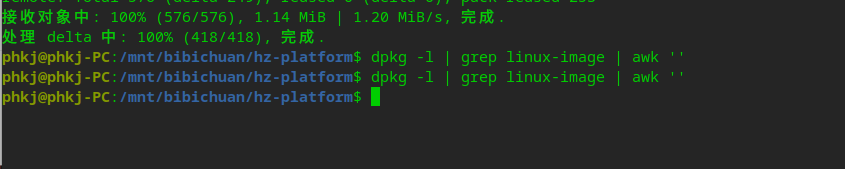
 啥都没有啊

 deepin
 我个人心得:安装系统进入界面看到op开头英文点进入,找到5.15.1点击安装系统OK。
Popular Ranking
ChangePopular Events
More


 Fantastic experience on Deepin
我刚刚升级了系统,我记得内核已经升级到了5.15了,我已经重启系统了,但是打开系统信息,还是显示的5.10的内核啊。而且我检查更新,并没有可用的更新,可是过几天,又让我升级,升级的内容确实一样的。