

 中文
中文 
jjcui8595 deepin
2021-09-10 18:50 deepin 打开deepin,设置启动菜单显示时间
Reply Like 0 View the author
 deepin
 打开deepin,设置启动菜单显示时间

 deepin
 打开deepin,设置启动菜单显示时间
有具体步骤吗?

 deepin
deepin 
deepin 第一个界面看到了,第二个界面是在哪里?截图_选择区域_20210910212247.jpg
deepin 第二个应用需要从应用商店下载
deepin 第二个应用需要从应用商店下载
安装好了,也设置了,好像没起作用
deepin 这样的
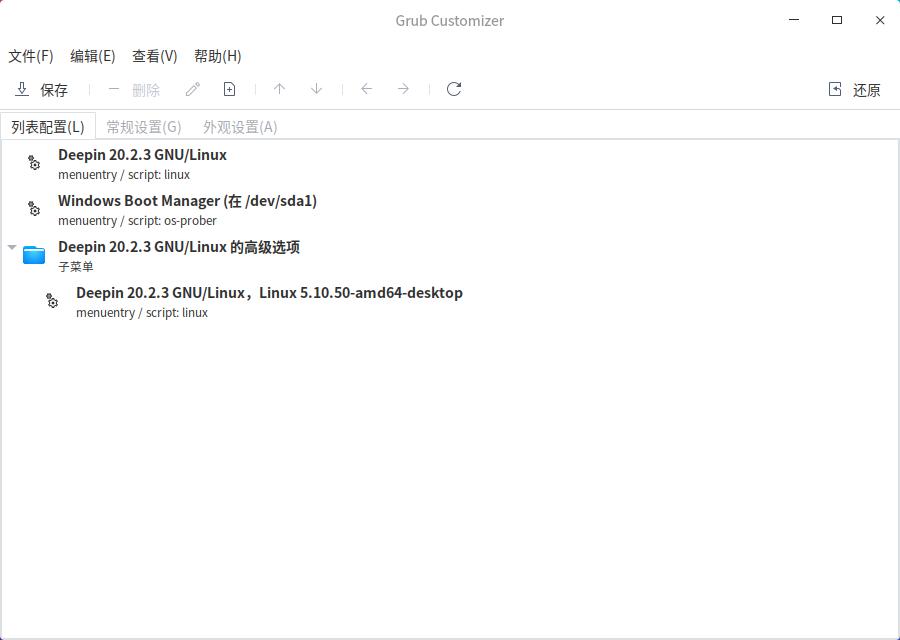
deepin 问题还没有解决,开机要切换第二操作系统,需要按F12才行
deepin 问题解决了
开机后,按上下的→ ,可以选择
Popular Events
More


 The settings menu needs to be translated into Russian.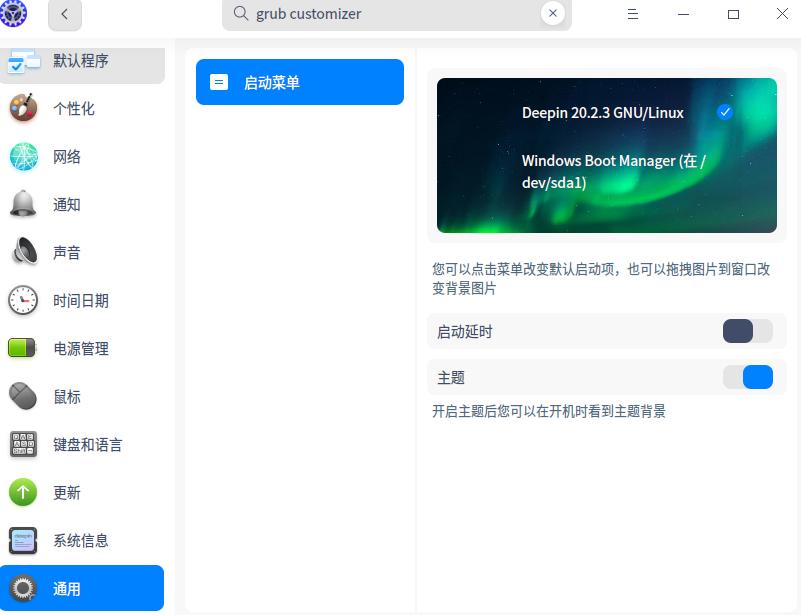
台式机安装了win10和deepin,每次启动都是直接进入Win10,如何设置下 按个ESP键 选择进入哪个系统。
还有,每次启动为什么要进行磁盘检查,哪里可以设置取消吗