

 中文
中文 
冬瓜汤 deepin
2021-09-01 19:13 deepin 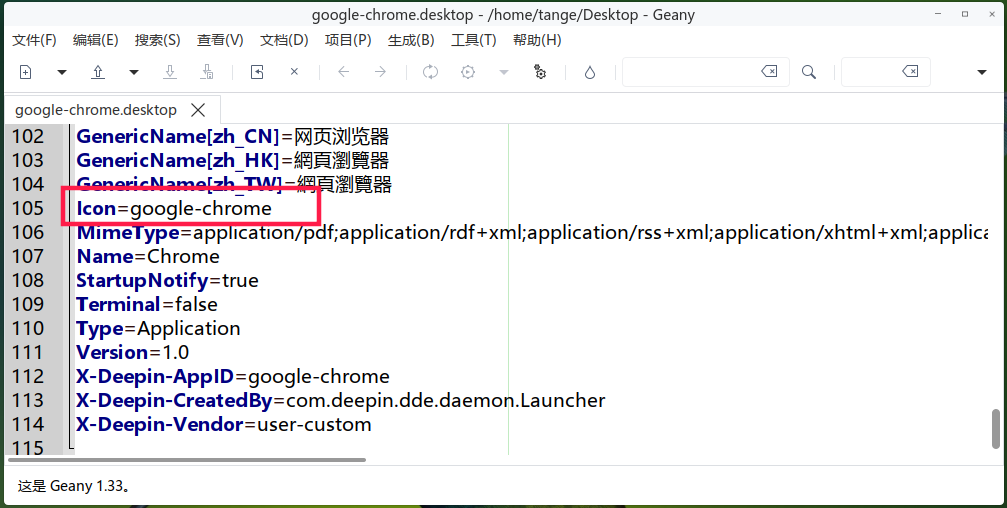
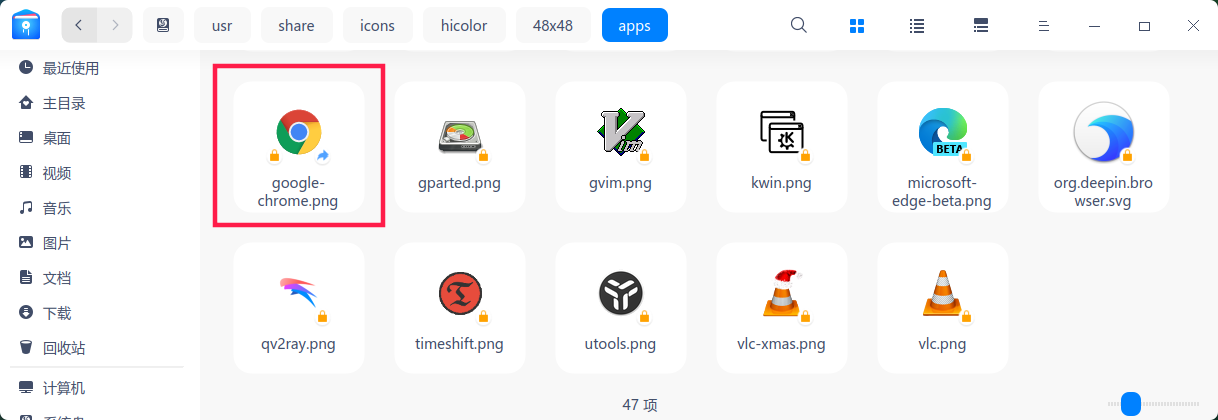
/usr/share/icons/hicolor/48x48/apps
Reply Like 0 View the author
 deepin
/usr/share/icons/hicolor/48x48/apps

 deepin
 you need to rename the png file,google-chrome.png --> google.chrome.png.
then editing the desktop file:
Icon=google.chrome.pngPopular Events
More


 The settings menu needs to be translated into Russian.
Hi,
I've used Linux Lite since 2018 on my main computer but recently installed DEEPIN on an older laptop (Upgraded to 16 gigs with 500 gig SSD)
Deepin works well but there is one oddity that is annoying.
I installed CHROME and went to the apps to install the HULU app (I have a HULU account). All went well but here it the odd part.
Instead of the normal HULU icon as seen in the google apps, the shortcut displayed the CHROME icon
  both on the desktop and in the DEEPIN applications.
Naturally this doesn't affect how the app works, that works well but it is odd and I cannot see how to change it.
Even odder, I copied the HULU shortcut from my Linux Lite desktop (that icon is correct) to a flash drive and copied it to the DEEPIN desktop.
The shortcut worked but once again the icon displayed is for CHROME