

 中文
中文 
冬瓜汤 deepin
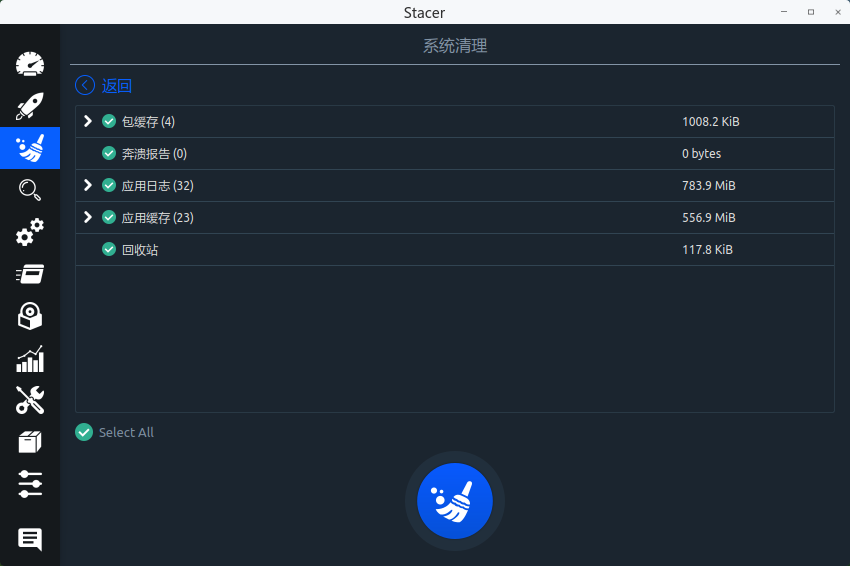
2021-08-31 19:56 deepin 用stacer1.1 清理一下日志和缓存,如果不清理,它的占用会是相当惊人的。
Reply Like 0 View the author
 deepin
 用stacer1.1 清理一下日志和缓存,如果不清理,它的占用会是相当惊人的。

 deepin deepin
 我的/target 就删除了没有问题,我建议先改个名字重启一下试试,没有问题再删除
deepin 用stacer1.1 清理一下日志和缓存,如果不清理,它的占用会是相当惊人的。
日志确实占不少,这个工具实用
deepin 以前觉得50G差不多了,现在功能越来越丰富,是得要大点的分区。只是现在要重新调整的话太麻烦,办公电脑还是不折腾了。
deepin 我的/target 就删除了没有问题,我建议先改个名字重启一下试试,没有问题再删除
感谢,我也删除了,确实不影响。
Popular Events
More


 The settings menu needs to be translated into Russian.
更新了最新的版本20.2.3
查看根分区所有目录硬盘占用情况
du -hd 1 / 2>/dev/null
target占用比较大,这个是更新系统的缓存?可以删除的吧?