

 中文
中文 
csz9981 deepin
2021-08-03 06:48 deepin 对了,现在 是 传统(CSM兼容)启动模式(legacy+EFI启动模式),硬盘是 GPT分区。
Reply Like 0 View the author
 deepin
 对了,现在 是 传统(CSM兼容)启动模式(legacy+EFI启动模式),硬盘是 GPT分区。

 deepin
 BIOS设置中deepin改为第一启动项

 deepin
 楼上说的对

 deepin
 F10 进 BIOS,启动选项里,操作系统管理员,回车进去用 F5 F6 调顺序,然后 F10 按两次保存顺序和 BIOS 设置,然后就好了。
deepin 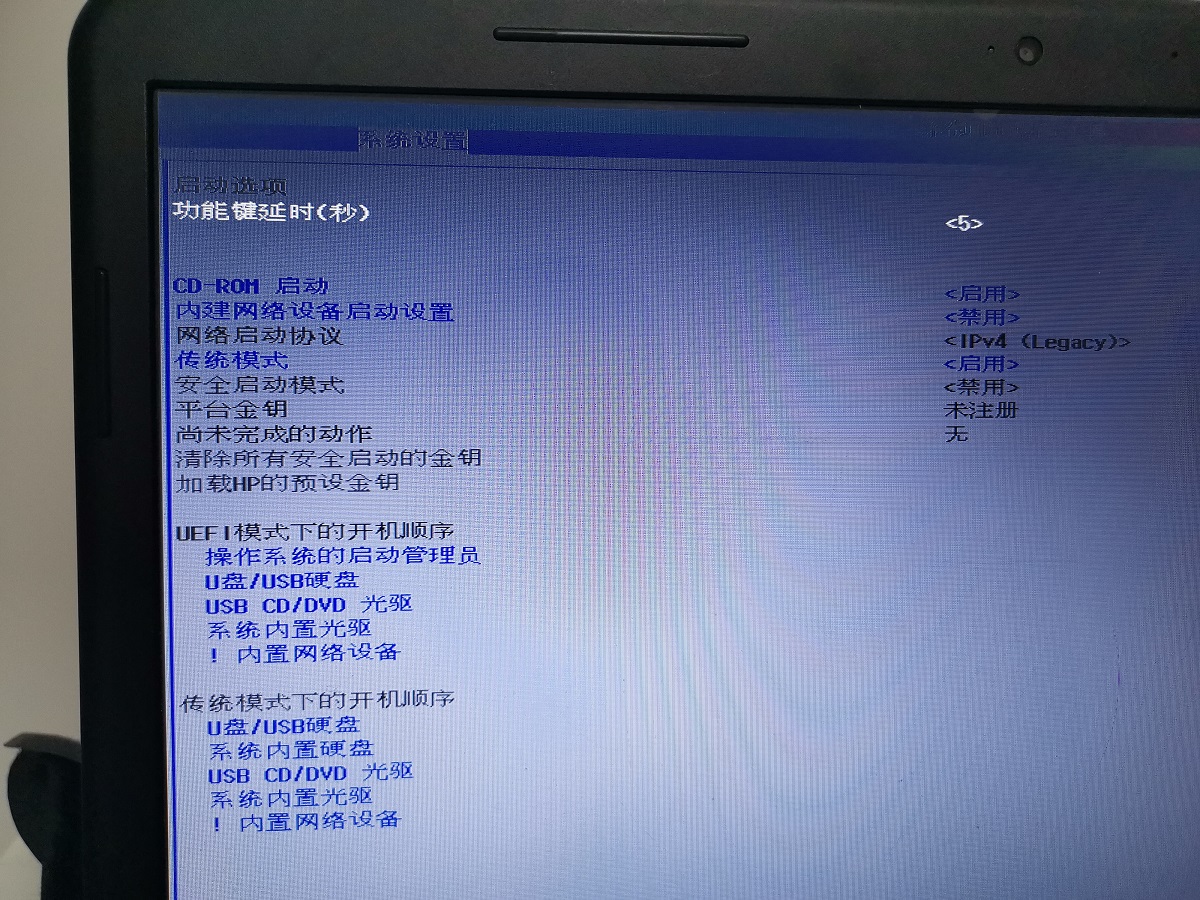
已经调整了启动顺序,开机还是自动进入WIN7系统。
deepin 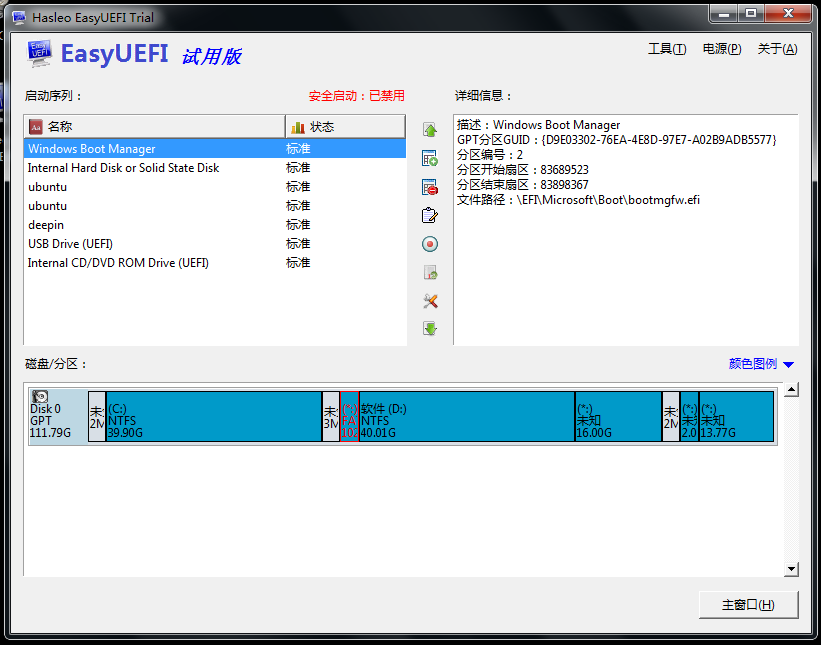
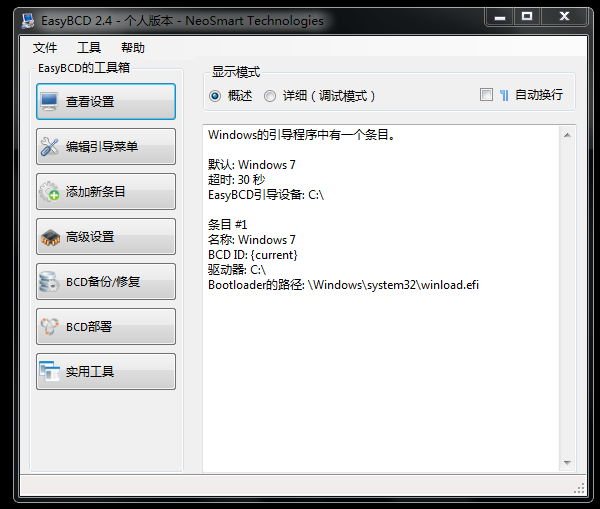
easy EFI说有7个启动项,EASYBCD 说 只有一个启动项。
deepin BIOS设置中deepin改为第一启动项
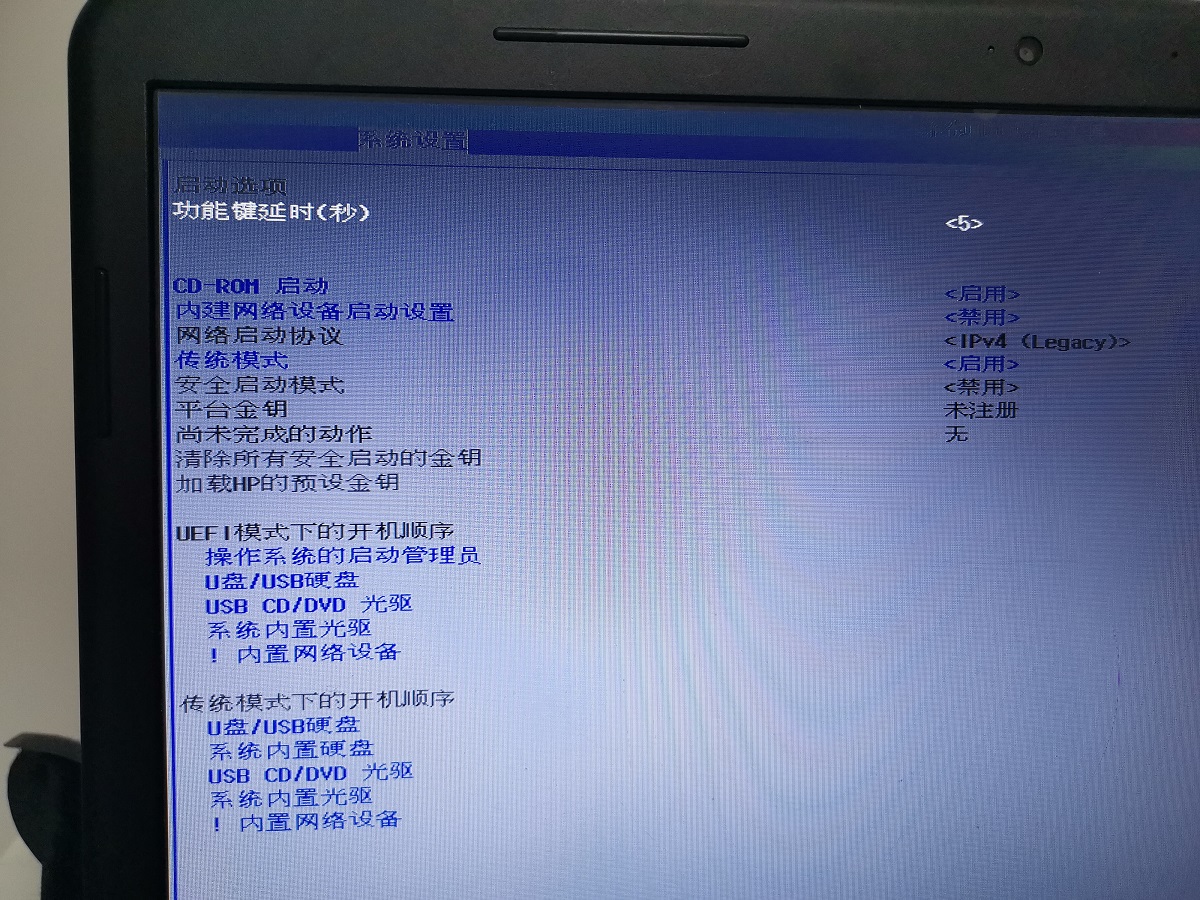
这是bios里面的开机,启动顺序。应当怎样调整?
deepin 对你的电脑这种BIOS不太了解,不太清楚,应该怎么改,可能还需要在其他页面进行调整,需要尝试。
在这个页面把deepin的启动顺序调到第一项上有效吗?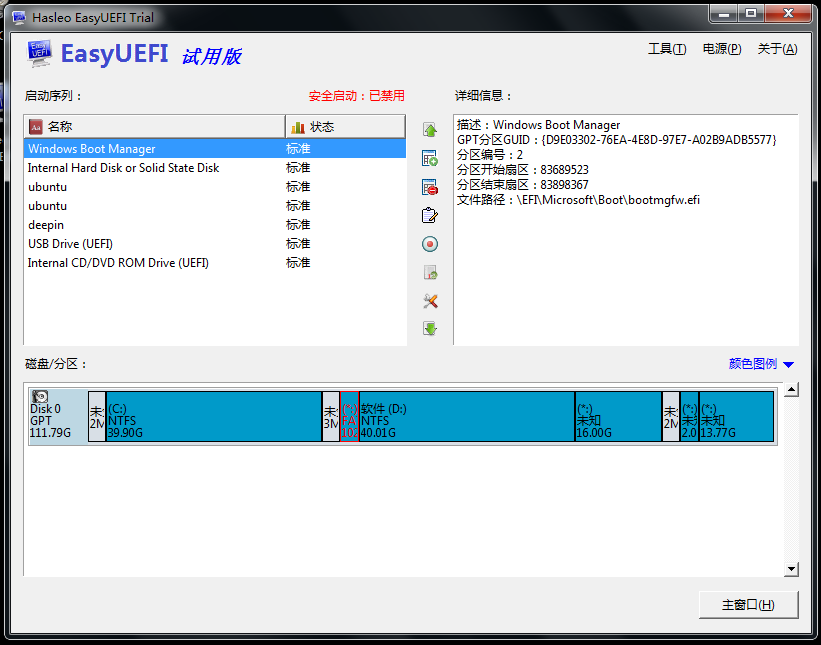
deepin 利用 这个帖子,我禁用了 windows boot manager,把deepin调整为第一启动项,就实现了, 1、自动显示启动菜单,2、默认进入deepin系统,的目的。
Popular Events
More


 The settings menu needs to be translated into Russian.
HP的笔记本,在WIN7的基础上安装了deepin系统,每次启动的时候,都要按ESC 键,再按F9键,再选择deepin,才能进入deepin系统,每次这样操作,好麻烦,怎样才能让笔记本:1、自动显示启动菜单,2、默认进入deepin系统?