

 中文
中文 
Maicss deepin
2021-07-28 21:10 deepin 其实你可以多少来两张图看看
Reply Like 0 View the author
 deepin
 其实你可以多少来两张图看看

 deepin
 其实你可以多少来两张图看看
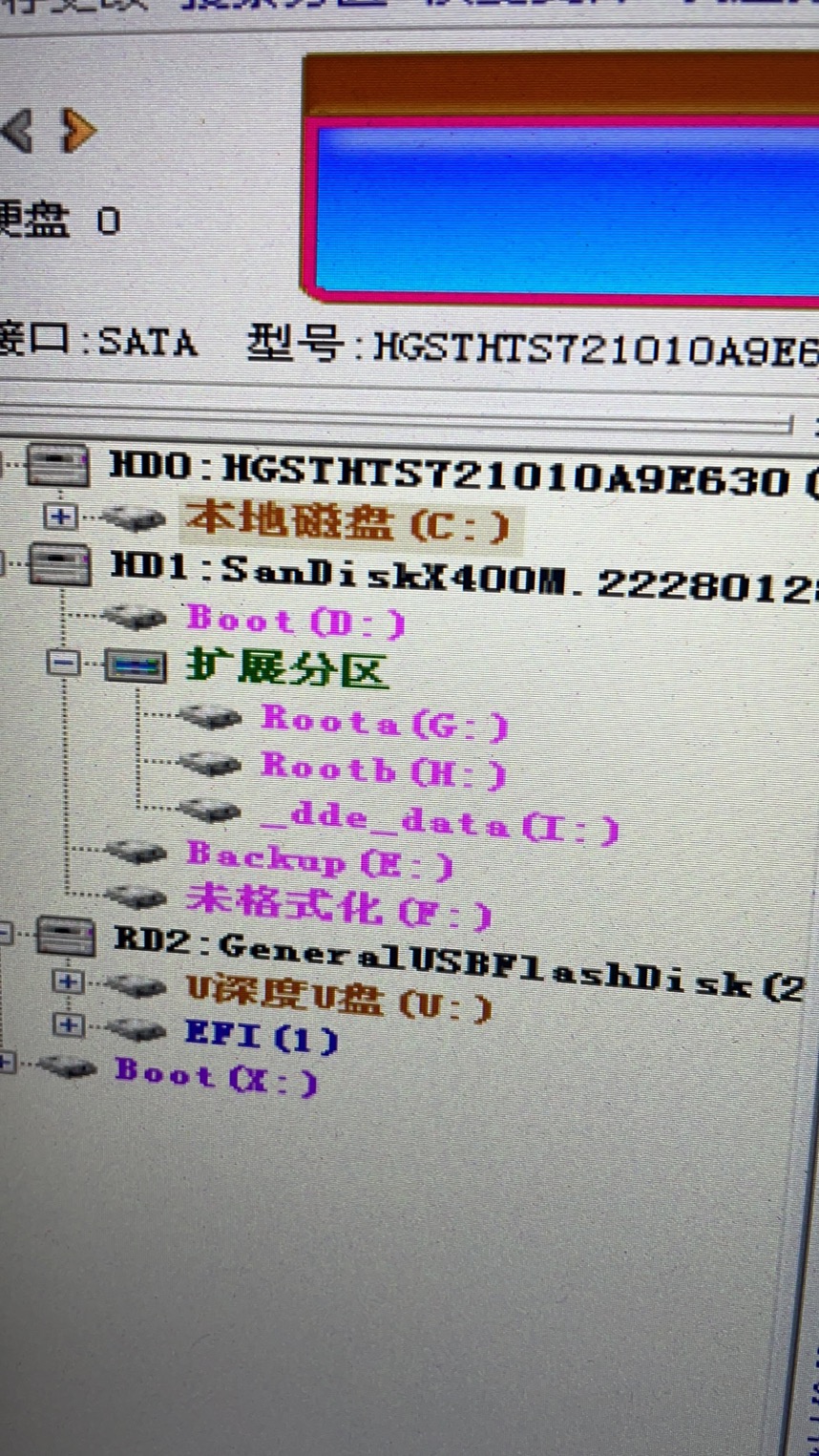
deepin 其实你可以多少来两张图看看
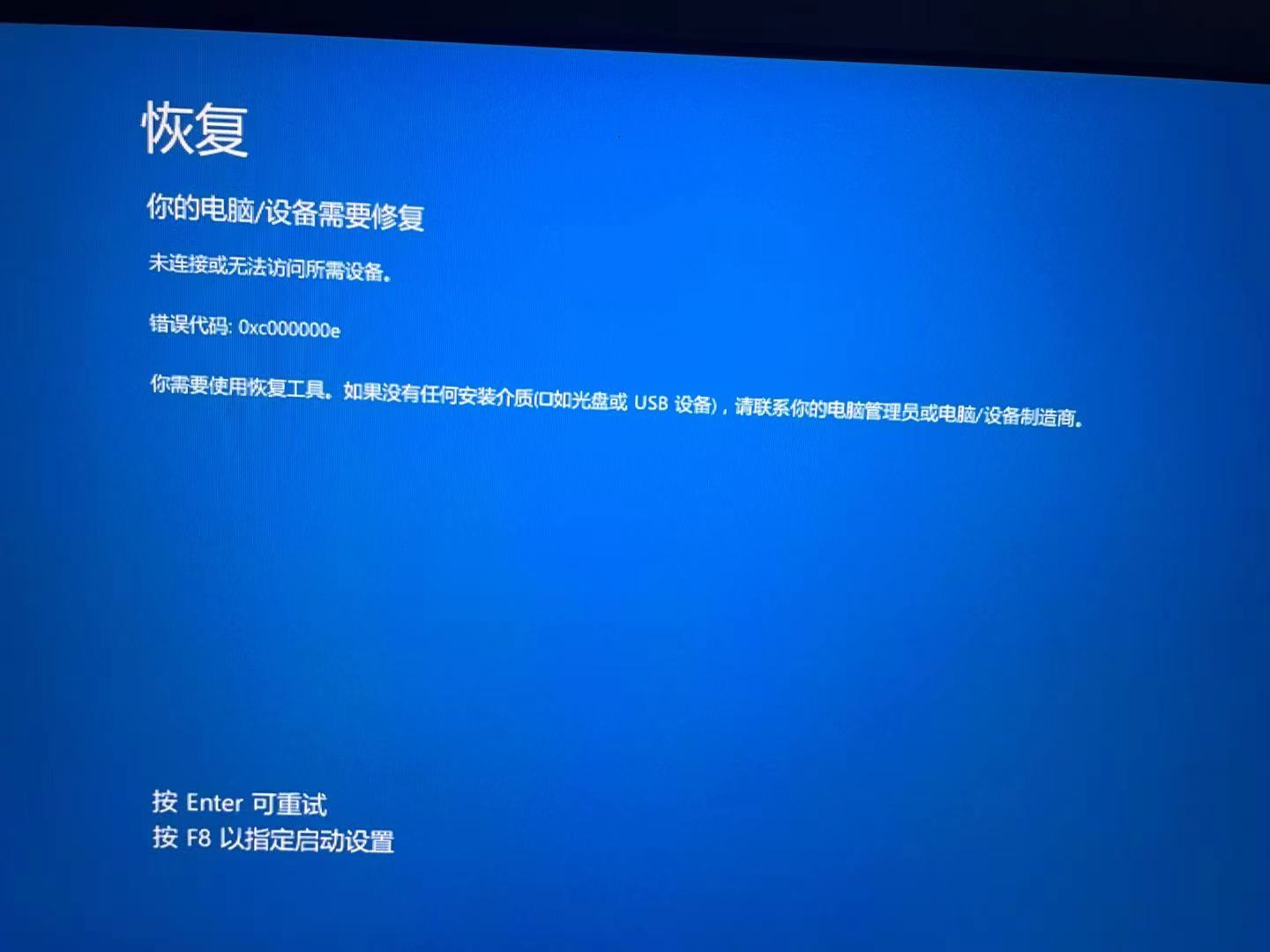
deepin
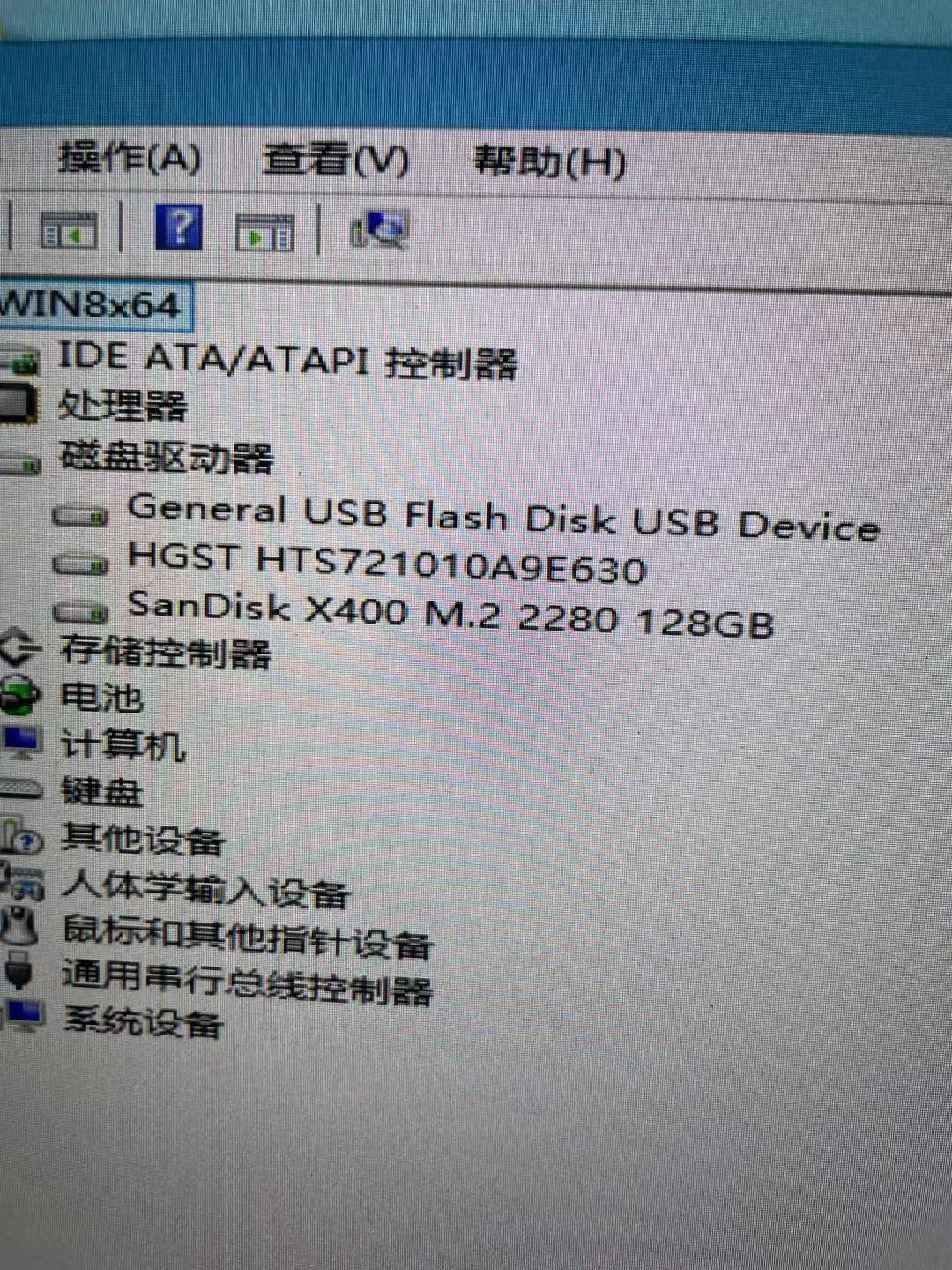
deepin 系统找不到引导分区了,搞个pe盘修复引导就好了
deepin 系统找不到引导分区了,搞个pe盘修复引导就好了
谢谢!!回去试下
deepin 系统找不到引导分区了,搞个pe盘修复引导就好了
我这边了pe了。但是无法识别U盘启动。想进入bios,提示需要密码。但是我没有设置密码 。求解决。
。求解决。
deepin 我这边了pe了。但是无法识别U盘启动。想进入bios,提示需要密码。但是我没有设置密码。求解决。
bios的密码?那个好像只能通过拆主板电池重置
deepin 我这边了pe了。但是无法识别U盘启动。想进入bios,提示需要密码。但是我没有设置密码。求解决。
我修复没用,重新安装了还是没有用。这个需不需要设置BIOS,或者特殊的引导 ?
Popular Events
More


 The settings menu needs to be translated into Russian.
CPU:i7,双硬盘,一块机械硬盘存资料,一块固态装系统,前面是windows10正常使用,安装deepin20后出现“未连接或无法访问所需设备0xc000000e”
deepin是昨天(2021.7.28)下载的最新版本。