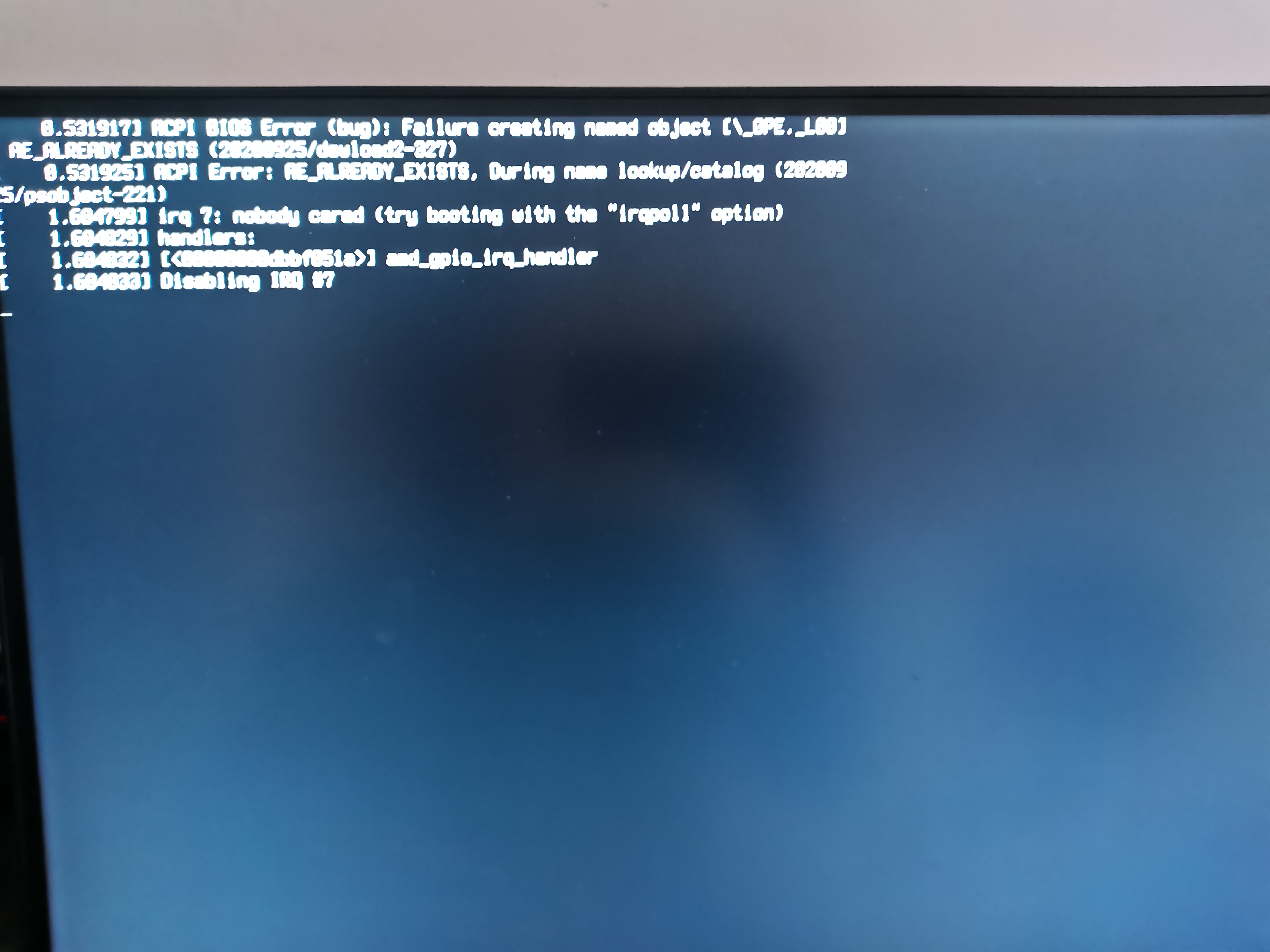
中文
中文 
灵兮之 deepin
2021-07-23 06:48 deepin 不能,用SSD速度快,几秒就闪过了
Reply Like 0 View the author
 deepin
 不能,用SSD速度快,几秒就闪过了
 deepin
 没方法,忍着吧

 deepin
 闭眼,等30秒

 deepin
 正常电脑是没有这个的.
 deepin
 正常电脑是没有这个的.
新电脑,新系统 新硬盘 怎么个不正常法
deepin 正常电脑是没有这个的.
新电脑,新系统 新硬盘 怎么个不正常法
deepin 不能,用SSD速度快,几秒就闪过了
我这 pcie 4.0通道的固态硬盘 也得好几秒
deepin deepin 没方法,忍着吧
嗯 ,pcie4.0的硬盘 开机速度快赶上了机械硬盘,也就deepin了
deepin 我这 pcie 4.0通道的固态硬盘 也得好几秒
我用SSD要2s左右,界面是比较难看些
这个其实可以做个动画,就像win启动时那样,但是动画不知道会不会拖慢启动速度
要是能隐藏掉,不要这个界面,不要动画也是可以接受的
deepin 嗯 ,pcie4.0的硬盘 开机速度快赶上了机械硬盘,也就deepin了
我三星860EVO开机到桌面也才15秒左右啊,你这。。。
deepin 网上找了一些解法,不如试试看:
1. 打开、编辑配置文档
sudo nano /etc/default/grub2. 进去之后,找到一行 GRUB_CMDLINE_LINUX_DEFAULT ,将该行改为
GRUB_CMDLINE_LINUX_DEFAULT="quiet splash loglevel=3"上面这句的意思是
quiet:少啰唆一点
splash:如果有动画可以显示,就显示动画
loglevel=3:出错的时候再说话,正常运行就闭嘴
3. 完成之后,应用你的修改
sudo update-grub----------
如果你有 Grub Customizer,那就方便得多
切换到「一般设定」,将内核参数改成 quiet splash loglevel=3 ,然后点右上角储存

参考: https://askubuntu.com/questions/248/how-can-i-show-or-hide-boot-messages-when-ubuntu-starts
参考2: https://stackoverflow.com/questions/16390004/change-default-console-loglevel-during-boot-up
deepin 网上找了一些解法,不如试试看:
1. 打开、编辑配置文档
sudo nano /etc/default/grub2. 进去之后,找到一行 GRUB_CMDLINE_LINUX_DEFAULT ,将该行改为
GRUB_CMDLINE_LINUX_DEFAULT="quiet splash loglevel=3"上面这句的意思是
quiet:少啰唆一点
splash:如果有动画可以显示,就显示动画
loglevel=3:出错的时候再说话,正常运行就闭嘴
3. 完成之后,应用你的修改
sudo update-grub----------
如果你有 Grub Customizer,那就方便得多
切换到「一般设定」,将内核参数改成 quiet splash loglevel=3 ,然后点右上角储存
参考: https://askubuntu.com/questions/248/how-can-i-show-or-hide-boot-messages-when-ubuntu-starts
参考2: https://stackoverflow.com/questions/16390004/change-default-console-loglevel-during-boot-up
感谢,虽然没全屏蔽,但是这个方法有效果
Popular Events
More


 The settings menu needs to be translated into Russian.
能还是不能???有方法还是没方法??????有强迫症就很烦