

 中文
中文 

Feng Yu deepin
2020-05-10 18:20 deepin 本帖最后由 abcfy2 于 2020-5-10 10:22 编辑
Hi @granwille.
You can debug your font rendering like this, and pasted the result.
Show all fonts avaliable:
Copy the Code
Show fonts order matching sans-serif:
Copy the Code
Show fonts order matching serif:
Copy the Code
Show fonts order matching monospace:
Copy the Code
After all, show your browser font config.
Then, check which font is used by browser for rendering. Press F12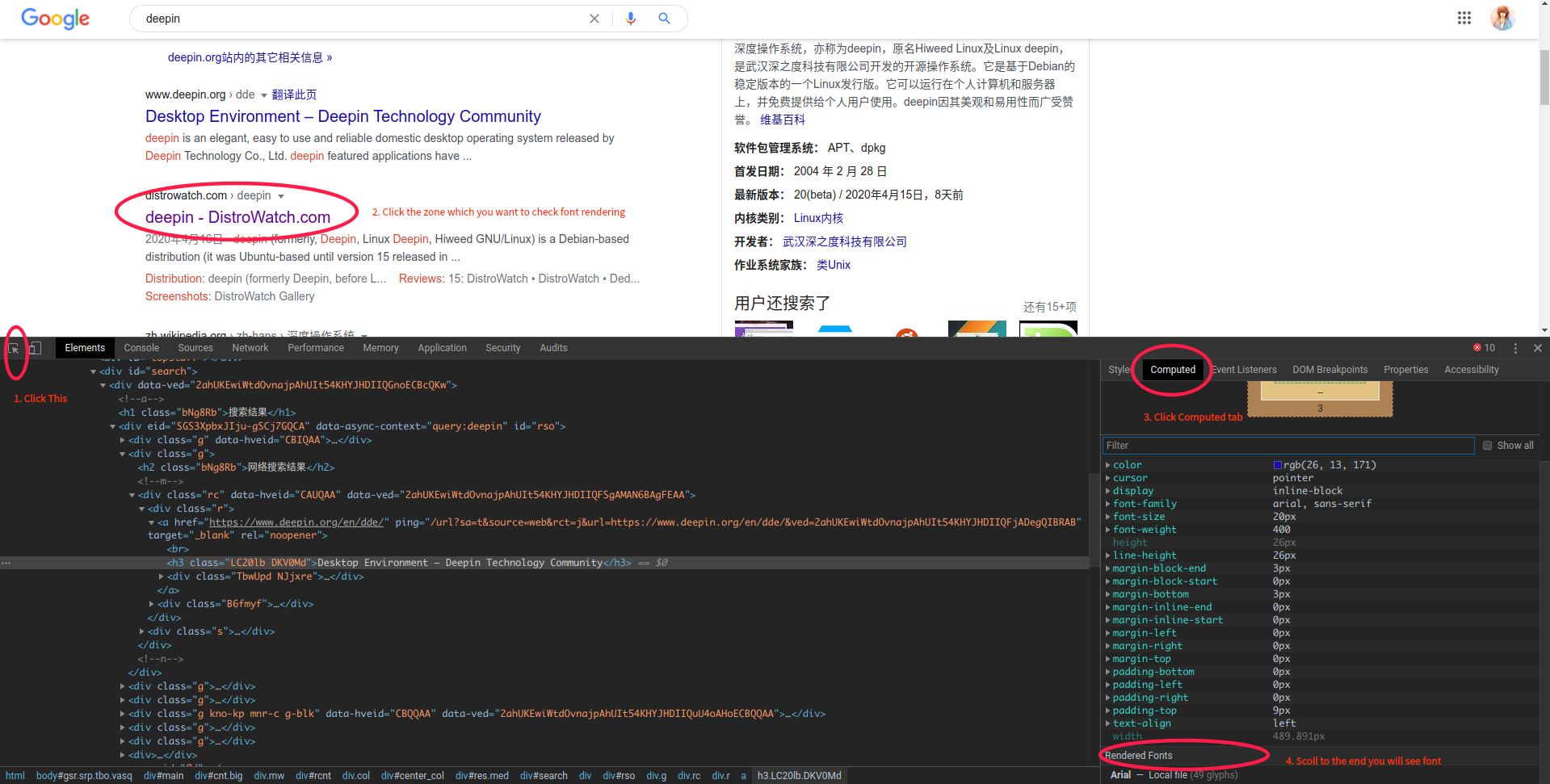
Hi @granwille.
You can debug your font rendering like this, and pasted the result.
Show all fonts avaliable:
- fc-list
Show fonts order matching sans-serif:
- fc-match -s sans-serif
Show fonts order matching serif:
- fc-match -s serif
Show fonts order matching monospace:
- fc-match -s monospace
After all, show your browser font config.
Then, check which font is used by browser for rendering. Press F12
Reply Like 0 View the author



 List of bugs and suggestions


Previously I had WPS-Office 2019 installed to my Deepin 15.11 and was working fine. However, yesterday I uninstalled it and tried out LibreOffice instead. But I did not like it so I removed it and ran the following code:
- sudo apt remove --purge libre-office*
And thereafter I installed WPS Office 2019 again. However, ever since I did that, it now seems on ALL browsers (Chrome, Firefox, Brave and Opera) that my font is broken in certain text areas, here is a screenshot.
I have already tried making changes within the browser font settings and that does not work at all. I also played around on the Deepin font size settings too, and that did not help either. I believe during the uninstall of Libre Office I may have uninstalled system fonts needed. Because this makes no sense to why it is affecting ALL my browsers.
I really hope someone can assist me here, please?