Home
Categories
WIKI
Topic
User
LANGUAGE:
中文
English
怎样样知道安装的app的具体名称,卸载用
Apps Section
789
views ·
4
replies ·
To
floor
Go
liujy126
deepin
2020-05-02 20:39
Author
本帖最后由 liujy126 于 2020-5-2 12:41 编辑
我装个 ‘Converseen’,不好用想卸载,右键可能卸补干净,我想用命令卸,但卸不了,说找不到,貌似人家软件虽然叫Converseen,但安装的时候用了另外的名字,怎样才能知道呢?
在Windows下,我直接右键它的图标属性里一看,就知道了,而且可以直接定位到它的安装目录,linux貌似做不到,没这么便捷。
Reply
Like 0
Favorite
View the author
All Replies
不会开车有驾照
deepin
2020-05-02 21:01
#1
本帖最后由 ccbshang 于 2020-5-2 13:04 编辑
apt search 试试
Reply
Like 0
View the author
不会开车有驾照
deepin
2020-05-02 21:05
#2
另外可以用软件商店卸载
Reply
Like 0
View the author
不会开车有驾照
deepin
2020-05-02 21:07
#3
是这个么
Reply
Like 0
View the author
liujy126
deepin
2020-05-02 21:29
#4
https://bbs.deepin.org/post/193477
是这个么
不知道啊,桌面上是这么个图标
Reply
Like 0
View the author
Comments
ccbshang
2020-05-03 00:15
应该就是那个,看版本号是对的
Please
sign
in first
Featured Collection
Change
[Tutorial] deepin25 WSL Offline Installation Guide
UOS AI 2.8 Released! Three New Intelligent Agents & Major Evolution
Solid Q&A | deepin 25 Common Questions – The Immutable System Edition
New Thread
Popular Events
More


 中文
中文 
 deepin deepin
  deepin deepin deepin
  deepin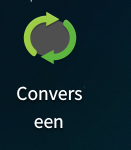


我装个 ‘Converseen’,不好用想卸载,右键可能卸补干净,我想用命令卸,但卸不了,说找不到,貌似人家软件虽然叫Converseen,但安装的时候用了另外的名字,怎样才能知道呢?
在Windows下,我直接右键它的图标属性里一看,就知道了,而且可以直接定位到它的安装目录,linux貌似做不到,没这么便捷。