Home
Categories
WIKI
Topic
User
LANGUAGE:
中文
English
deepin 20 beta 怎样以太网连网络
Experiences and Insight
1459
views ·
4
replies ·
To
floor
Go
zhtanjy
deepin
2020-04-28 18:40
Author
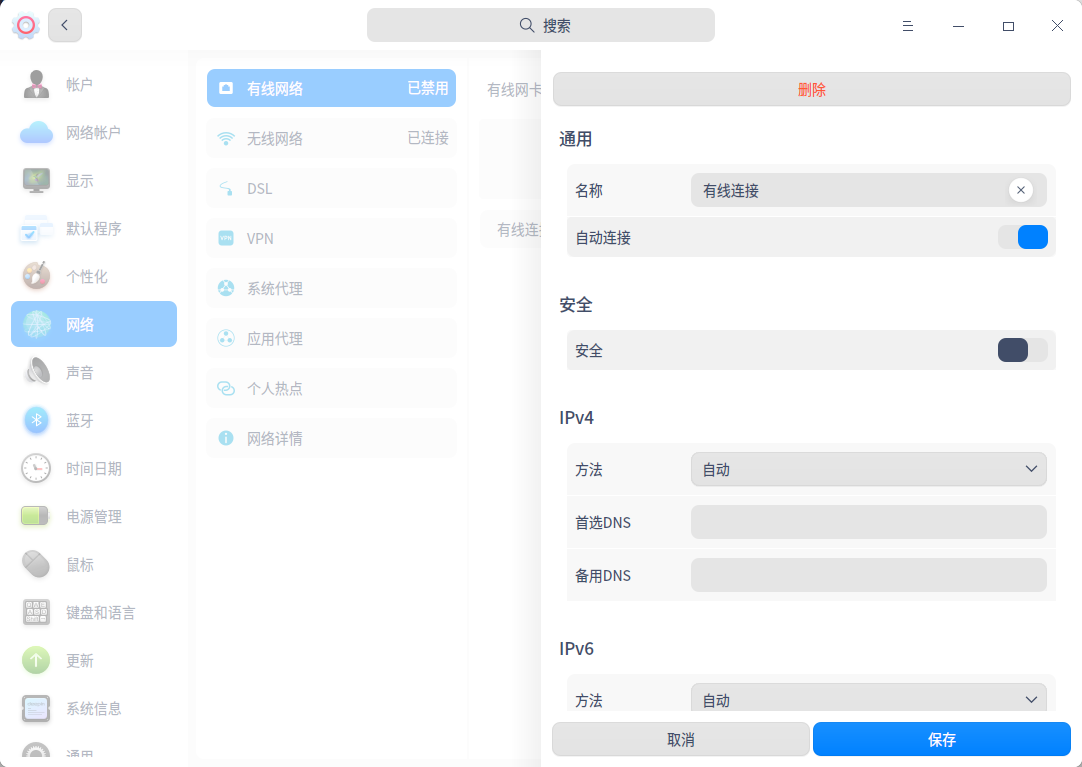
在虚机上新装deepin 20 beta。设了网卡,在网络设置 dsl 为什么拨号 用户和密码 必填。我只需设置方法手动之后配ip 子网 网关。不明白这里拨号必填。就没法连接公司网络。怎样解决呢?
Reply
Like 0
Favorite
View the author
All Replies
走钢丝
deepin
2020-04-28 18:49
#1
首先得明白你的虚拟机网络是什么,如果是桥接,可能需要配置 IP。默认用的 NAT,不需要配置。当然了,需要在物理机网卡上插上网线。
Reply
Like 0
View the author
MarioAi
deepin
2020-04-28 19:02
#2
虚拟机,网络模式:
Bridged(桥接模式)、NAT(网络地址转换模式)、Host-Only(仅主机模式)
桥接模式,一块网卡两用,主机和虚拟机相互不影响,主机怎么连接,虚拟机采取同样方式
网络地址转换模式:通过主机上网,就有了一块虚拟网卡,主机作路由转发,啥都不要设置,主机联上网,则虚拟机直接上网
仅主机模式:开启主机与虚拟机的链接,截断外部网络链接,就变成了了一个小的局域网,主机能上网,虚拟机不能上网,但是主机能ping(说能连通不是说命令,命令只要不禁止当然也行)虚拟机
Reply
Like 0
View the author
观摩
deepin
2020-04-28 19:05
#3
如果对虚拟机和Linux都不是很熟悉,建议修改虚拟机的设置,改成NAT模式,他会自动和本机单独组一个局域网,分配一个IP,能上网
Reply
Like 0
View the author
ShineWay
deepin
2020-04-28 21:43
#4
直接在有线网络那里设置就行了,
你确定你的网卡安装没问题?
Reply
Like 0
View the author
Please
sign
in first
Featured Collection
Change
[Tutorial] deepin25 WSL Offline Installation Guide
UOS AI 2.8 Released! Three New Intelligent Agents & Major Evolution
Solid Q&A | deepin 25 Common Questions – The Immutable System Edition
New Thread
Popular Events
More


 中文
中文 
 deepin deepin
  deepin
  deepin
  deepin
 deepin
  deepin