

 中文
中文 
mailtofong deepin
2020-04-25 20:16 deepin 謝謝 樓主,Deepin 15.11,DWG文件打開閃退
Reply Like 0 View the author
 deepin
 deepin deepin
  deepin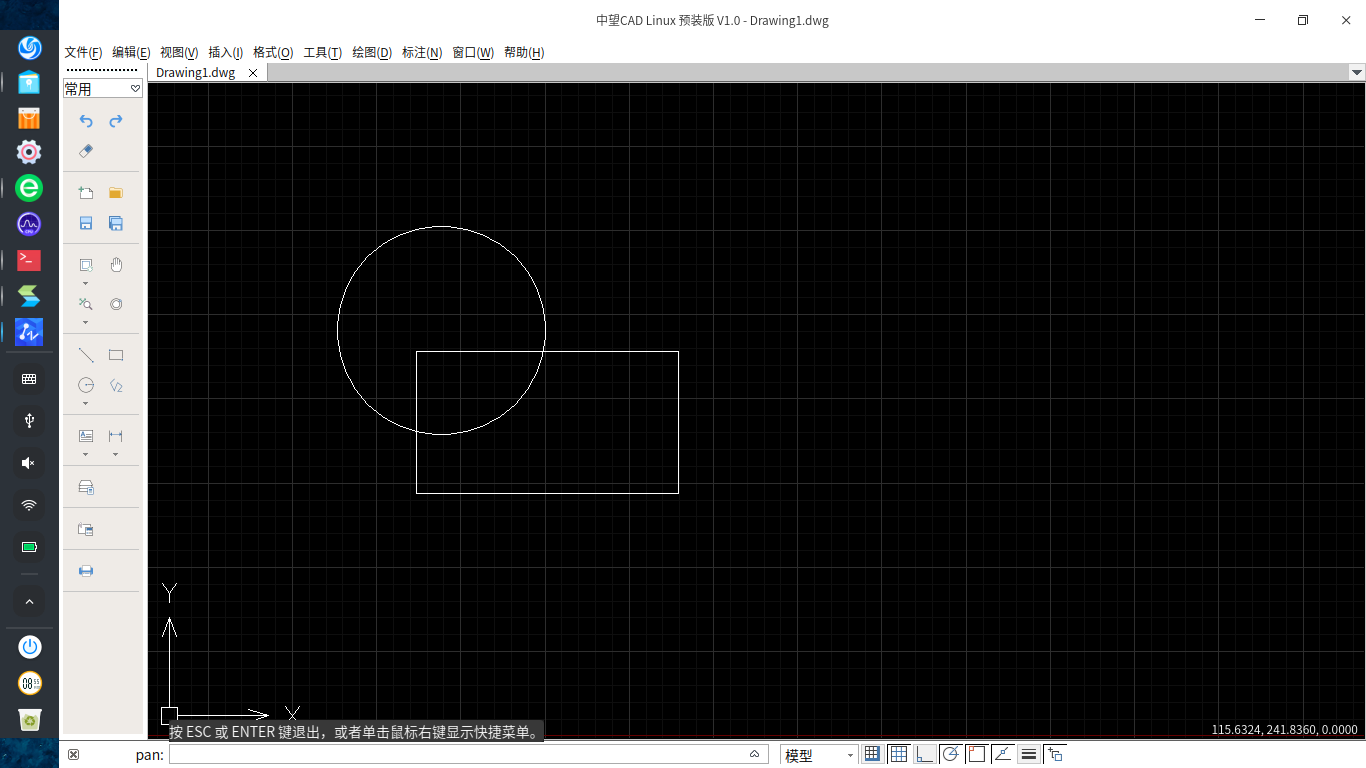

 deepin
  deepin deepin
 https://bbs.deepin.org/post/192879
对于deb重打包,可以参考我的项目: https://github.com/zhangn1985/cajviewer


http://okapps.oukan.online/lroapps/deb-amd64/
--
见最后一行:
zwcad-linuxpreinst_1.0_amd64.deb 18-Mar-2020 13:07 83M
DEB 软件包打包有一些地方不太标准。报错信息略多。待优化。
----
$ lintian ~/zwcad-linuxpreinst_1.0_amd64.deb
E: zwcad-linuxpreinst: unstripped-binary-or-object opt/ZWSOFT/ZWCAD-LinuxPreInst-V1.0/ZWCAD
E: zwcad-linuxpreinst: binary-or-shlib-defines-rpath opt/ZWSOFT/ZWCAD-LinuxPreInst-V1.0/ZWCAD /run/media/zhaoxin/beee92e8-31b8-4894-b14d-f4067a3ec323/ZWCADE2MPPROJ/svn_ZWCADE2MPPROJ/Source/../Out/Lib/lnxX64/4.4
E: zwcad-linuxpreinst: binary-or-shlib-defines-rpath opt/ZWSOFT/ZWCAD-LinuxPreInst-V1.0/ZWCAD /run/media/zhaoxin/beee92e8-31b8-4894-b14d-f4067a3ec323/ZWCADE2MPPROJ/svn_ZWCADE2MPPROJ/Out/bin/lnxX64/4.4
E: zwcad-linuxpreinst: binary-or-shlib-defines-rpath opt/ZWSOFT/ZWCAD-LinuxPreInst-V1.0/ZWCAD /run/media/zhaoxin/beee92e8-31b8-4894-b14d-f4067a3ec323/ZWCADE2MPPROJ/svn_ZWCADE2MPPROJ/Source/../Out/Lib/lnxX64/3rdlib
E: zwcad-linuxpreinst: binary-or-shlib-defines-rpath ... use --no-tag-display-limit to see all (or pipe to a file/program)
W: zwcad-linuxpreinst: hardening-no-pie opt/ZWSOFT/ZWCAD-LinuxPreInst-V1.0/ZWCAD
E: zwcad-linuxpreinst: unstripped-binary-or-object opt/ZWSOFT/ZWCAD-LinuxPreInst-V1.0/libOdGeometry.so
E: zwcad-linuxpreinst: unstripped-binary-or-object opt/ZWSOFT/ZWCAD-LinuxPreInst-V1.0/libRibbonControls.so
E: zwcad-linuxpreinst: unstripped-binary-or-object ... use --no-tag-display-limit to see all (or pipe to a file/program)
W: zwcad-linuxpreinst: hardening-no-relro opt/ZWSOFT/ZWCAD-LinuxPreInst-V1.0/libSpaACIS.so
W: zwcad-linuxpreinst: hardening-no-relro opt/ZWSOFT/ZWCAD-LinuxPreInst-V1.0/libSpaHBridge.so
W: zwcad-linuxpreinst: hardening-no-relro opt/ZWSOFT/ZWCAD-LinuxPreInst-V1.0/libSpaHPart.so
E: zwcad-linuxpreinst: embedded-library opt/ZWSOFT/ZWCAD-LinuxPreInst-V1.0/libZrxDgnImport.zrx: freetype
E: zwcad-linuxpreinst: embedded-library opt/ZWSOFT/ZWCAD-LinuxPreInst-V1.0/libZrxDgnImport.zrx: tinyxml
E: zwcad-linuxpreinst: embedded-library opt/ZWSOFT/ZWCAD-LinuxPreInst-V1.0/libZrxDgnImport.zrx: zlib
E: zwcad-linuxpreinst: embedded-library ... use --no-tag-display-limit to see all (or pipe to a file/program)
W: zwcad-linuxpreinst: missing-depends-line
E: zwcad-linuxpreinst: changelog-file-missing-in-native-package
E: zwcad-linuxpreinst: control-file-has-bad-owner postinst zwcad/zwcad != root/root
E: zwcad-linuxpreinst: control-file-has-bad-owner postrm zwcad/zwcad != root/root
E: zwcad-linuxpreinst: no-copyright-file
W: zwcad-linuxpreinst: description-too-long
E: zwcad-linuxpreinst: extended-description-is-empty
E: zwcad-linuxpreinst: wrong-file-owner-uid-or-gid opt/ 1000/1000
W: zwcad-linuxpreinst: non-standard-dir-perm opt/ 0777 != 0755
E: zwcad-linuxpreinst: wrong-file-owner-uid-or-gid opt/ZWSOFT/ 1000/1000
E: zwcad-linuxpreinst: dir-or-file-in-opt opt/ZWSOFT/
W: zwcad-linuxpreinst: non-standard-dir-perm opt/ZWSOFT/ 0777 != 0755
E: zwcad-linuxpreinst: wrong-file-owner-uid-or-gid opt/ZWSOFT/ZWCAD-LinuxPreInst-V1.0/ 1000/1000
E: zwcad-linuxpreinst: dir-or-file-in-opt opt/ZWSOFT/ZWCAD-LinuxPreInst-V1.0/
W: zwcad-linuxpreinst: non-standard-dir-perm opt/ZWSOFT/ZWCAD-LinuxPreInst-V1.0/ 0777 != 0755
E: zwcad-linuxpreinst: wrong-file-owner-uid-or-gid ... use --no-tag-display-limit to see all (or pipe to a file/program)
E: zwcad-linuxpreinst: dir-or-file-in-opt opt/ZWSOFT/ZWCAD-LinuxPreInst-V1.0/Icons/
W: zwcad-linuxpreinst: non-standard-dir-perm ... use --no-tag-display-limit to see all (or pipe to a file/program)
E: zwcad-linuxpreinst: dir-or-file-in-opt ... use --no-tag-display-limit to see all (or pipe to a file/program)
W: zwcad-linuxpreinst: non-standard-executable-perm opt/ZWSOFT/ZWCAD-LinuxPreInst-V1.0/Icons/128x128/ZWCAD_DWG.png 0766 != 0755
W: zwcad-linuxpreinst: non-standard-executable-perm opt/ZWSOFT/ZWCAD-LinuxPreInst-V1.0/Icons/128x128/ZWCAD_DXF.png 0766 != 0755
W: zwcad-linuxpreinst: non-standard-executable-perm opt/ZWSOFT/ZWCAD-LinuxPreInst-V1.0/Icons/16x16/ZWCAD_DWG.png 0766 != 0755
W: zwcad-linuxpreinst: non-standard-executable-perm ... use --no-tag-display-limit to see all (or pipe to a file/program)
W: zwcad-linuxpreinst: non-standard-file-perm opt/ZWSOFT/ZWCAD-LinuxPreInst-V1.0/Settings/Default/Action/System.zcui 0664 != 0644
W: zwcad-linuxpreinst: non-standard-file-perm opt/ZWSOFT/ZWCAD-LinuxPreInst-V1.0/Settings/Default/Environment-0/Contexts.zcui 0664 != 0644
W: zwcad-linuxpreinst: non-standard-file-perm opt/ZWSOFT/ZWCAD-LinuxPreInst-V1.0/Settings/Default/Environment-0/Controls/Controls.zcui 0664 != 0644
W: zwcad-linuxpreinst: non-standard-file-perm ... use --no-tag-display-limit to see all (or pipe to a file/program)
E: zwcad-linuxpreinst: executable-desktop-file usr/share/applications/ZWCAD-LinuxPreInst-V1.0.desktop 0777
W: zwcad-linuxpreinst: executable-not-elf-or-script opt/ZWSOFT/ZWCAD-LinuxPreInst-V1.0/Icons/16x16/ZWCAD_DWG.png
W: zwcad-linuxpreinst: executable-not-elf-or-script opt/ZWSOFT/ZWCAD-LinuxPreInst-V1.0/fonts/visiohg.shx
W: zwcad-linuxpreinst: executable-not-elf-or-script opt/ZWSOFT/ZWCAD-LinuxPreInst-V1.0/fonts/IC-Romand.shx
W: zwcad-linuxpreinst: executable-not-elf-or-script ... use --no-tag-display-limit to see all (or pipe to a file/program)
W: zwcad-linuxpreinst: maintainer-script-ignores-errors postinst
W: zwcad-linuxpreinst: maintainer-script-ignores-errors postrm