请问怎么安装字体,尤其是安装微软的字体
Tofloor
poster avatar
liujy126
deepin
2020-04-21 01:28
Author
网上查了下,貌似可以在font文件夹里建一个winfonts文件夹,然后把巨硬的fonts文件一股脑的复制进去就可以,但现在好像没有权限文件夹带锁了,打不开。
Reply Favorite View the author
All Replies
avatar
走钢丝
deepin
2020-04-21 01:37
#1
简单办法就是双击安装。。。
Reply View the author
avatar
liujy126
deepin
2020-04-21 01:40
#2
辣么多字体全安装,况且,不是还有版权啥的吗?
Reply View the author
Comments
lengsir
2020-04-28 22:16
你自己用当然没什么版权问题,只要不发出去
avatar
archlte
deepin
2020-04-21 02:06
#3
sudo dde-file-manager
这个命令可以以 root 权限打开文件管理器
Reply View the author
avatar
lihai358498275
deepin
2020-04-21 02:14
#4
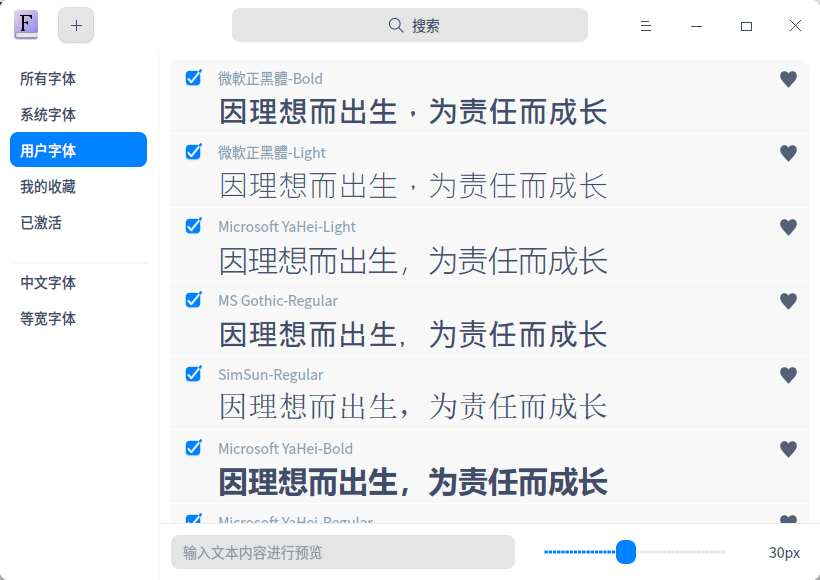
到windows7的电脑上复制字体.用字体安装器安装即可。
Reply View the author
avatar
安洛
deepin
2020-04-21 02:47
#5
使用sudo dde-file-manager打开管理员权限的文件管理器
/usr/share/fonts/下新建一个文件夹,将字体复制进去
最后终端运行
sudo fc-cache -fv
更新字体缓存。
如果有重名的字体(比如deepin-opensymbol和windows下的symbol),系统会优先调用先安装的。为了使用windows下的字体,我通常会卸载原来的。
Reply View the author
avatar
lbygljq
deepin
2020-04-21 03:12
#6
如果是单用户模式,直接把Windows的fonts目录复制到~/、~/.local/、~/.local/share/ 这几个位置的任意一个下面就可以,想隐藏目录,把“fonts”改为“.fonts”。OK!

提醒:版权问题、某些字体可能不兼容(在软件中不显示字体名称或者字体名称乱码的)
Reply View the author
avatar
liujy126
deepin
2020-04-21 03:34
#7
哦,多谢啦
Reply View the author
avatar
Haydn
deepin
2020-04-21 03:43
#8
https://bbs.deepin.org/post/192394
到windows7的电脑上复制字体.用字体安装器安装即可。

这才是最简便的方法
Reply View the author
avatar
不会开车有驾照
deepin
2020-04-21 04:00
#9
V20没了字体安装器了?
Reply View the author
avatar
老西红
deepin
2020-04-21 04:49
#10
商店里有几个常用的字体可以安装,宋体黑体仿宋啥的
Reply View the author
avatar
gzhunter
deepin
2020-04-21 05:51
#11
https://bbs.deepin.org/post/192394
V20没了字体安装器了?

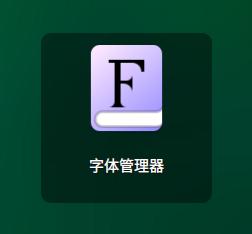
有啊,叫字体管理器了。
Reply View the author
avatar
Jekyll361
deepin
2020-04-28 06:00
#12
https://bbs.deepin.org/post/192394
商店里有几个常用的字体可以安装,宋体黑体仿宋啥的

关键从商店里下载字体,都是提示安装失败,我也不懂是什么原因了
Reply View the author
avatar
ShineWay
deepin
2020-04-28 22:19
#13
有多少字体全拖进来

Reply View the author