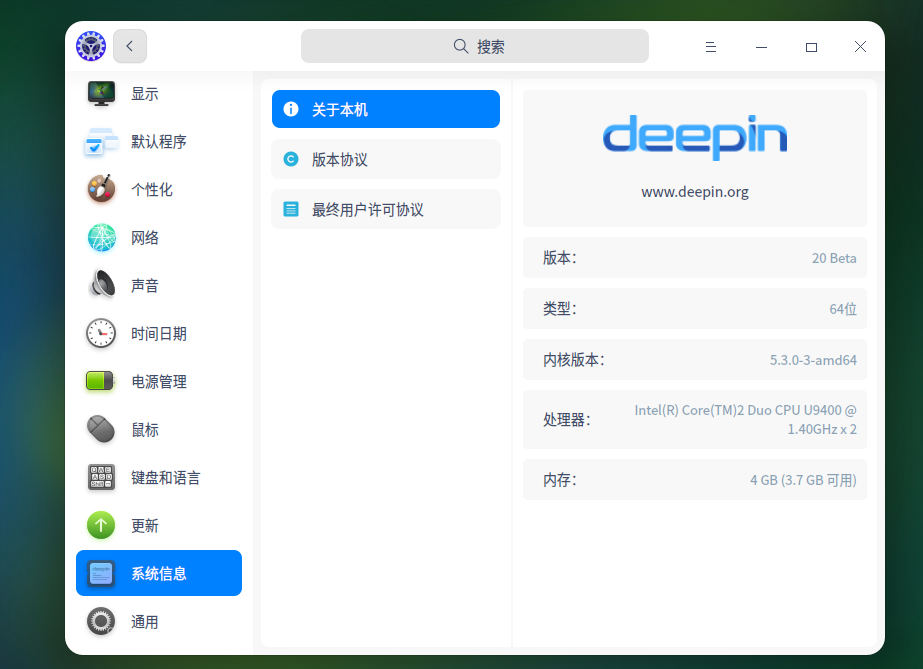
好像很不稳定,今天微信启动不了了,不知道为什么
Tofloor
poster avatar
liujy126
deepin
2020-04-21 00:48
Author
怎么点击都没反映,卸载了应用商店重装也无济于事。
Reply Favorite View the author
All Replies
avatar
stone
deepin
2020-04-21 00:51
#1
你是什么版本?15.11 还是 v20 ? v20 不能安装QQ和微信啊,一安装就提示依赖不足
Reply View the author
avatar
GBwater
deepin
2020-04-21 01:03
#2
https://bbs.deepin.org/post/192385
你是什么版本?15.11 还是 v20 ? v20 不能安装QQ和微信啊,一安装就提示依赖不足 ...

先安装deepin-wine
  1. sudo apt install deepin-wine
Copy the Code
Reply View the author
avatar
liujy126
deepin
2020-04-21 01:29
#3
v20,能安装啊,前两天还用了,今天不行了
Reply View the author
avatar
liujy126
deepin
2020-04-21 01:32
#4

安装完了,之后咋做?
Reply View the author
avatar
weijunfeng
deepin
2020-04-21 01:42
#5
今天刚刚安装系统,安装软件,都正常啊。欣慰都时20BETA终于解决啦显示器亮度问题,现在正常使用中!
Reply View the author
avatar
SamLukeYes
deepin
2020-04-21 01:44
#6
在终端里运行/opt/deepinwine/apps/Deepin-WeChat/run.sh看有没有什么报错
Reply View the author
avatar
liujy126
deepin
2020-04-21 03:36
#7
https://bbs.deepin.org/post/192385
在终端里运行/opt/deepinwine/apps/Deepin-WeChat/run.sh看有没有什么报错

提示说,bash: /opt/deepinwine/apps/Deepin-WeChat/run.sh: 没有那个文件或目录
Reply View the author
avatar
SamLukeYes
deepin
2020-04-21 04:07
#8
https://bbs.deepin.org/post/192385
提示说,bash: /opt/deepinwine/apps/Deepin-WeChat/run.sh: 没有那个文件或目录

这怕不是没装
Reply View the author
avatar
137******30
deepin
2020-04-21 04:53
#9
这是一个BUG,你把/home/用户名/.deepinwine/下的Deepin-WeChat目录删除,在点击微信图标就可以正常启动了.包括百度网盘也有这个毛病,重新启动系统后都要删除相应的目录才能正常使用.
Reply View the author
Comments
future
2020-08-10 00:46
前几天deepin v20上也出现这个问题,采用 你的这个方法解决了,谢谢。
a108315
2020-04-27 08:07
这个方法是正确的
avatar
liujy126
deepin
2020-04-21 18:31
#10
有更新,但是点击了,更新了没反映。
Reply View the author
avatar
liugp23
deepin
2020-04-27 00:46
#11

说无法定位软件包 deepin-win
Reply View the author
avatar
liugp23
deepin
2020-04-27 00:50
#12
https://bbs.deepin.org/post/192385
这是一个BUG,你把/home/用户名/.deepinwine/下的Deepin-WeChat目录删除,在点击微信图标就可以正常启动了.包 ...

谢谢,这个方法试对的。
Reply View the author
avatar
GBwater
deepin
2020-04-27 02:29
#13
https://bbs.deepin.org/post/192385
说无法定位软件包 deepin-win

是不是少打了个e?
Reply View the author