deepin20 安装后出现的问题,如图所示,怎么解决!
Tofloor
poster avatar
iafs
deepin
2020-04-19 00:07
Author
hp本本 光影系列 显卡1050 TI  核显GRAPHIS 630,
主板为可以支持UEFI 模式,
原装WIN10家庭版在固态硬盘上,DEEPIN系统安在机械硬盘上,以前都是这么安装的。第一次禁用安全模式,安在机械硬盘上,没有完全安装,失败了。又试了一次安好了,但是,进不了DEEPIN20系统, WIN10可以正常启动。禁用安全模式,开启安全模式,把DEEPIN20系统顺序都调到第一,DEEPIN20还是不能正常启动,只能开机时,摁EXC,选择启动机械硬盘DEEPIN20才可以启动,每次都必须这样操作启动,太麻烦了。于是在
UEFI
安全模式下重新装了一次,在安全模式下,可以正常启动,就出现了如图情况。不知道什么原因!怎么解决!

Reply Favorite View the author
All Replies
avatar
iafs
deepin
2020-04-19 00:13
#1
自带的输入法很垃圾,商店没有sogou输入法,wps,google浏览器,希望补上。除了wps其他 在官网下载怎么安装补不上呀!
Reply View the author
Comments
zty199
2020-04-19 00:21
终端输入 sudo apt install sugoupinyin安装旧版的搜狗输入法,官网的新版装了没办法输入中文。google需要自己找。
avatar
走钢丝
deepin
2020-04-19 00:17
#2
百度搜索了一下

https://www.cnblogs.com/handsomer/p/9310559.html
https://www.baidu.com/s?wd=ae_already_exists&ie=UTF-8

论坛以前有不少人问过,可以点右上角搜索图标,搜索一下。。
Reply View the author
avatar
忘记、过去
deepin
2020-04-19 00:19
#3
前两个ACPI Error是独立显卡的设备路径,Intel和NVIDIA双显卡问题。试试在grub界面选择deepin v20,按e修改,在ro quiet splash后面加上 nouveau.modeset=0禁用开源显卡驱动,再按f10正常启动。(这个黑苹果里面经常看到......)
Reply View the author
avatar
jingle
deepin
2020-04-19 00:33
#4
wps 官网的下载可有安装啊
Reply View the author
avatar
iafs
deepin
2020-04-19 00:40
#5
https://bbs.deepin.org/post/192110
wps 官网的下载可有安装啊

shi de, ying han qie huan ye chu xian wen ti le. he he
Reply View the author
avatar
zhoujun0451
deepin
2020-04-19 00:55
#6

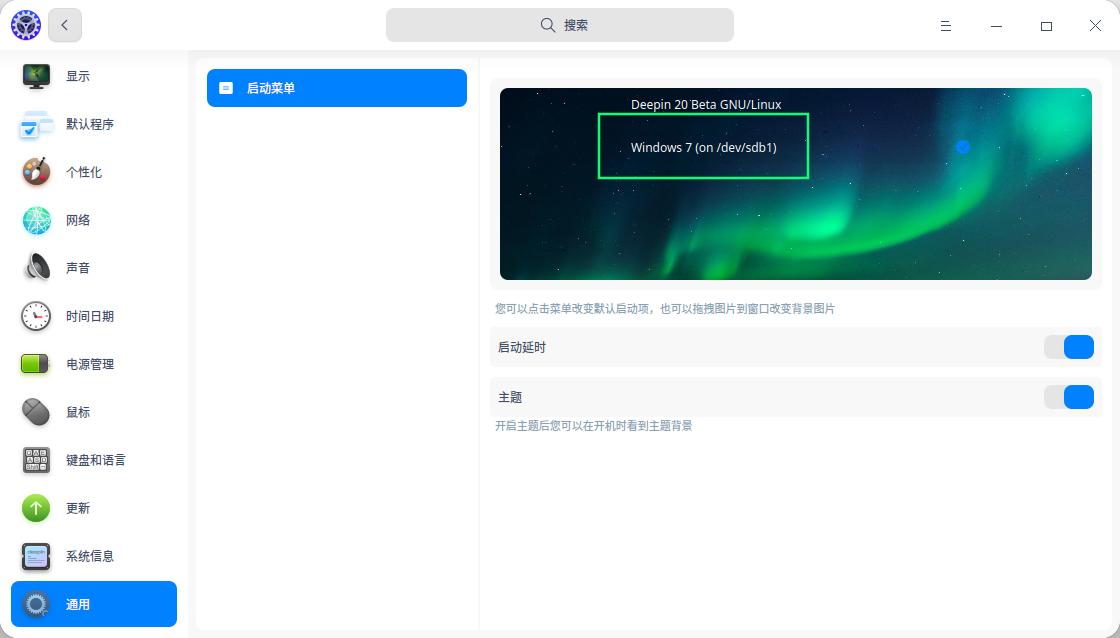
你看我的系统, 我也是把 deepin安装在了第二块硬盘上,  它会自动找到之前的系统。 你只要改一下默认启动项,就可以了。

我安装的时候, 选择 手动安装 -> 新建一个ext4主分区 (挂载点 选"/") -> 然后就正常安装了.     如果是uefi,启动, 我会在后面建立一个efi分区, 默认就300m,
Reply View the author
avatar
zhoujun0451
deepin
2020-04-19 00:57
#7
https://bbs.deepin.org/post/192110
自带的输入法很垃圾,商店没有sogou输入法,wps,google浏览器,希望补上。除了wps其他 在官网下载怎么安装 ...

对啊, 我花了一阵子安装了一个 讯飞输入法, 比自动的强些.
Reply View the author
avatar
iafs
deepin
2020-04-19 02:43
#8
https://bbs.deepin.org/post/192110
你看我的系统, 我也是把 deepin安装在了第二块硬盘上,  它会自动找到之前的系统。 你只要改一下默认启动 ...

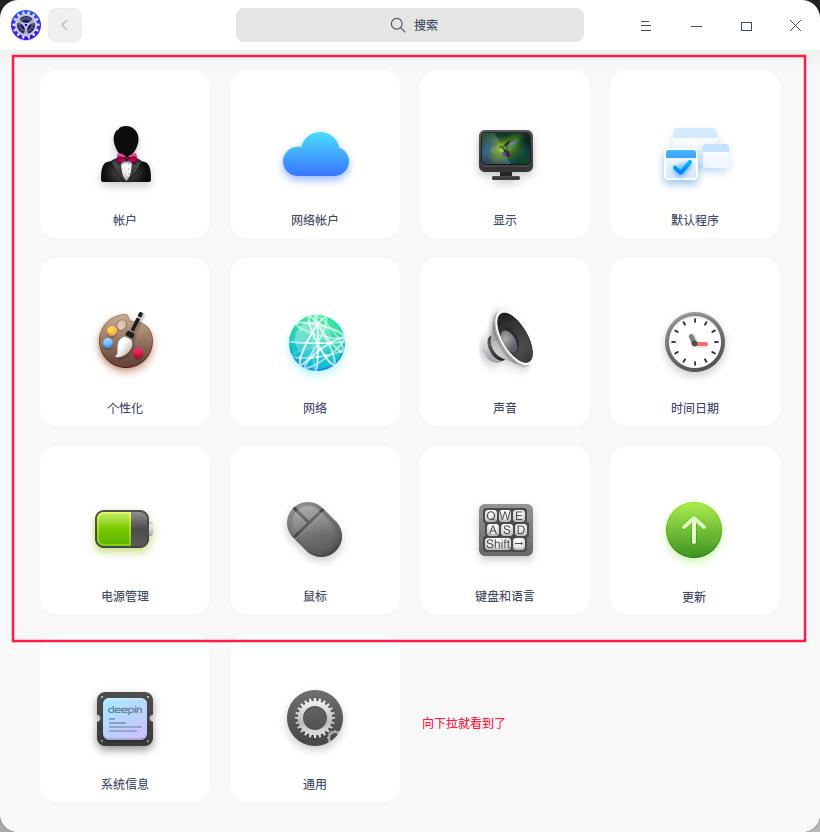
我的系统怎么没有“通用”功能呢
Reply View the author
avatar
zhoujun0451
deepin
2020-04-19 17:43
#9
https://bbs.deepin.org/post/192110
我的系统怎么没有“通用”功能呢

在设置的未展开部分, 用滑轮拨一下,就看到了
Reply View the author
avatar
zhoujun0451
deepin
2020-04-22 17:47
#10
https://bbs.deepin.org/post/192110
我的系统怎么没有“通用”功能呢


Reply View the author